
https://tryhackme.com/room/registry-forensics-aoc2025-h6k9j2l5p8
Created by: tryhackme, Aashir.Masood, moex0
THM walkthrough by GingerHacker: https://www.youtube.com/watch?v=ghRoMS6Gy2w

Per THMs AI Echo: “The Windows Registry is a hierarchical database that stores low-level settings for the operating system and for applications that opt to use the Registry. It contains configuration settings for the OS, hardware, software applications, and user preferences. Essentially, it serves as a central location for configuration data, enabling the system to operate efficiently and customize user experiences.”
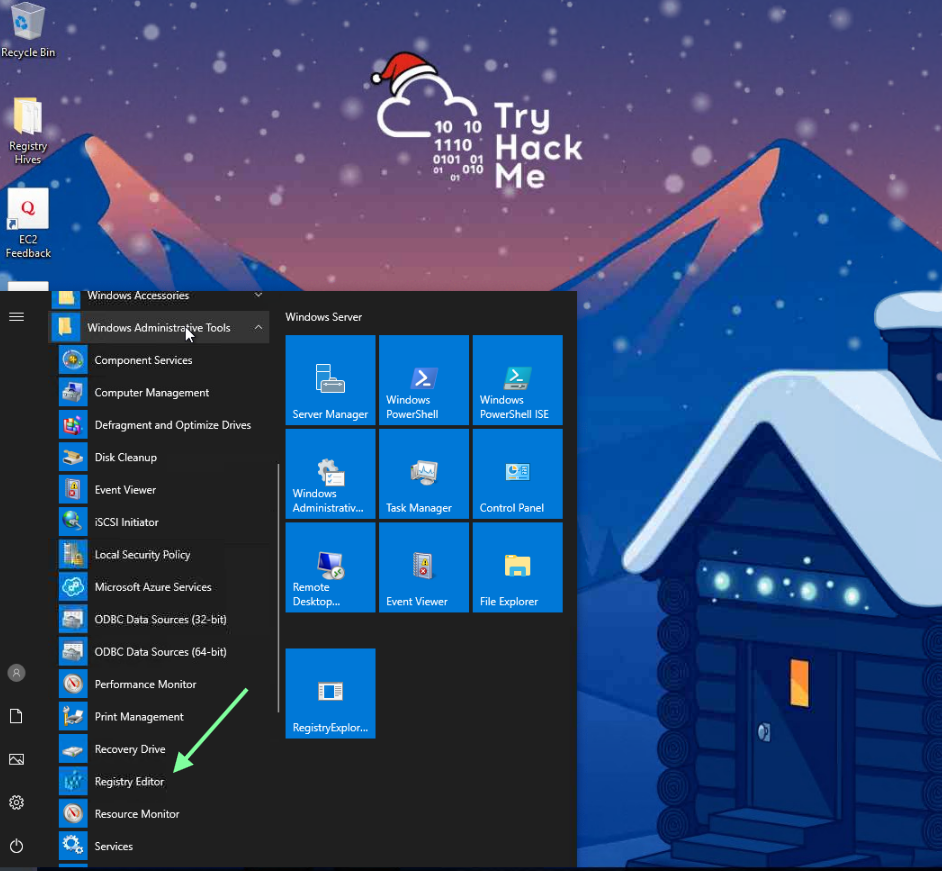
You can search for Registry Editor through Windows search or access it this way.
Once you click on it, follow along with THM as they break down the navigation of the tool. “Note: The registry key contents explained in this example are not available in the attached VM.”

After launching Register Explorer, there are various ways of navigating that THM presents. I found the search function to be pretty handy!


“What application was installed on the dispatch-srv01 before the abnormal activity started?”

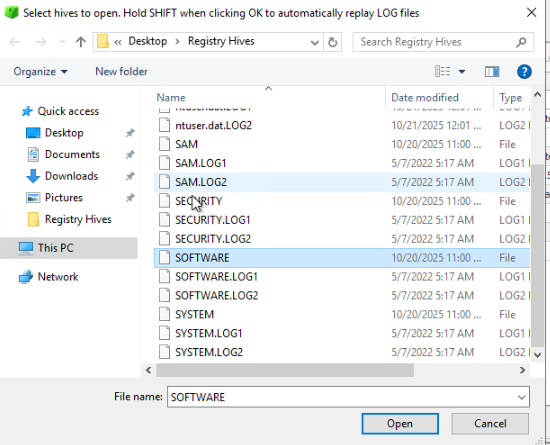
Don’t forget to hold down Shift + click > Open.
Looking under “Available bookmarks”, I see a suspicious executable. Let’s use this to narrow down the search.
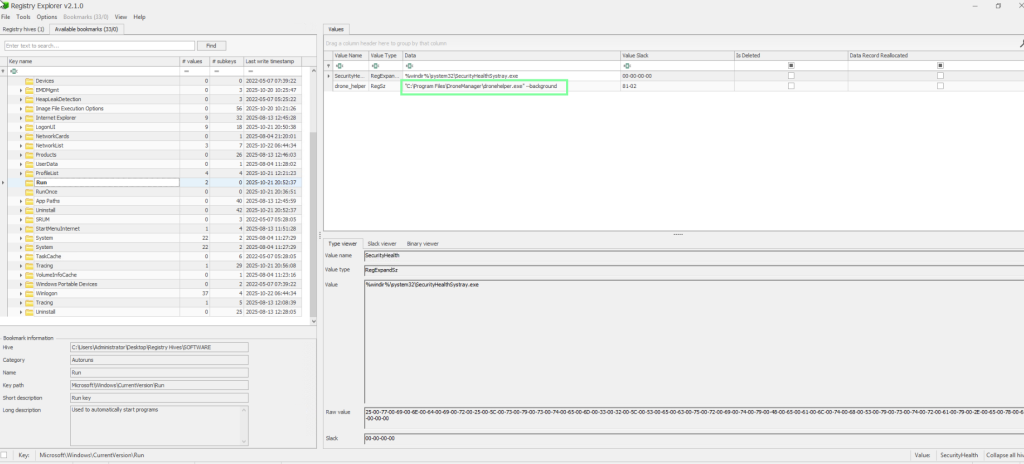
Unfortunately, searching for DroneManager through text search did not populate anything. We do know that we need to look for 2025-10-21, so let’s see if we can toggle that to narrow it down as well. Doing so, we come to the Uninstall, and we see our DroneManager mentioned in there!

“What is the full path where the user launched the application (found in question 1) from?”

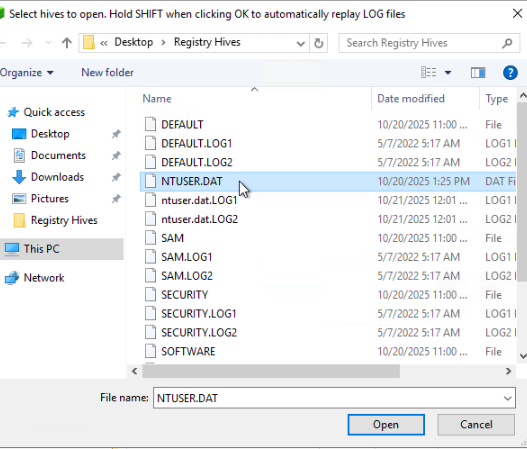
This was harder to locate! I ended up using the THM walkthrough video for assistance in narrowing down the search.
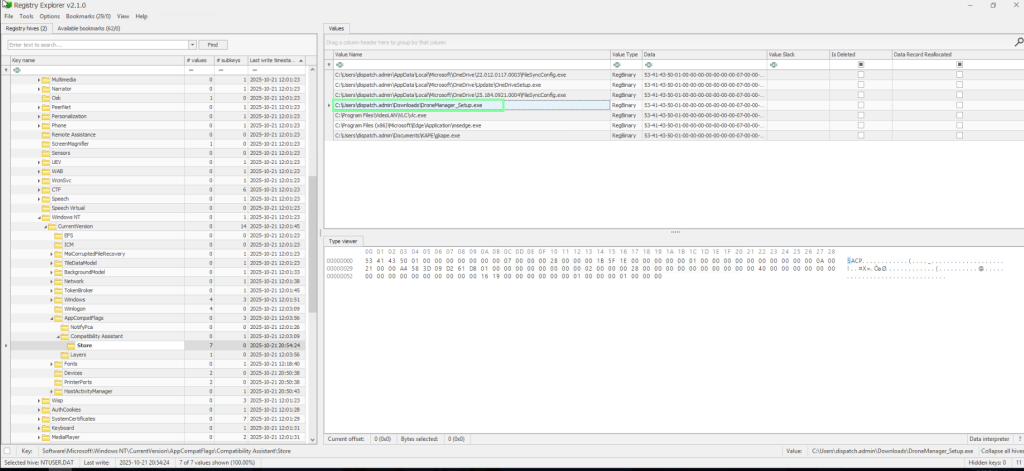

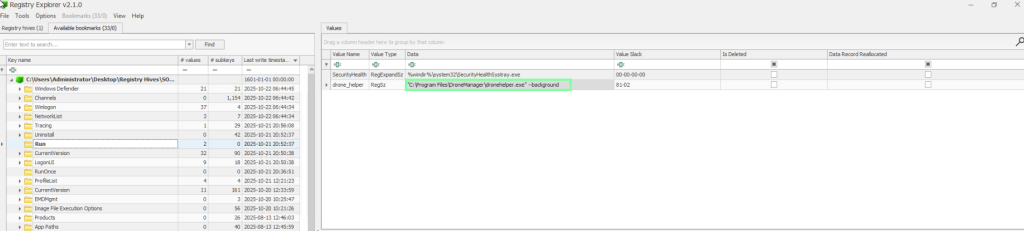
“Which value was added by the application to maintain persistence on startup?”
I actually stumbled upon this earlier!

“If you enjoyed today’s room, feel free to check out the Expediting Registry Analysis room.”