https://tryhackme.com/room/wiresharkpacketoperations
Created by: tryhackme, Gensane
“In this room, we will cover the fundamentals of packet analysis with Wireshark and investigate the event of interest at the packet-level. Note that this is the second room of the Wireshark room trio, and it is suggested to visit the first room Wireshark: The Basics, to practice and refresh your Wireshark skills before starting this one.”
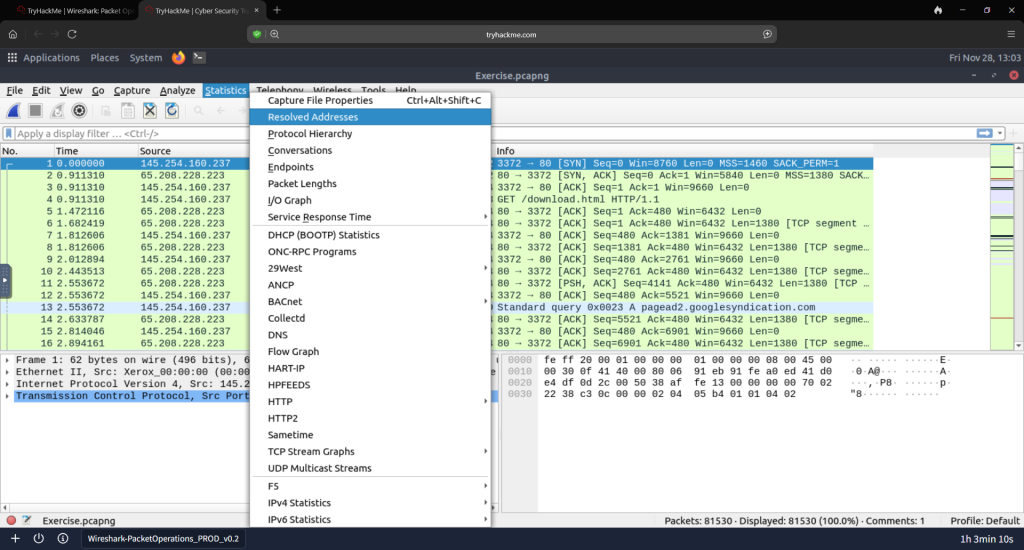
Task 2, Statistics | Summary. “This menu provides multiple statistics options ready to investigate to help users see the big picture in terms of the scope of the traffic, available protocols, endpoints, and conversations, and some protocol-specific details like DHCP, DNS, and HTTP/2. For a security analyst, it is crucial to know how to utilize the statistical information. This section provides a quick summary of the processed PCAP, which will help analysts create a hypothesis for an investigation. You can use the “Statistics”* menu to view all available options. Now start the given VM, open Wireshark, load the “Exercise.pcapng” file, and go through the walkthrough.”
“Investigate the resolved addresses. What is the IP address of the hostname starts with bbc?”

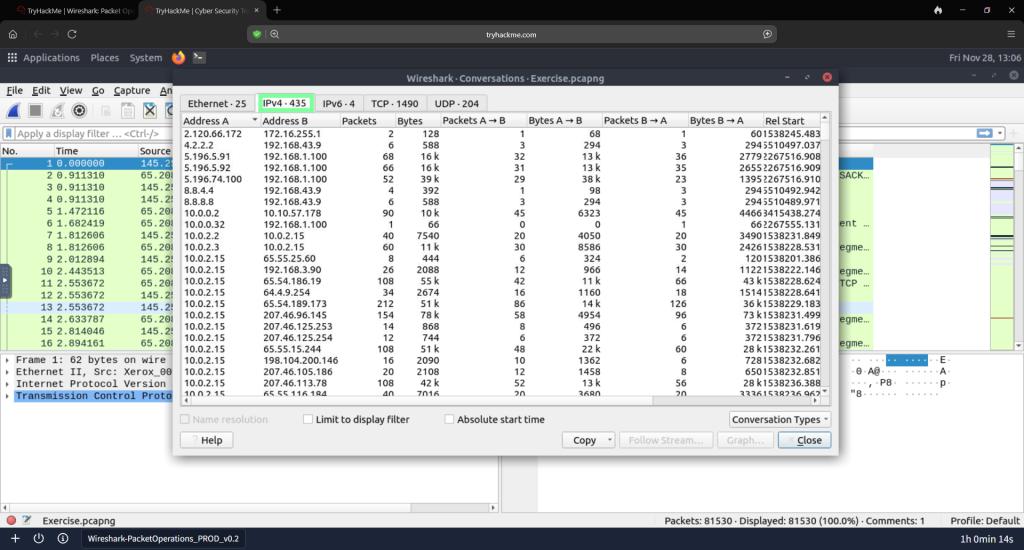
“What is the number of IPv4 conversations?”
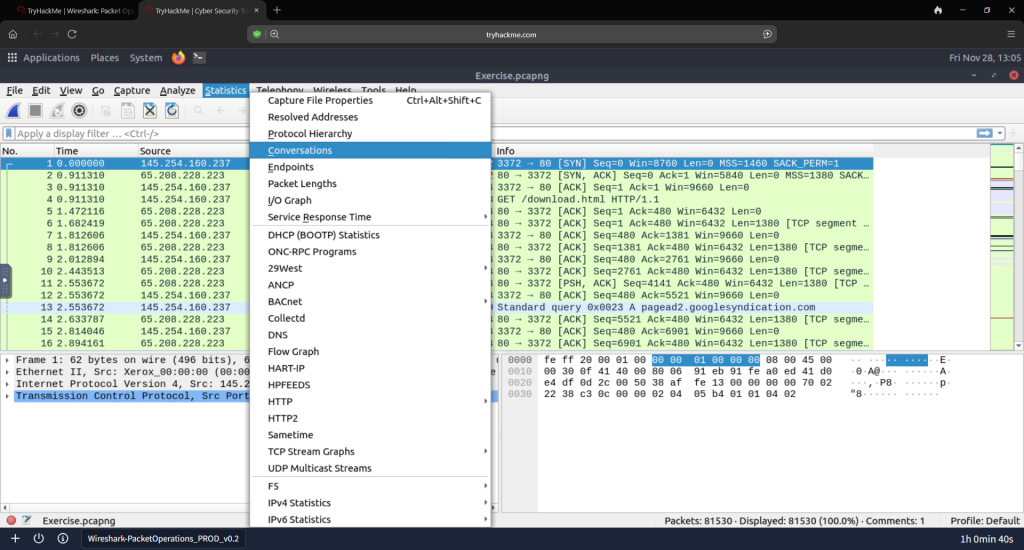
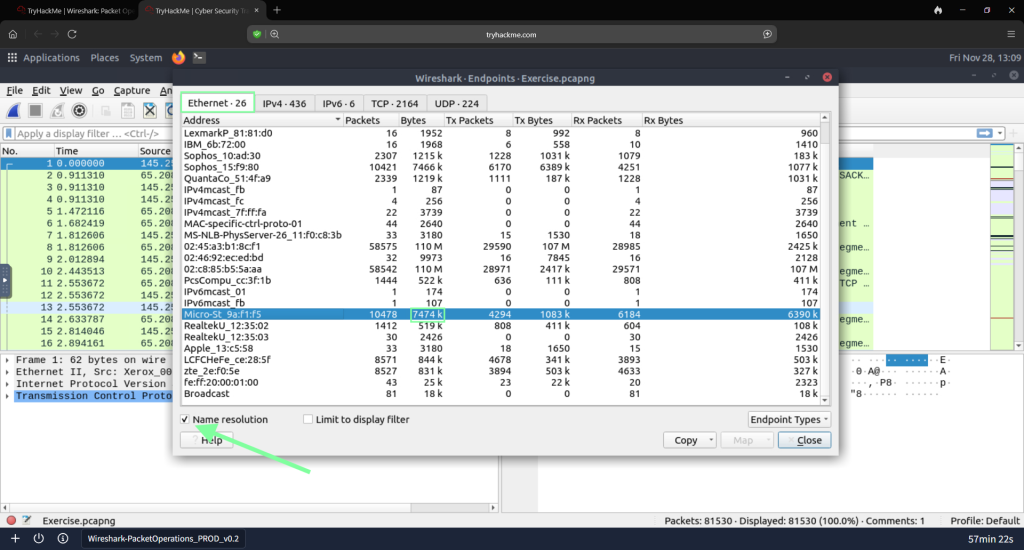
“How many bytes (k) were transferred from the “Micro-ST” MAC address?”

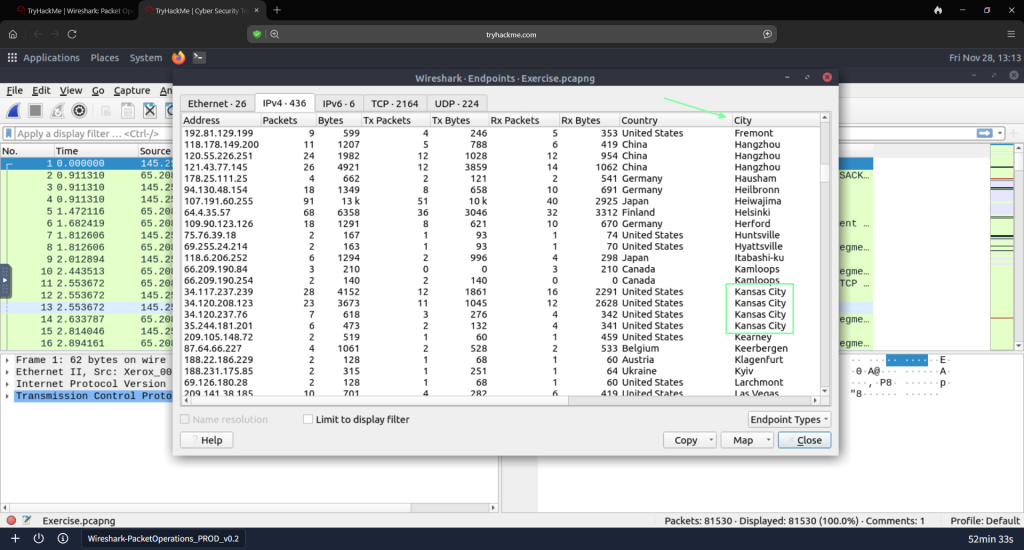
“What is the number of IP addresses linked to Kansas City?” Staying in the Endpoint display, go over to IPv4 addresses and filter by City.
“What IP is associated with Blicnet Organization?” Stay on this display page and filter by Organization. You may have to scroll over to find the filter.

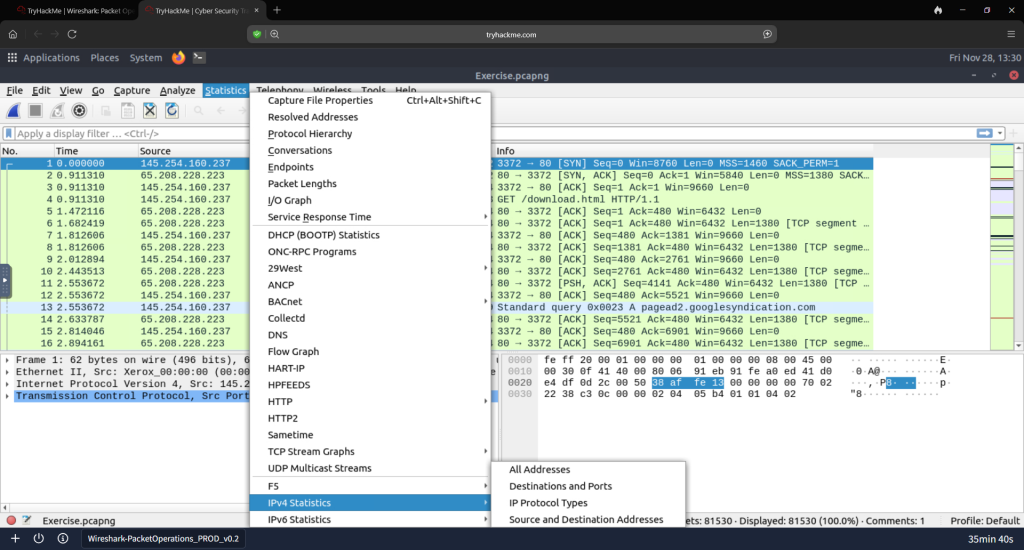
On to Task 3, Statistics | Protocol Details…”Up to here, almost all options provided information that contained both versions of the IP addresses. The statistics menu has two options for narrowing the statistics on packets containing a specific IP version. Thus, analysts can identify and list all events linked to specific IP versions in a single window and use it for the event of interest. You can use the “Statistics –> IPvX Statistics” menu to view this info.”
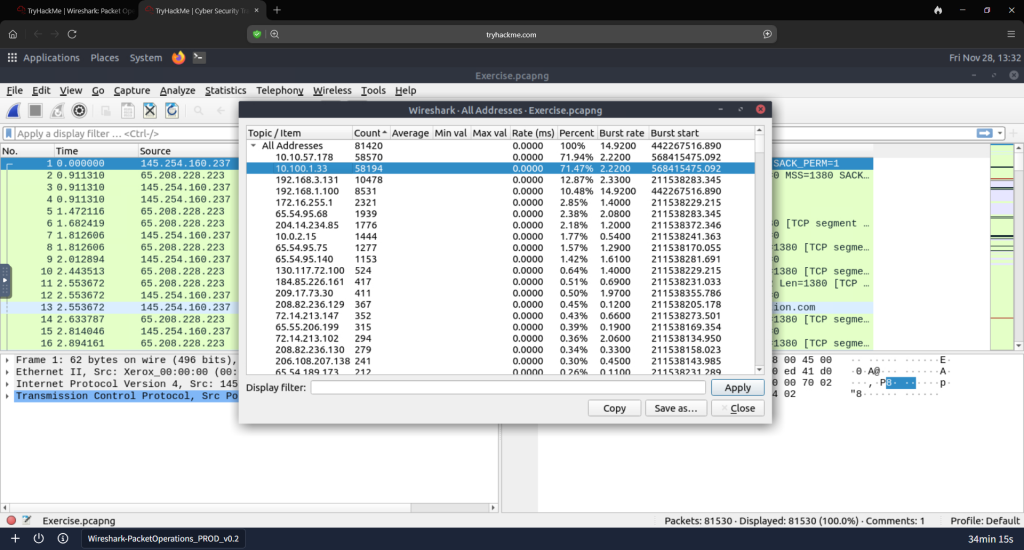
“What is the most used IPv4 destination address?”
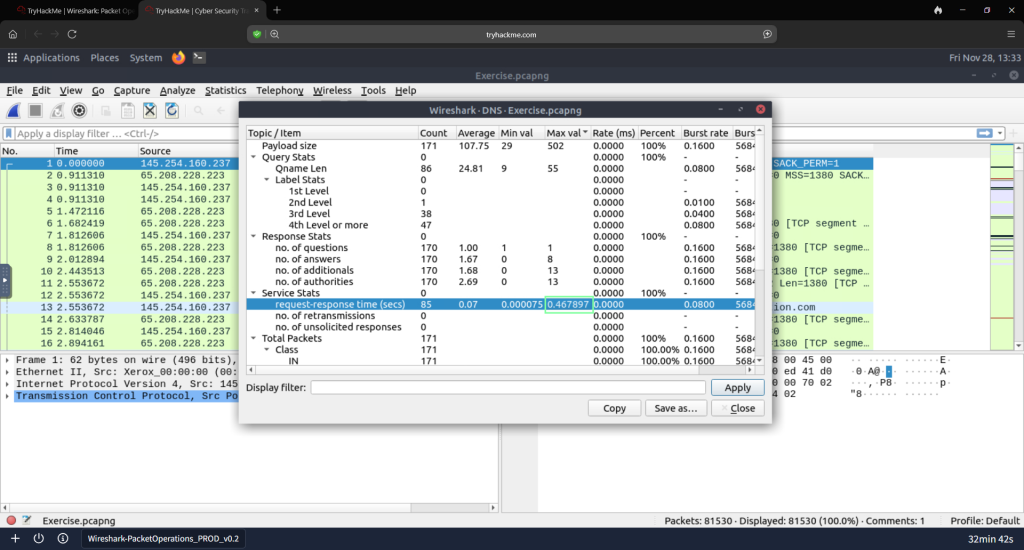
“What is the max service request-response time of the DNS packets?”

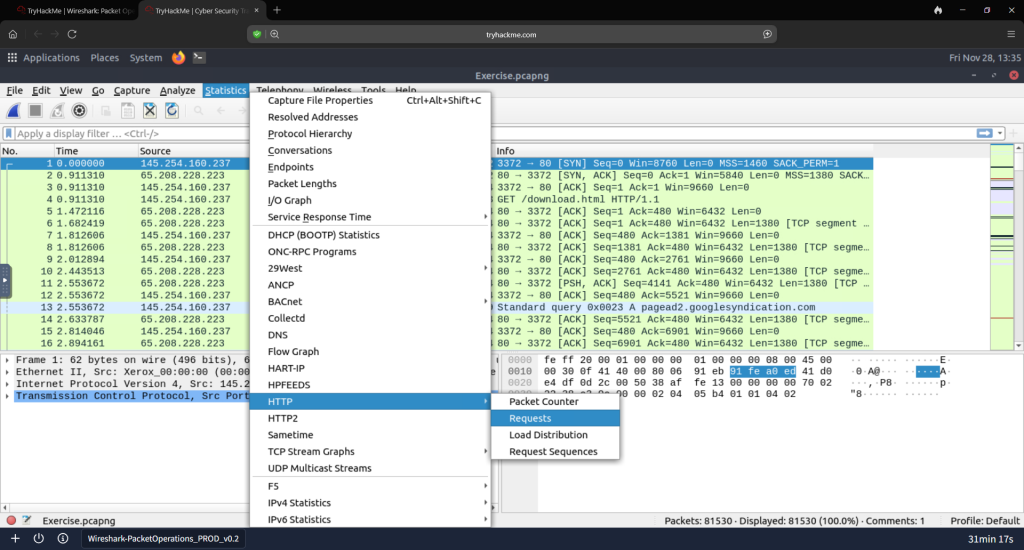
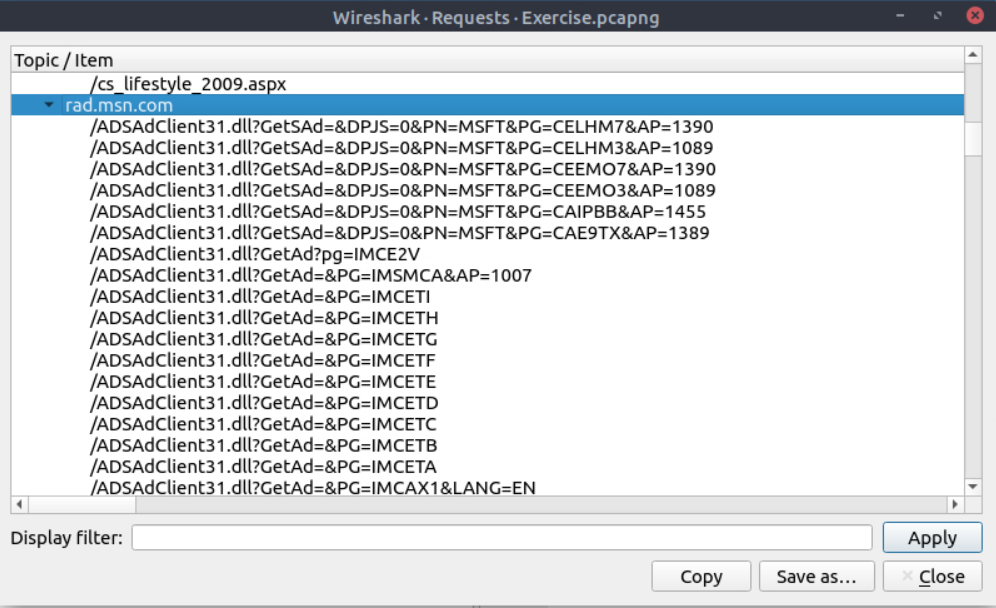
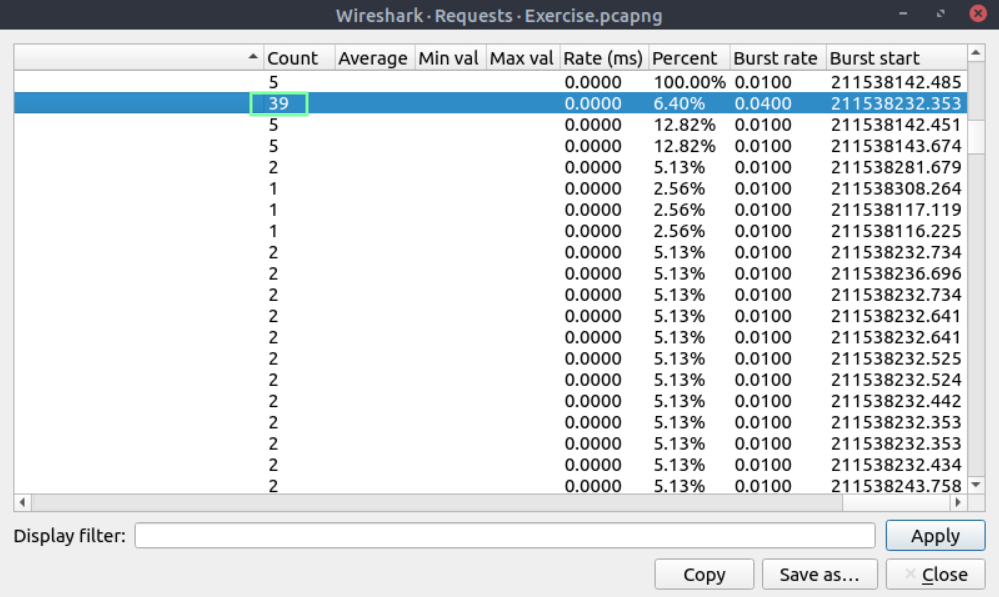
“What is the number of HTTP Requests accomplished by ‘rad[.]msn[.]com’?”
Task 4, Packet Filtering | Principles…”In the previous room (Wireshark: The Basics), we covered packet filtering and how to filter packets without using queries. In this room, we will use queries to filter packets. As mentioned earlier, there are two types of filters in Wireshark. While both use similar syntax, they are used for different purposes. Let’s remember the difference between these two categories.” THM links to three links to bookmark/check out: https://www.wireshark.org/docs/man-pages/pcap-filter.html, https://gitlab.com/wireshark/wireshark/-/wikis/CaptureFilters#useful-filters and https://www.wireshark.org/docs/dfref/.
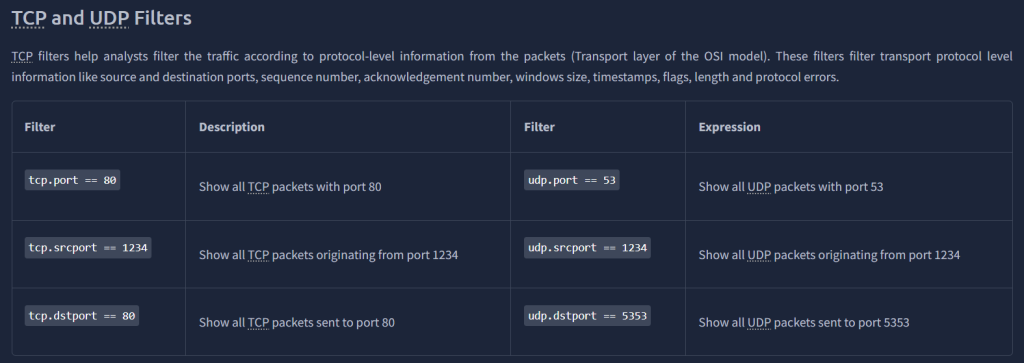
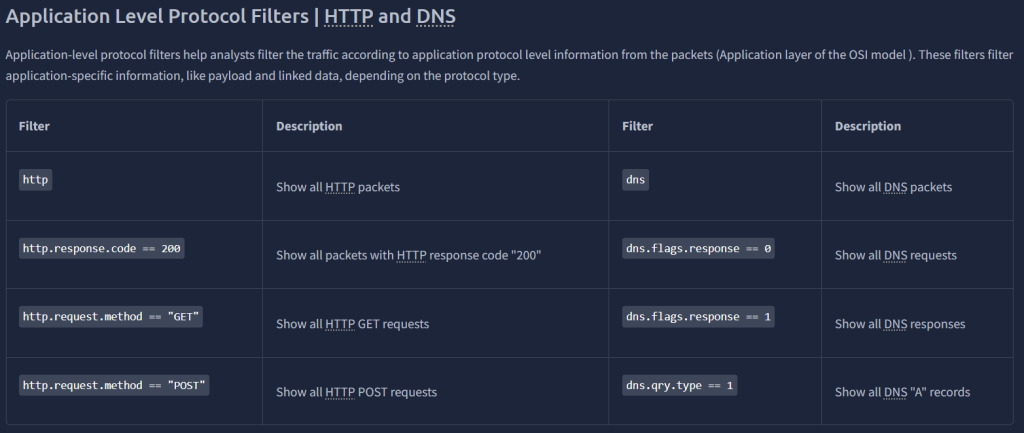
Task 5, Packet Filter | Protocol Filters…”As mentioned in the previous task, Wireshark supports 3000 protocols and allows packet-level investigation by filtering the protocol fields. This task shows the creation and usage of filters against different protocol fields.”.

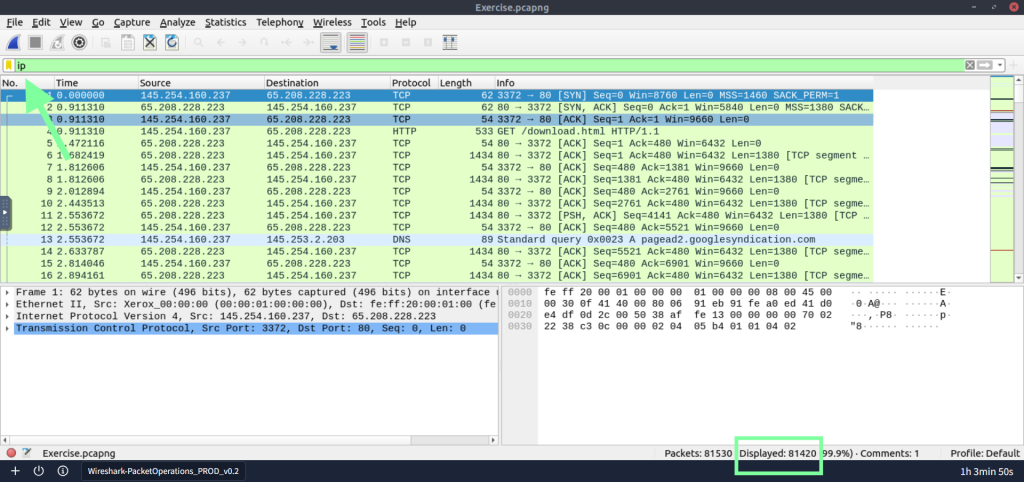
“What is the number of IP packets?”
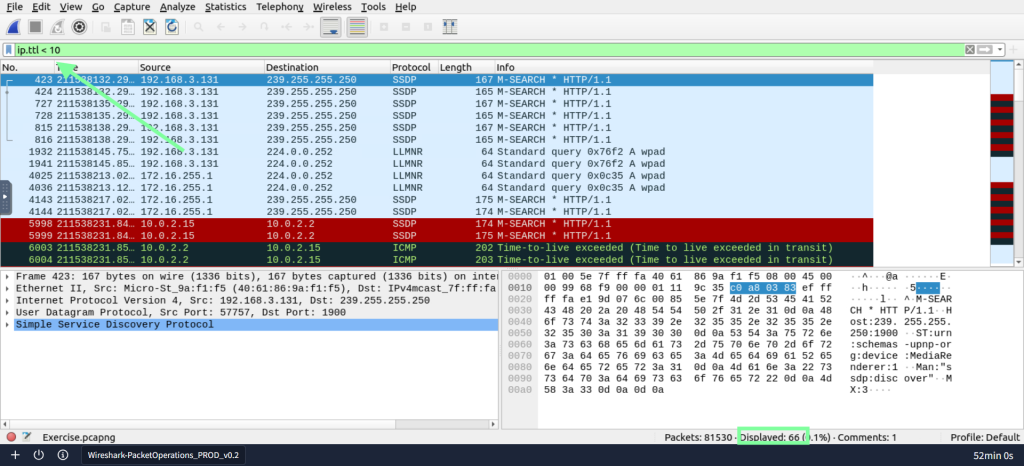
“What is the number of packets with a ‘TTL value less than 10’?”
“What is the number of packets which uses ‘TCP port 4444’?”

What is the number of ‘HTTP GET’ requets sent to port ’80’?”

“What is the number of type A DNS Queries?”
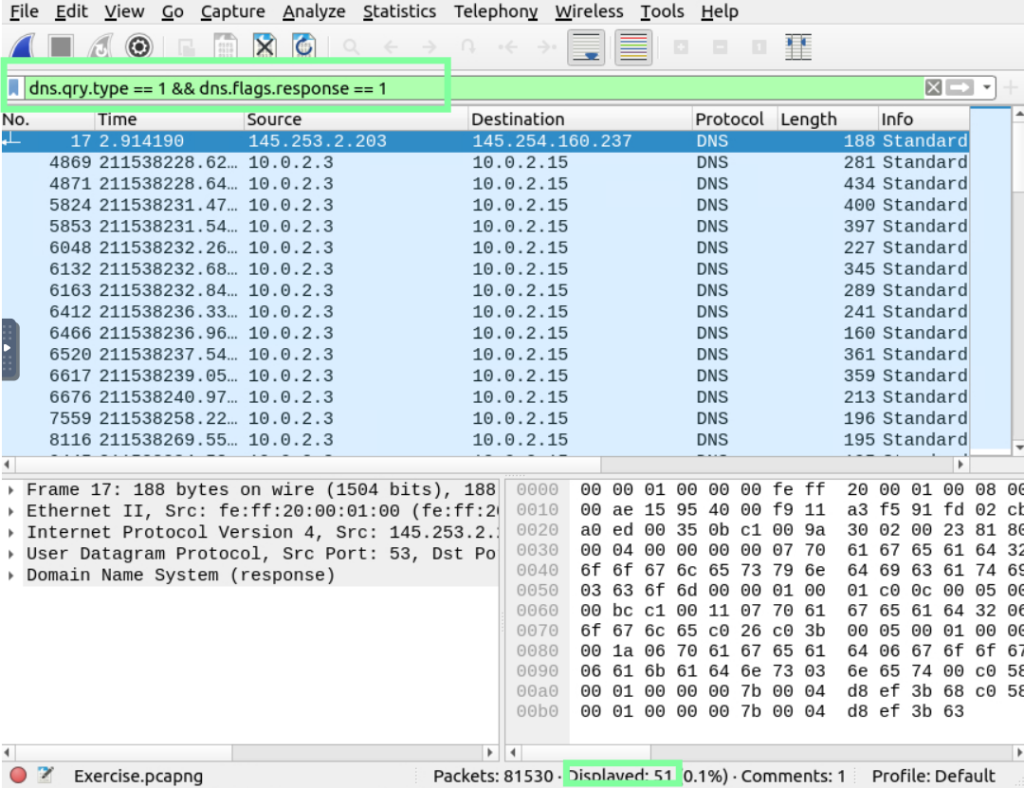
Task 6, Advanced Filter…”So far, you have learned the basics of packet filtering operations. Now it is time to focus on specific packet details for the event of interest. Besides the operators and expressions covered in the previous room, Wireshark has advanced operators and functions. These advanced filtering options help the analyst conduct an in-depth analysis of an event of interest.”
“Find all Microsoft IIS servers. What is the number of packets that did not originate from ‘port 80?'”
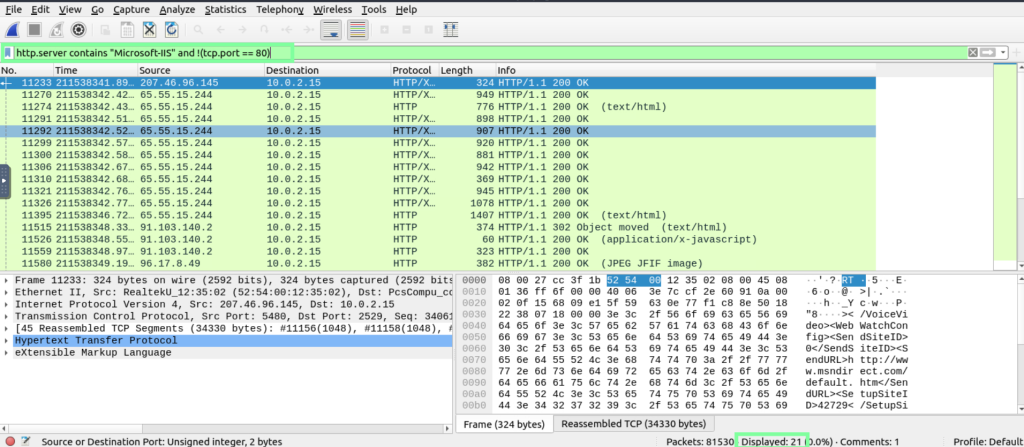
“Find all Microsoft IIS servers. What is the number of packets that have ‘version 7.5’?”

“What is the total number of packets that use ports 3333, 4444, or 9999?”

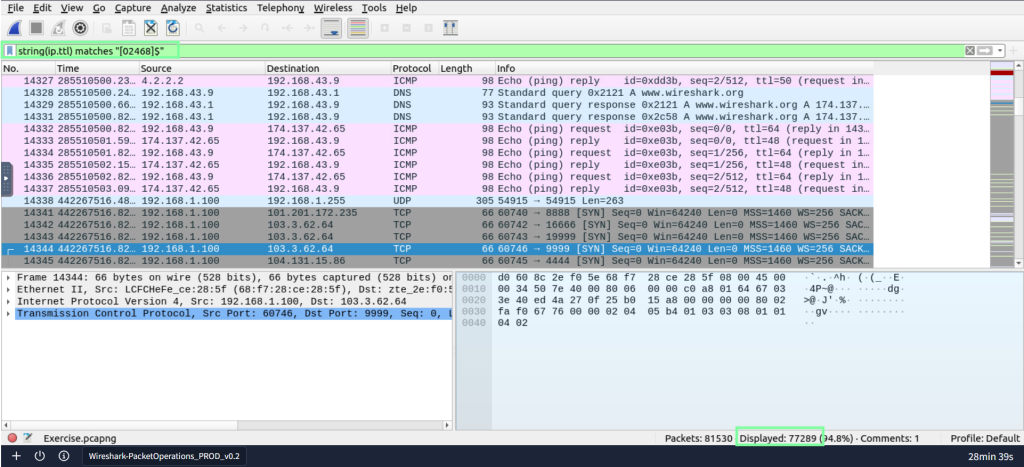
“What is the number of packets with ‘even TTL numbers’?”
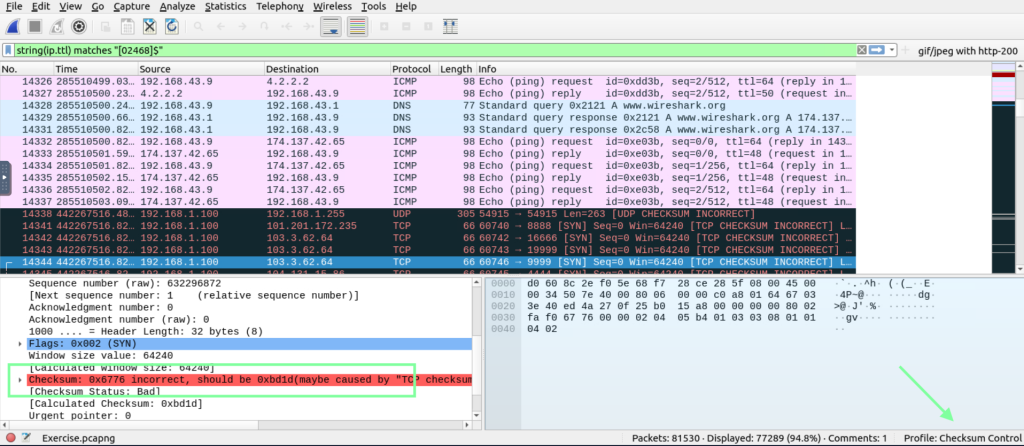
“Change the profile to ‘Checksum Control’. What is the number of ‘Bad TCP Checksum’ packets?”