
https://tryhackme.com/room/wiresharkthebasics
Created by: tryhackme, Maxablancas, Gensane, TactfulTurtle
“Wireshark is an open-source, cross-platform network packet analyzer tool capable of sniffing and investigating live traffic and inspecting packet captures (PCAP). It is commonly used as one of the best packet analysis tools. In this room, we will look at the basics of Wireshark and use it to perform fundamental packet analysis.”
Even though I have already completed this room, I promised myself I would post a blog about every room, and this will be a great refresher, leading up to a Wireshark room that I have not started.

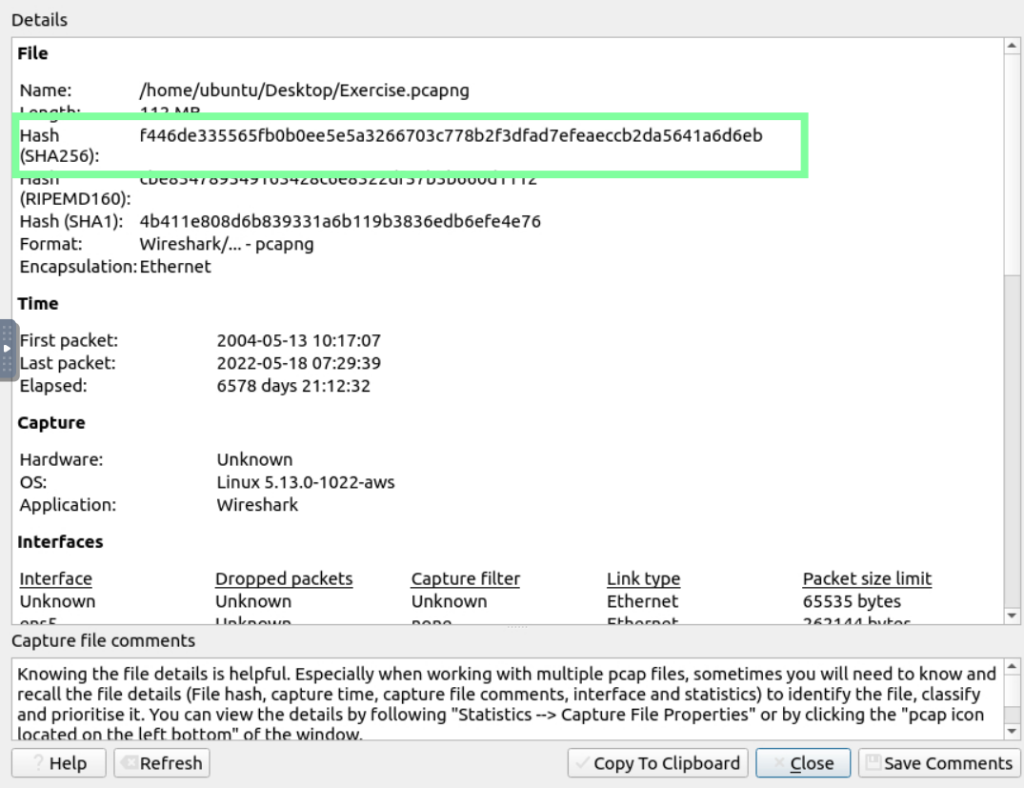
Let’s open the Wireshark app and open the exercise file!


“What is the SHA256 hash value of the capture file?” Go to Statistics > Capture File Properties. THM shows a GIF of this process in the room.
Next up, we get to dissect the packets!

Staying on packet 38, for question “What is the arrival date of the packet?”
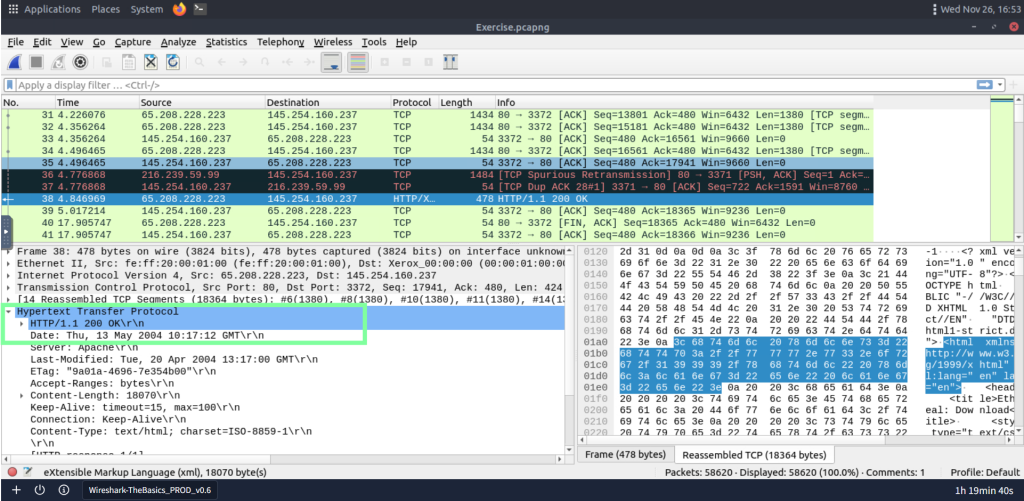
“What is the TTL value?”

“What is the TCP payload size?”

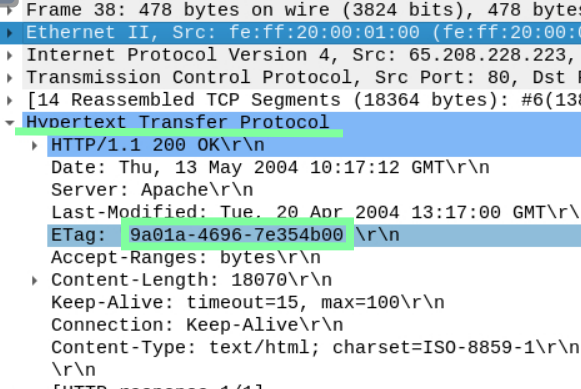
“What is the e-tag value?”
In the next task, Packet Filtering, there is a lot of Wireshark content, and THM breaks filters and packet searching. For the question regarding “r4w”, you will need to use the “Find Packet” ability.


For the question, “Go to packet 12 and read the packet comments. What is the answer?”, you will locate packet 12 and right click on it > Packet Comment > Scroll down and follow the instructions of “Go to packet number 39765. Look at the “packet details pane”. Right-click on the JPEG section and “Export packet bytes”. This is an alternative way of extracting data from a capture file. What is the MD5 hash value of the extracted image?”

Instead of scrolling to find the packet, don’t forget about the “Go” ability!


I exported and downloaded the file on my desktop. After this, I went to the terminal and used the md5sum command as instructed to obtain the hash.

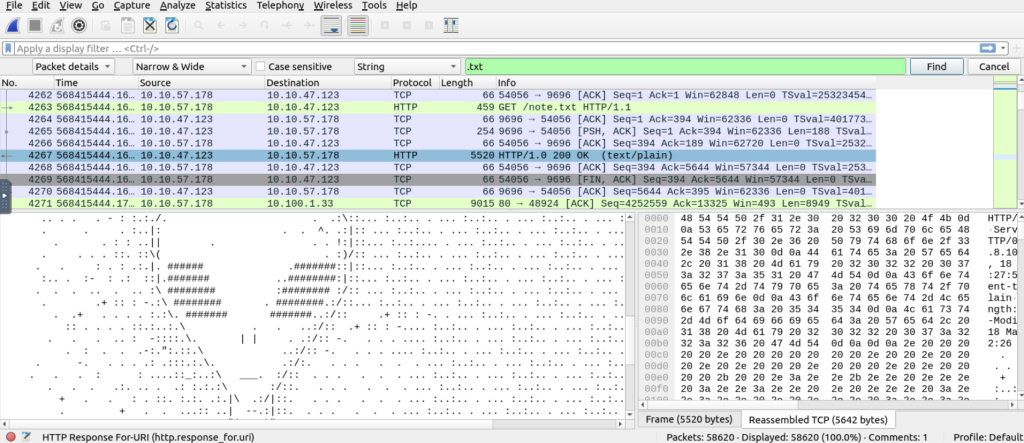
In order to find the .txt string answer, I used the Edit > Find packet ability again. I looked at the contents of each packet it would go to and scrolled to find one that contained an alien. After I found it, I did the same thing above and exported the file details to my Desktop.


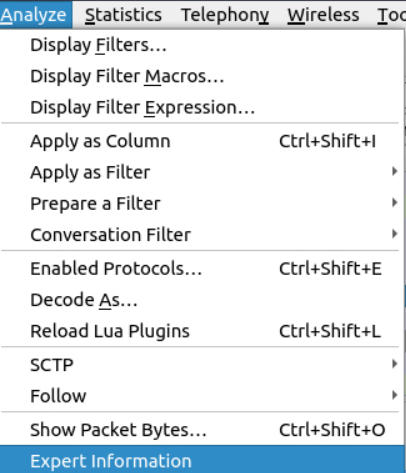
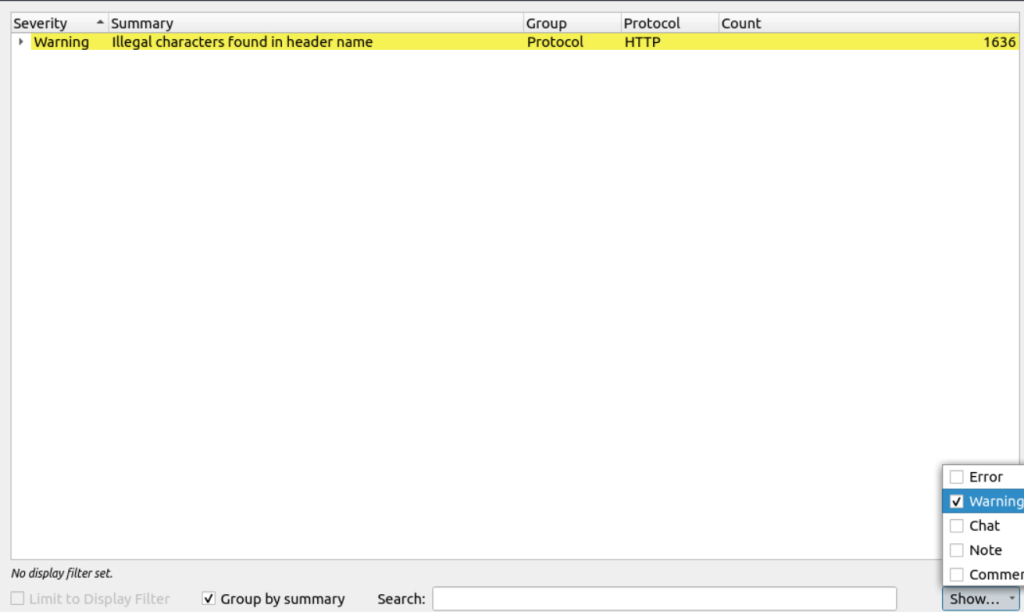
“Look at the expert info section. What is the number of warnings?”
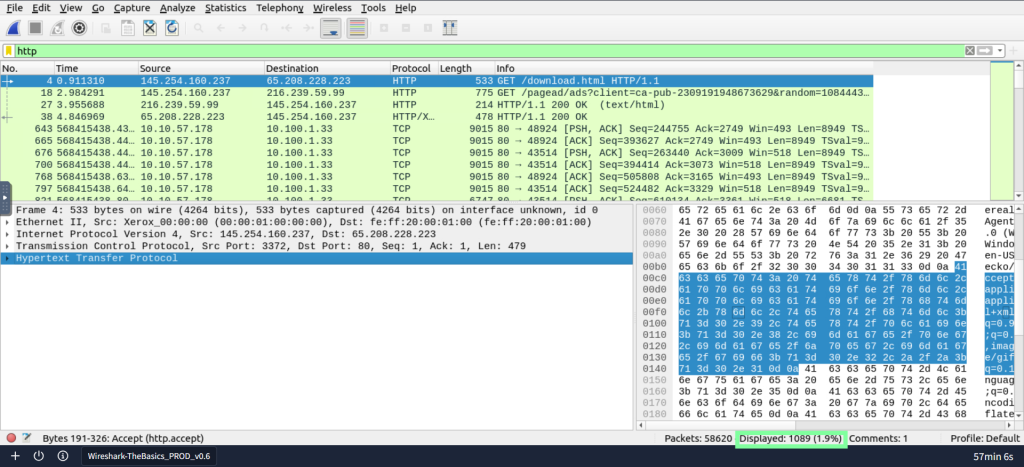
Getting closer to the end with Task 5, “Packet Filtering”. “Go to packet number 4. Right-click on the ‘”‘Hypertext Transfer Protocol'”‘ and apply it as a filter. Now, look at the filter pane. What is the filter query?”
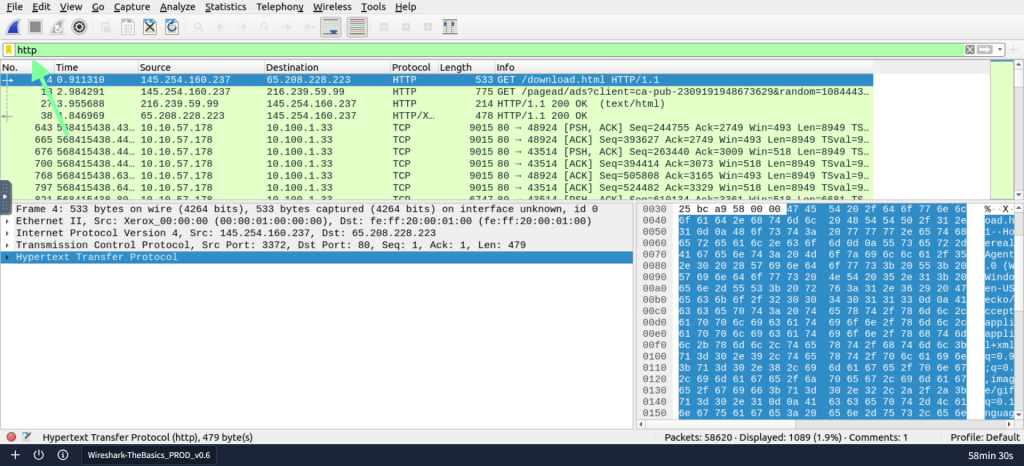
“What is the number of displayed packets?”

“Go to packet number 33790, follow the HTTP stream, and look carefully at the responses.
Looking at the web server’s response, what is the total number of artists?”
There are two ways of obtaining this: the first is trying to locate the information through Wireshark. You could also “Save as” and the grep artists through the command line(which is what I ended up doing).

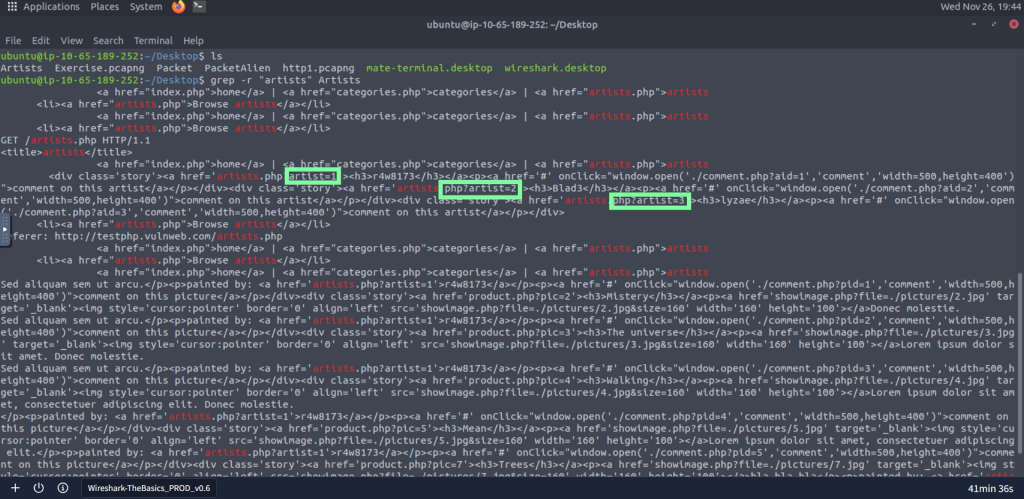
Through the command line, we also get the answer to the question “What is the name of the second artist?”
