
https://tryhackme.com/room/phishingemails5fgjlzxc
Created by: tryhackme, MartaStrzelec
“A Sales Executive at Greenholt PLC received an email that he didn’t expect to receive from a customer. He claims that the customer never uses generic greetings such as “Good day” and didn’t expect any amount of money to be transferred to his account. The email also contains an attachment that he never requested. He forwarded the email to the SOC (Security Operations Center) department for further investigation. Investigate the email sample to determine if it is legitimate.”
In this room, we get to use our newly obtained email analysis skills to obtain some flags!
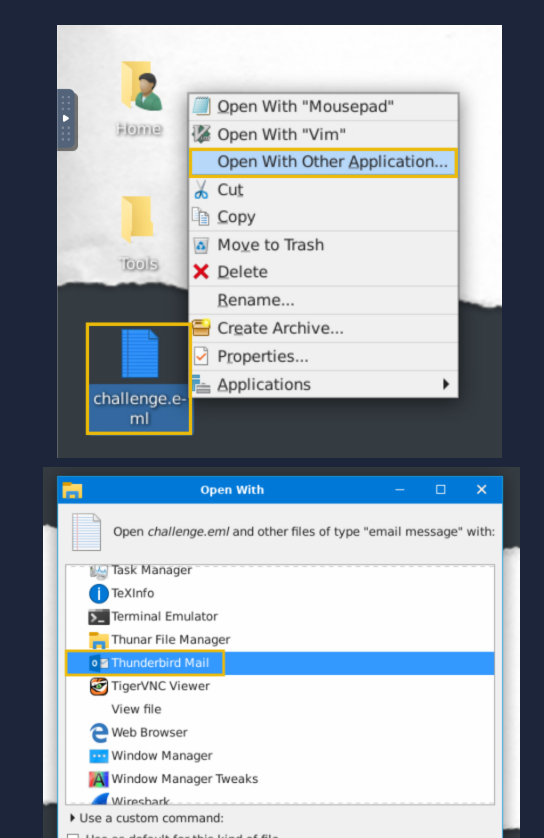
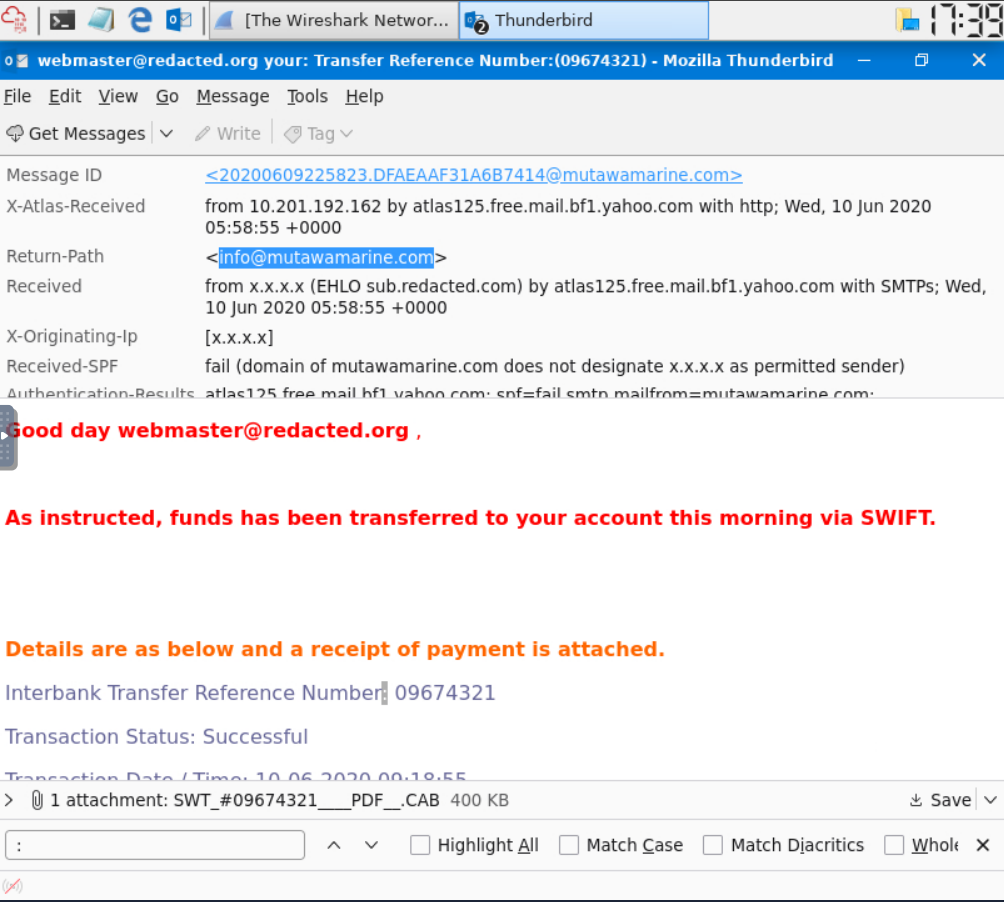
For question “What is the Transfer Reference Number” listed in the email’s Subject?

For question, “Who is the email from?”, “What is his email address>”, and “What email address will receive a reply to this email?”

For question, “What is the Originating IP>”. Go to View > Headers > All > Scroll down.

For question, “Who is the owner of the Orginiating IP?” you will need to go to https://www.whois.com/whois and copy and past the IP we have obtained.

For question, “What is the SPF record for the Return-Path domain?”, you will obtain the Return-Path from the email header then head to a SPF checker. I used https://dnschecker.org/spf-record-validation.php. Copy and past the Return-Path and then you will scroll down to the DNS record.

The same website also has a DMARC lookup tool. Let’s copy and paste our URL again to obtain our answer: https://dnschecker.org/dmarc-record-validation.php. Make sure you remove the quotes.

“What is the name of the attachment?”

To obtain the SHA256 hash, outside of the VM(as it won’t let me connect to any sites), google “SWT_#09674321____PDF__.CAB VirusTotal.” The true file size and file extension will be there as well.

