
https://tryhackme.com/room/phishingemails3tryoe
Created by: tryhackme, TactfulTurtle
In the previous rooms, we have been analyzing emails, and now it’s time to use some tools to test our abilities!

In task 3, Email header analysis, we are introduced to a Google tool that can help us analyze email headers: Messageheader. They also link https://mha.azurewebsites.net/ and mailheader.org. It briefly covers Message Transfer Agents, “software that transfers emails between sender and recipient”. After this, the room links to other sites: One regarding the sender’s IP address: https://ipinfo.io/. A few for URL links: https://urlscan.io/, https://www.url2png.com/, https://www.wannabrowser.net/, and https://talosintelligence.com/reputation. Talos was pretty cool, as you can search by IP, URL, domain, network owner, and even file.
In Task 4, THM covers email body analysis. One tool that is shown is the URL extractor: https://www.convertcsv.com/url-extractor.htm, as well as CyberChef. After extracting URLs, the task covers attachments. If an email does have one, you need to obtain the attachment safely. Once obtained, you can go to https://talosintelligence.com/talos_file_reputation or https://www.virustotal.com/gui/ to check the file’s integrity. They also link to https://www.reversinglabs.com/.

In Task 5, THM covers Malware Sandboxes, which is as cool as it sounds!

The task links to three different sites we can bookmark: https://app.any.run/, https://www.hybrid-analysis.com/ and https://www.joesecurity.org/.
The next task covers PhishTool! Per PhishTool, “PhishTool is a forensic analysis platform that helps cybersecurity teams triage, dissect, and resolve reported phishing emails—quickly, accurately, and at scale.”. This task breaks down the tool with pictures and snippets for examples.

In the next few tasks, we will use the knowledge and tools we have obtained for the flags. We start the machine in task 7, Phishing Case 1.
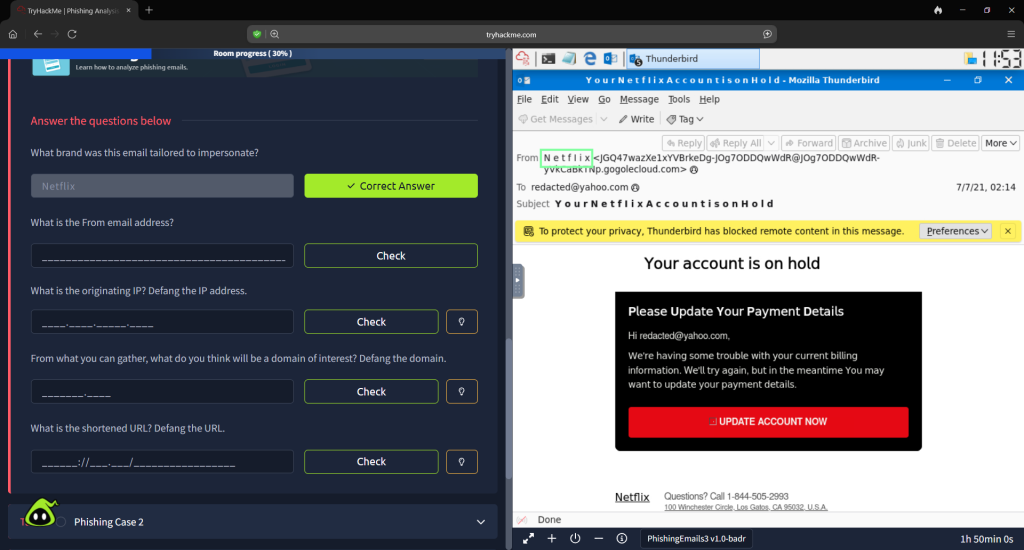
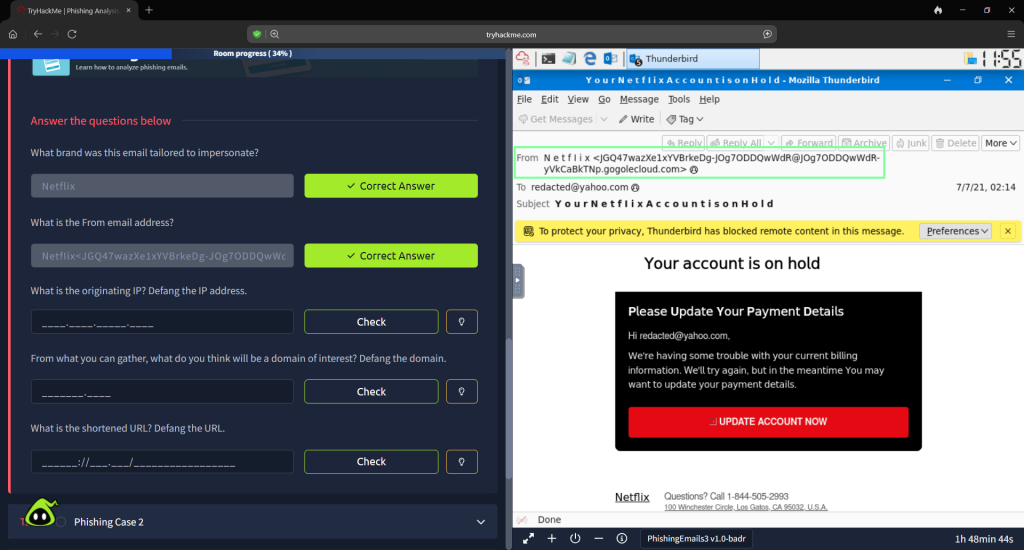
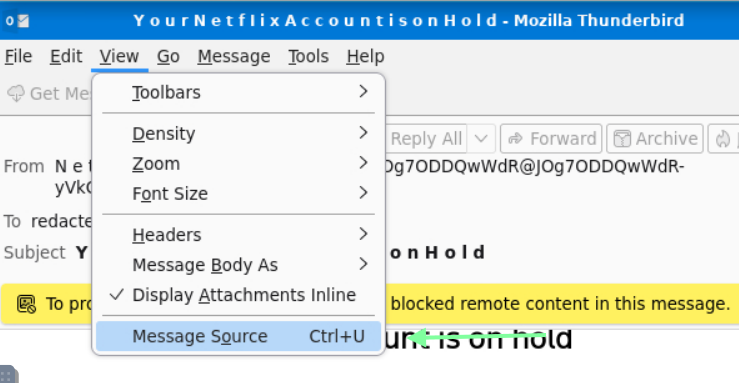
In order to obtain the IP, I went to “Message Source”. Copy the IP and paste it into Cyber Chef.

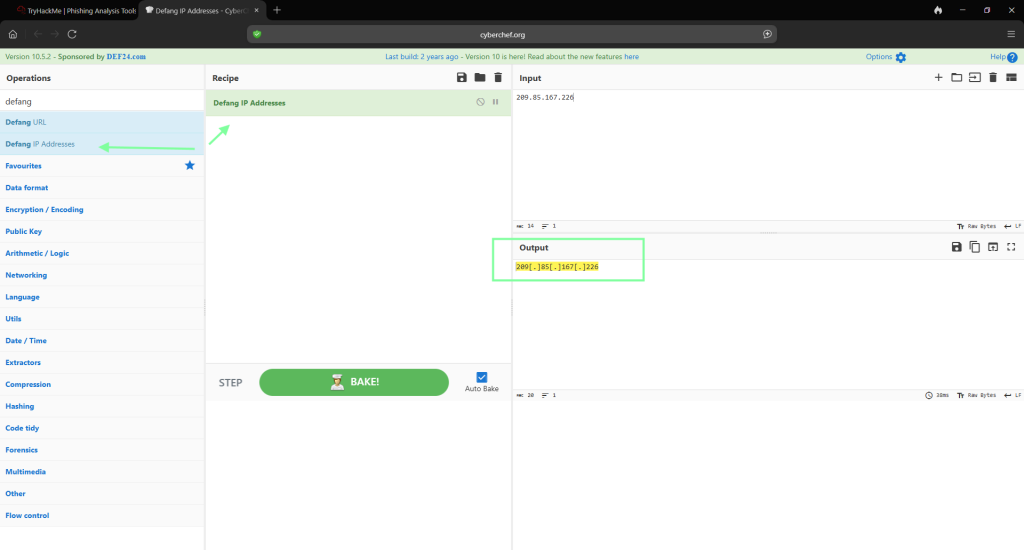
Next for the domain. You will copy and paste that as well from the message source into Cyber Chef.
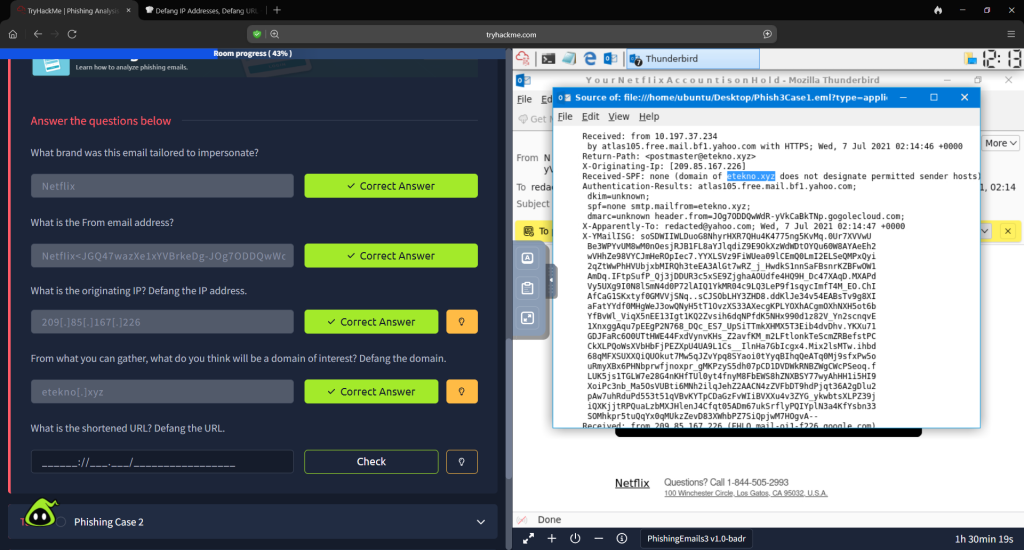
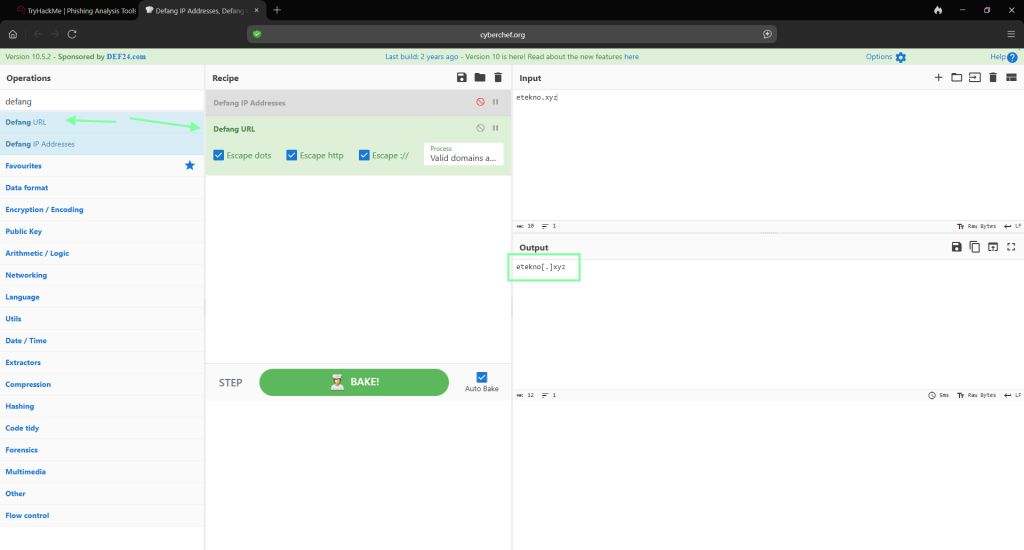
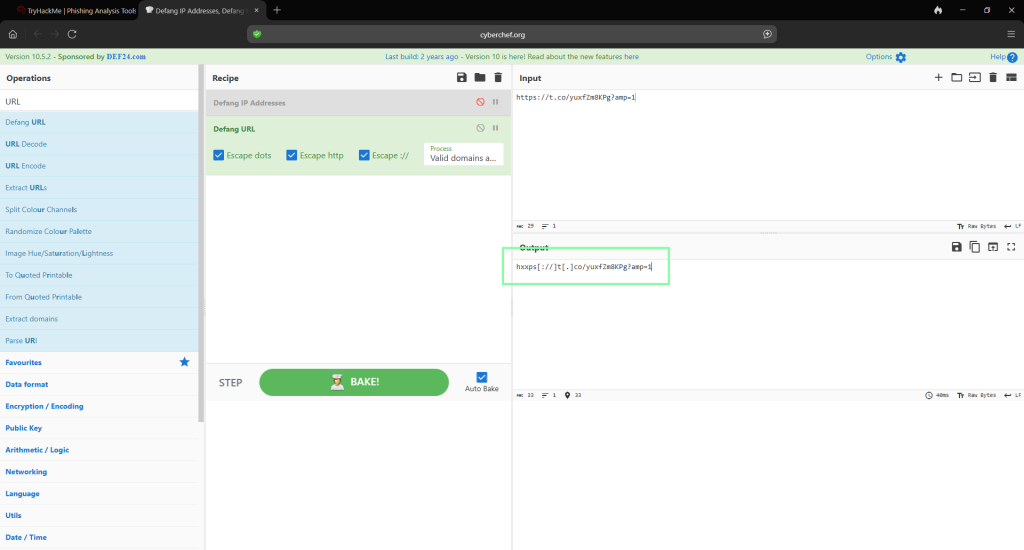
In order to obtain the shortened URL, copy the link from the email source.

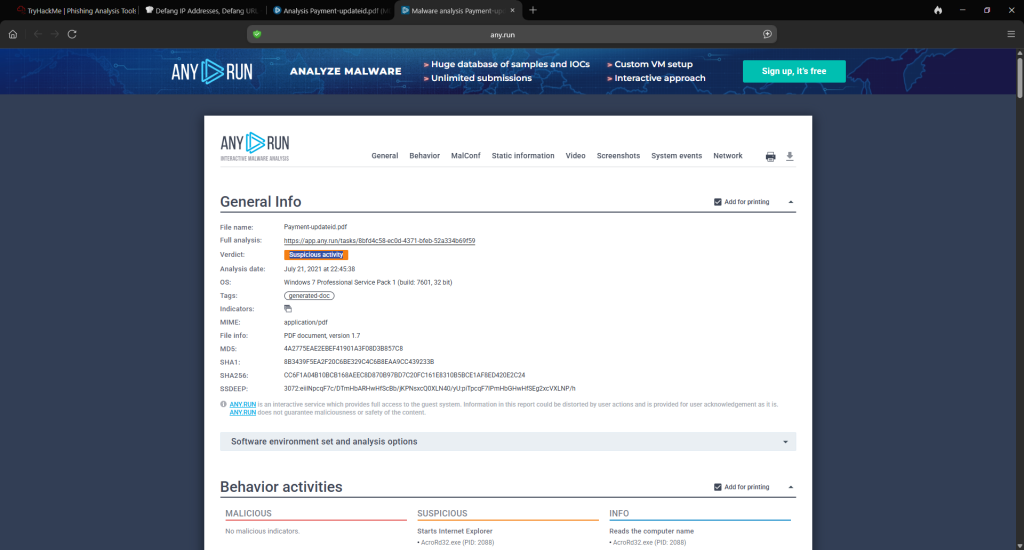
In Task 8, Phishing Case 2, THM directs us to https://app.any.run/tasks/8bfd4c58-ec0d-4371-bfeb-52a334b69f59. For the question “What does AnyRun classify this email as?”.
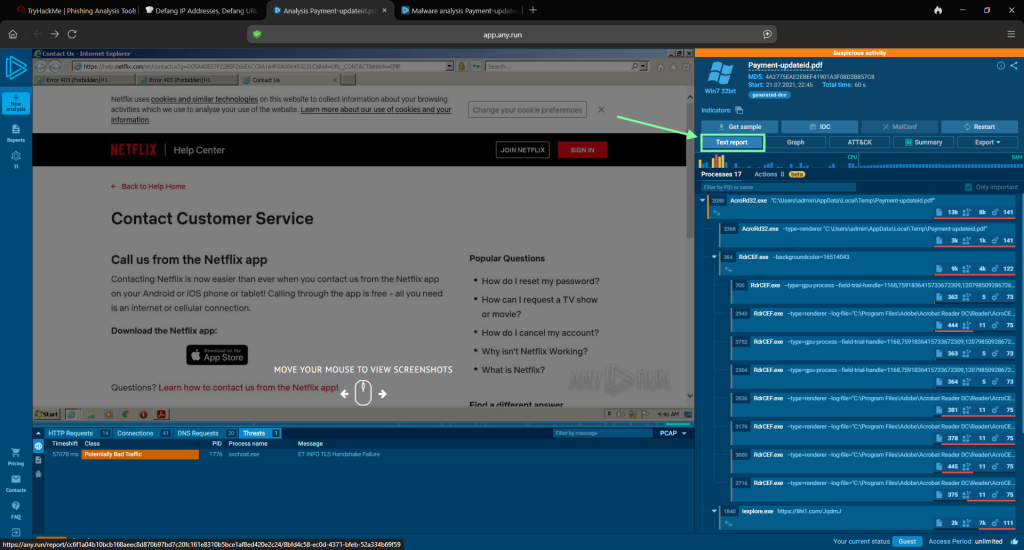
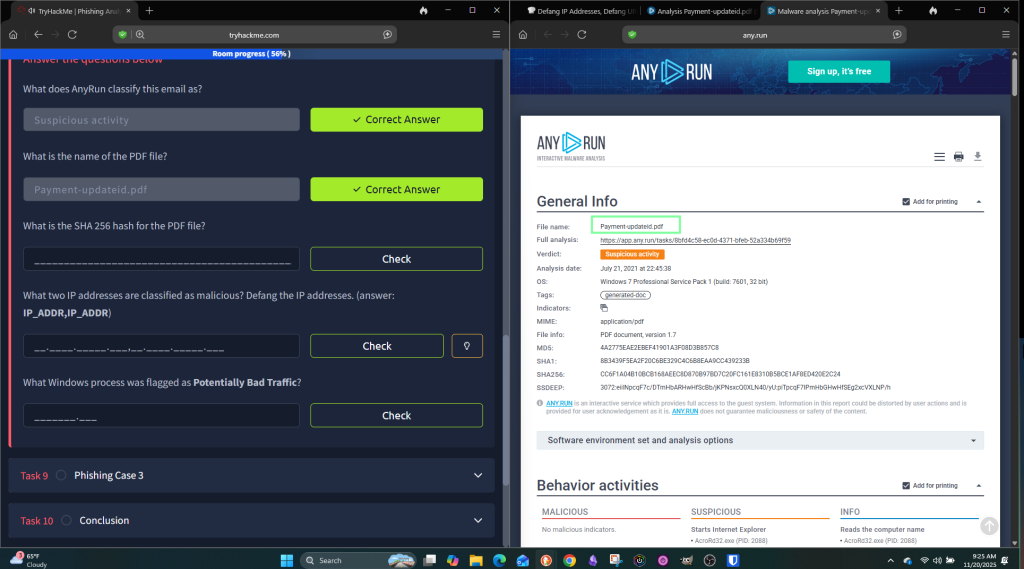
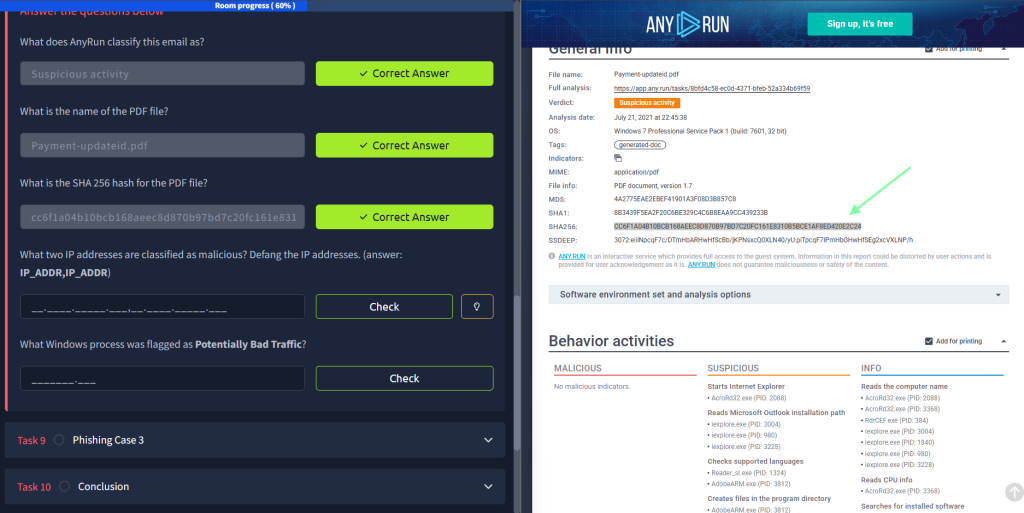
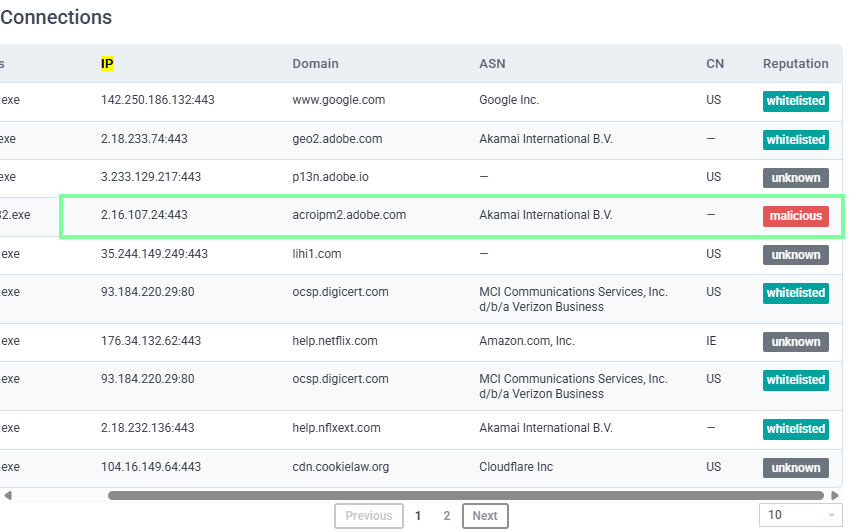
For the question, “What two IP addresses are classified as malicious? Defang the IP addresses. (answer: IP_ADDR,IP_ADDR)” you will need to go to the Connections portion of the document. One IP is on the first page and the other is on the 2nd. Make sure you do not copy over the port # after the IP in Cyber Chef.
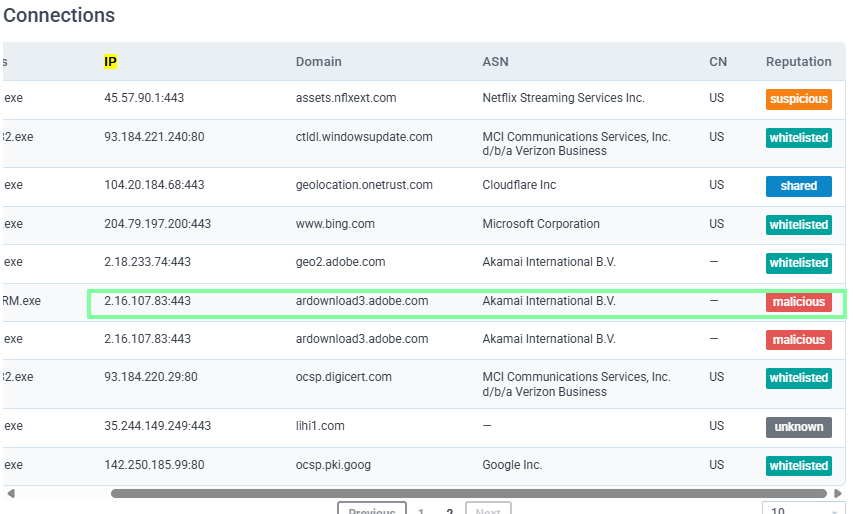

For question, “What Windows process was flagged as Potentially Bad Traffic” you will need to scroll all the way down to the bottom of the page.

On to Task 9, Phishing Case 3. THM wants us to go to another AnyRun phishing example. https://app.any.run/tasks/82d8adc9-38a0-4f0e-a160-48a5e09a6e83

For questions regarding the URLs, you will scroll under “Connections” and obtain the Domain. You will also use this column to obtain the IP addresses needed for the question after. They are already in alphabetical order, which is what THM requests.


And for the last question, “What vulnerability does this malicious attachment attempt to exploit?”
