
https://tryhackme.com/room/btwindowsinternals
Created by: tryhackme, ar33zy
This room is a pre-requisite for https://tryhackme.com/room/volatility and that room is a pre-requisite for https://tryhackme.com/room/boogeyman2 which is a part of the SOCL1 pathway.
“In this room, we will explore the core processes within a Windows system. This room aims to help you know and understand what normal behaviour within a Windows operating system is. This foundational knowledge will help you identify malicious processes running on an endpoint.”

I am already familiar with the majority of the content, but it’s been a while, and I am looking forward to a refresher. Task 2 covers the handy Task Manager.
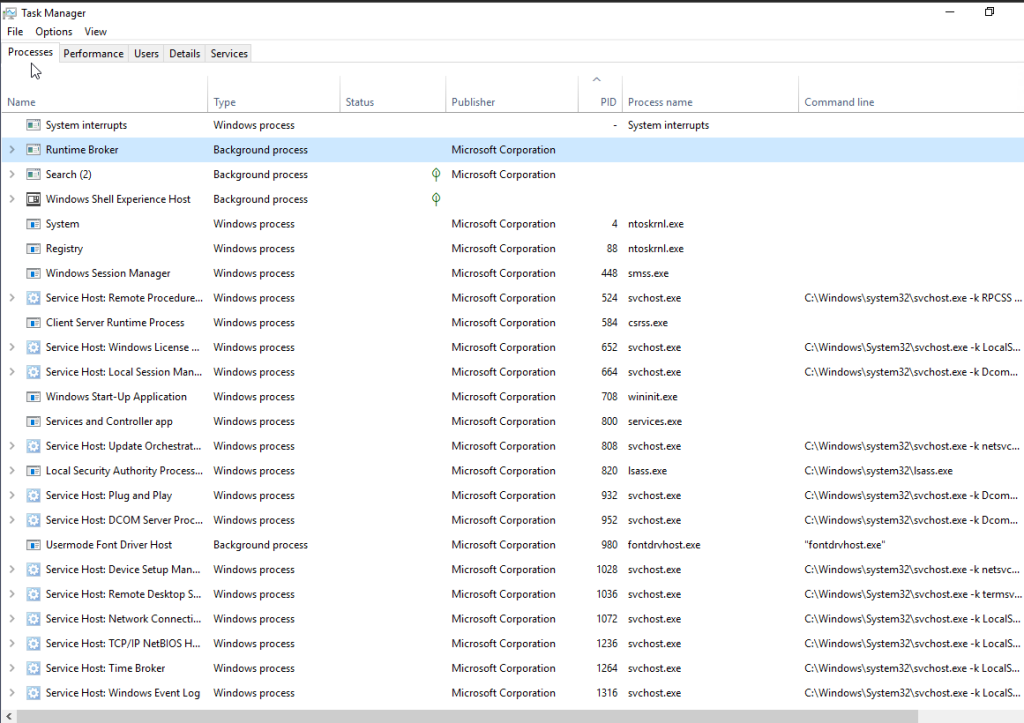
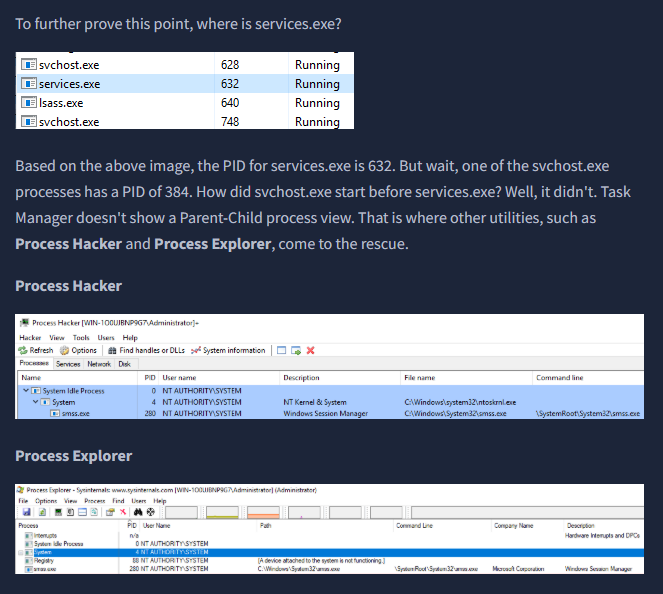
They bring up two additional utilities: Process Hacker and Process Explorer. I’ve used the latter in other THM rooms.
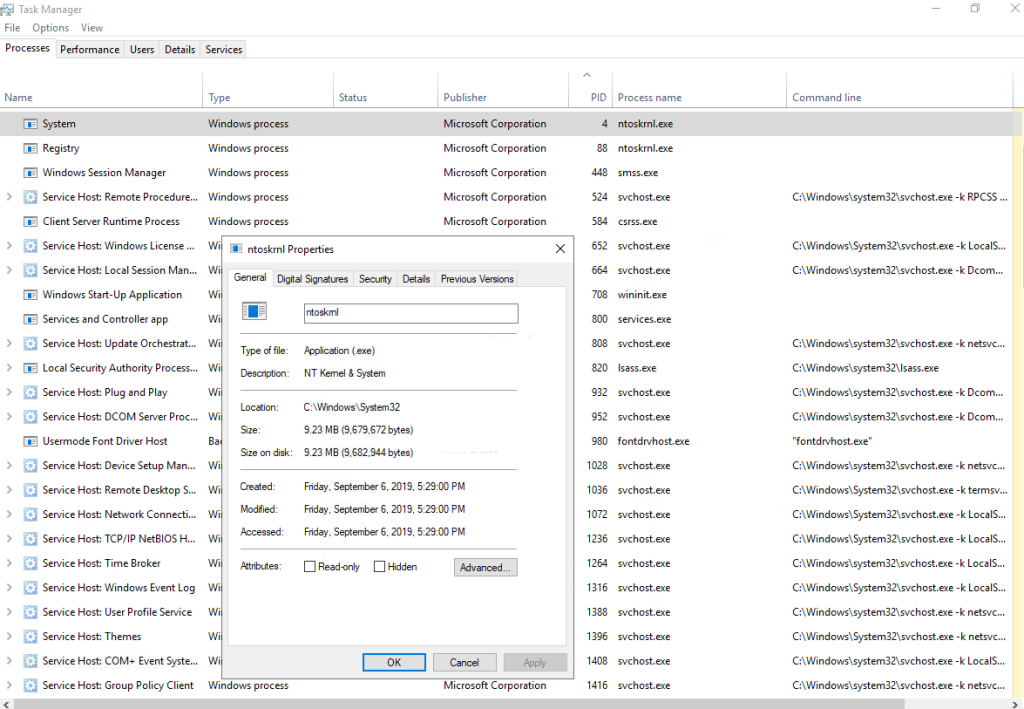
Takes 3 covers the System process and what is to be expected when you look at it’s properties.
“The first Windows process on the list is System. It was mentioned in a previous section that a PID for any given process is assigned at random, but that is not the case for the System process. The PID for System is always 4. What does this process do exactly?
The official definition from Windows Internals 6th Edition:
‘The System process (process ID 4) is the home for a special kind of thread that runs only in kernel mode a kernel-mode system thread. System threads have all the attributes and contexts of regular user-mode threads (such as a hardware context, priority, and so on) but are different in that they run only in kernel-mode executing code loaded in system space, whether that is in Ntoskrnl.exe or in any other loaded device driver. In addition, system threads don’t have a user process address space and hence must allocate any dynamic storage from operating system memory heaps, such as a paged or nonpaged pool.‘”
“What is user mode? Kernel-mode? Visit the following link(opens in new tab) to understand each of these.”
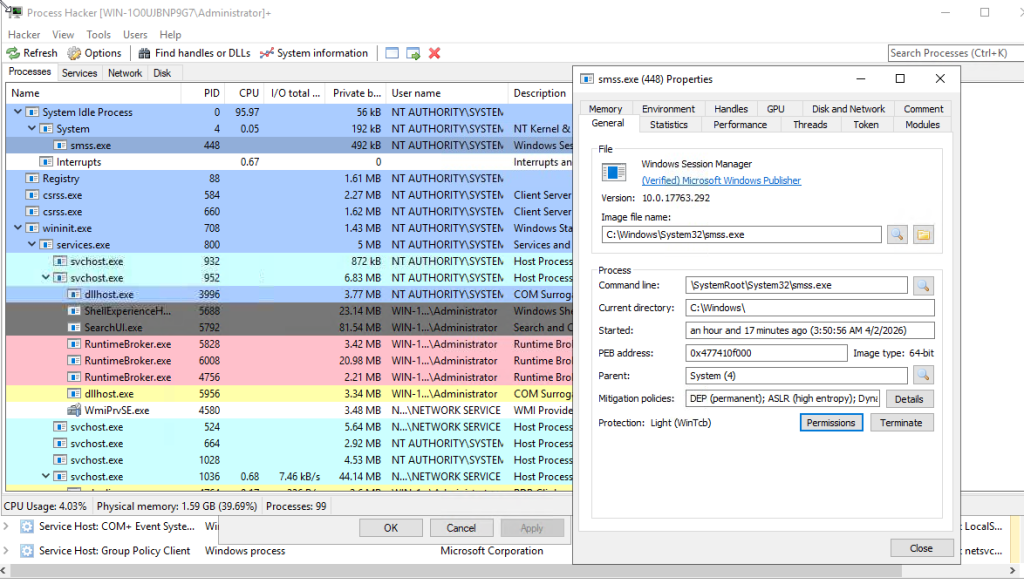
I decided to open Process Hacker and look at the differences. With Process Hacker, we get more details!


“What PID should System always be?”
4
Task 4 covers smss.exe.
“The next process is smss.exe (Session Manager Subsystem). This process, also known as the Windows Session Manager, is responsible for creating new sessions. It is the first user-mode process started by the kernel.
This process starts the kernel and user modes of the Windows subsystem (you can read more about the NT Architecture here(opens in new tab)). This subsystem includes win32k.sys (kernel mode), winsrv.dll (user mode), and csrss.exe (user mode).
Smss.exe starts csrss.exe (Windows subsystem) and wininit.exe in Session 0, an isolated Windows session for the operating system, and csrss.exe and winlogon.exe for Session 1, which is the user session. The first child instance creates child instances in new sessions, done by smss.exe copying itself into the new session and self-terminating. You can read more about this process here(opens in new tab).”
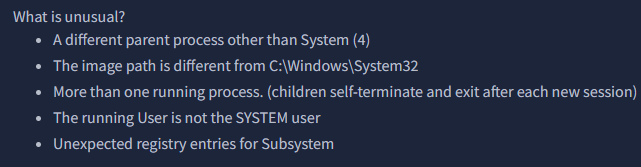
“Aside from csrss.exe, what process does smss.exe spawn in Session 1?”
winlogon.exe
On to task 5, csrss.exe.
“As mentioned in the previous section, csrss.exe (Client Server Runtime Process) is the user-mode side of the Windows subsystem. This process is always running and is critical to system operation. If this process is terminated by chance, it will result in system failure. This process is responsible for creating and deleting Win32 console windows and process threads. For each instance, csrsrv.dll, basesrv.dll, and winsrv.dll are loaded (along with others).
This process is also responsible for making the Windows API available to other processes, mapping drive letters, and handling the Windows shutdown process. You can read more about this process here(opens in new tab).
Note: Recall that csrss.exe and winlogon.exe are called from smss.exe at startup for Session 1.”
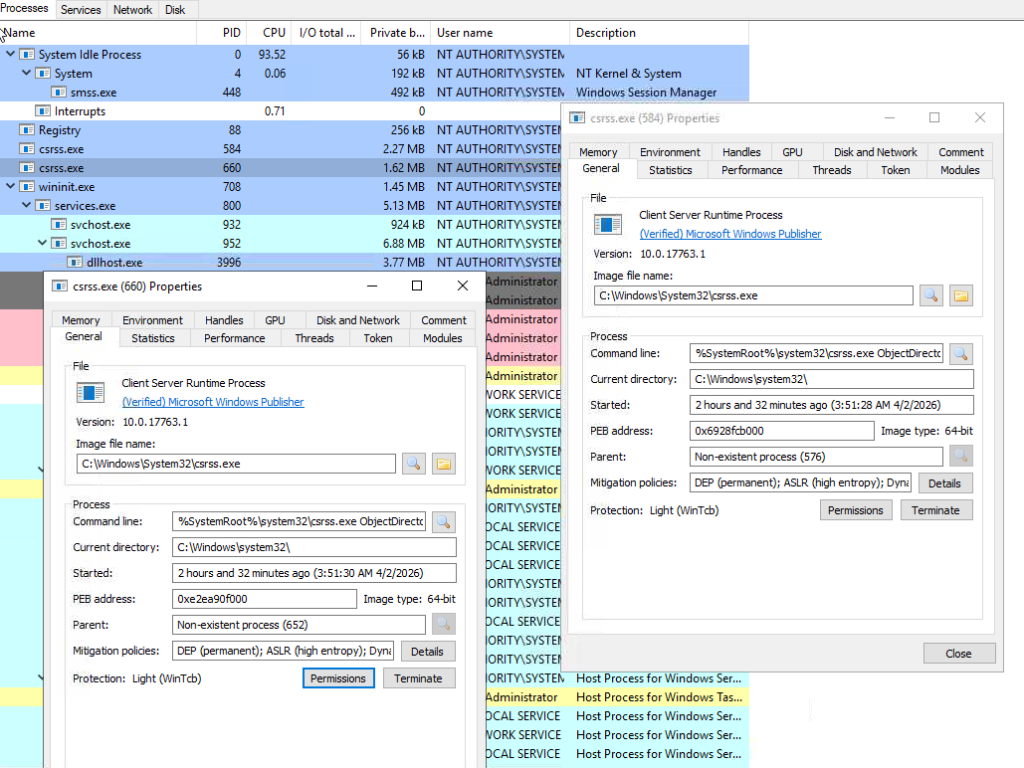
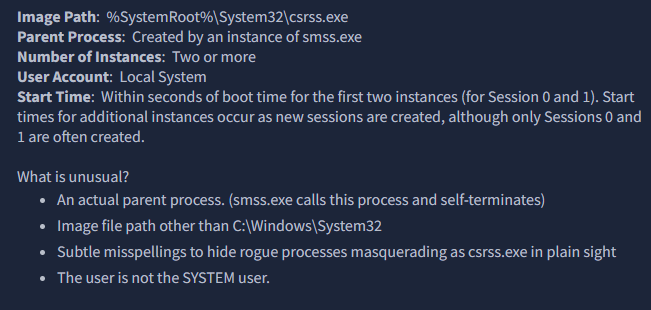
“What was the process that had PID 384 and PID 488?”
smss.exe
On to task 6, wininit.exe.


“Which process might you not see running if Credential Guard is not enabled?”
lsaiso.exe
Up next is task 7, winini.texe > services.exe.


“How many instances of services.exe should be running on a Windows system?”
1
On to Task 8, wininit.exe > services.exe > svchost.exe
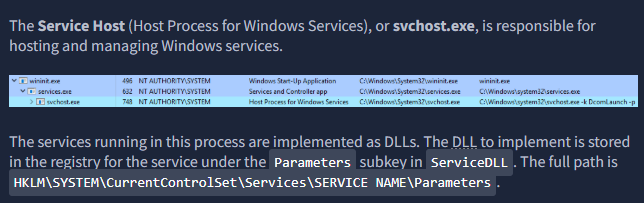

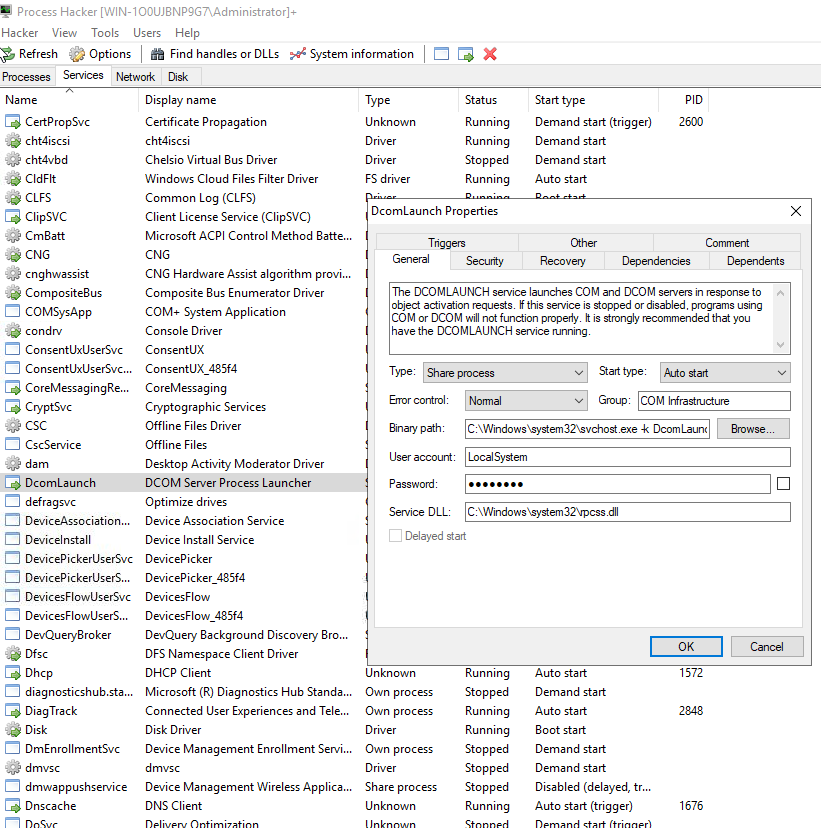
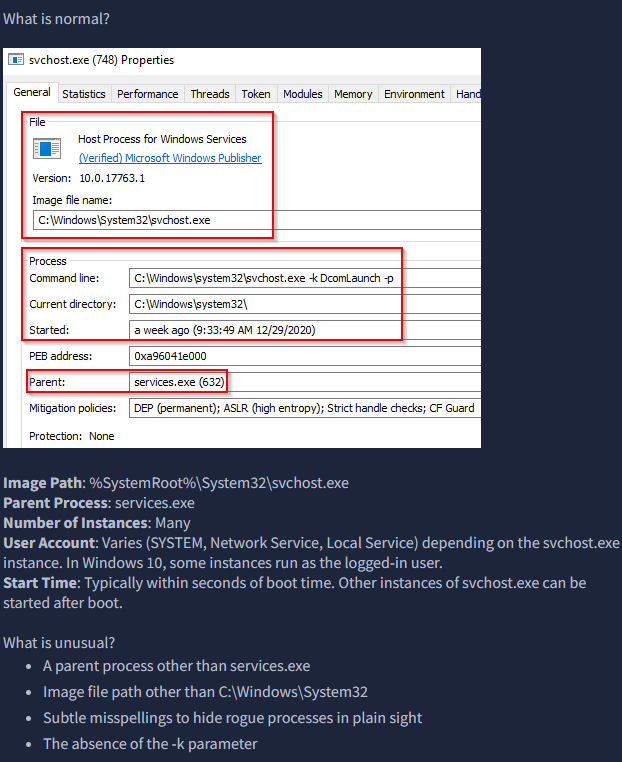
“What single letter parameter should always be visible in the Command line or Binary path?”
k
On to task 9, lass.exe.

A great article of how that expands on lsass as well as how it can used abused and what to do to defend it:
https://yungchou.wordpress.com/2016/03/14/an-introduction-of-windows-10-credential-guard/

“What is the parent process for LSASS?”
wininit.exe
On to task 10, winlogon.exe.
“The Windows Logon, winlogon.exe, is responsible for handling the Secure Attention Sequence (SAS). It is the ALT+CTRL+DELETE key combination users press to enter their username & password.
This process is also responsible for loading the user profile. It loads the user’s NTUSER.DAT into HKCU, and userinit.exe loads the user’s shell. Read more about this process here(opens in new tab).”
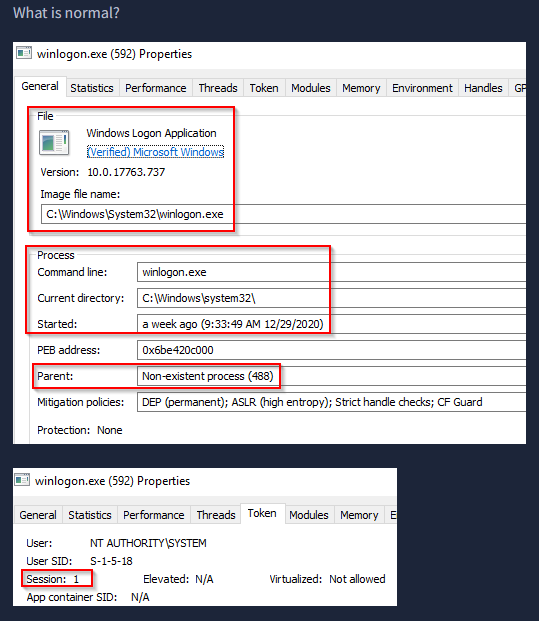
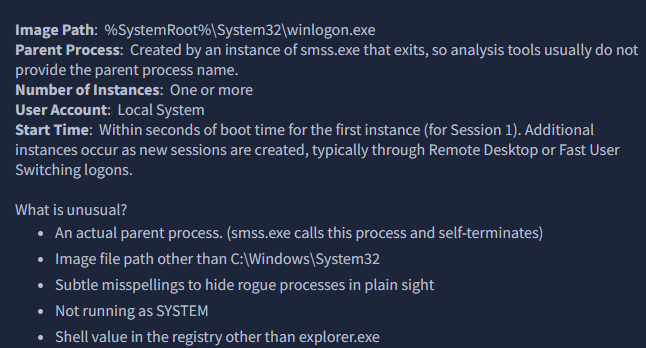
“What is the non-existent parent process for winlogon.exe?”
smss.exe
On to the last task, task 11.
“The last process we’ll look at is Windows Explorer, explorer.exe. This process gives the user access to their folders and files. It also provides functionality for other features, such as the Start Menu and Taskbar.
As mentioned previously, the Winlogon process runs userinit.exe, which launches the value in HKLM\Software\Microsoft\Windows NT\CurrentVersion\Winlogon\Shell. Userinit.exe exits after spawning explorer.exe. Because of this, the parent process is non-existent.”


“What is the non-existent process for explorer.exe?”
userinit.exe