
Time for a challenge! We will be applying the knowledge and skills we have acquired from previous rooms, primarily from The Pyramid of Pain and MITRE rooms.
Objective: “After participating in one too many incident response activities, PicoSecure has decided to conduct a threat simulation and detection engineering engagement to bolster its malware detection capabilities. You have been assigned to work with an external penetration tester in an iterative purple-team scenario. The tester will be attempting to execute malware samples on a simulated internal user workstation. At the same time, you will need to configure PicoSecure’s security tools to detect and prevent the malware from executing.”
Objective continued…”Following the Pyramid of Pain’s ascending priority of indicators, your objective is to increase the simulated adversaries’ cost of operations and chase them away for good. Each level of the pyramid allows you to detect and prevent various indicators of attack.”
Once you launch the Target machine, THM will provide you with a link. Open this link in a new browser. When it loads, you will be greeted by a message from a fictitious company that is asking you to scan a file with a Malware Sandbox tool.
We see that adding the hash to the Malware scanner detected the Malware and blocked it from executing. Now it’s wanting a different way to detect sample2. Instead of using the hashes, I will try something else. This is an option for Firewall manager, let’s check that out.


In the Analysis, an IP is giving with a GET Method. This means will make an Egress rule for our firewall with the rules of Type > Egree, Source > Any, Destination > IP, Action > Deny.
Now it’s testing our knowledge, claiming they have a new server running from a new IP address and have more backups just in case we try blocking again. Although they can use different IP addresses, let’s try blocking the DNS requests. There are two of them, but we are focusing on the emudyn.bresonicz.info one. Noticed the backdoor executable as well under the Connections.
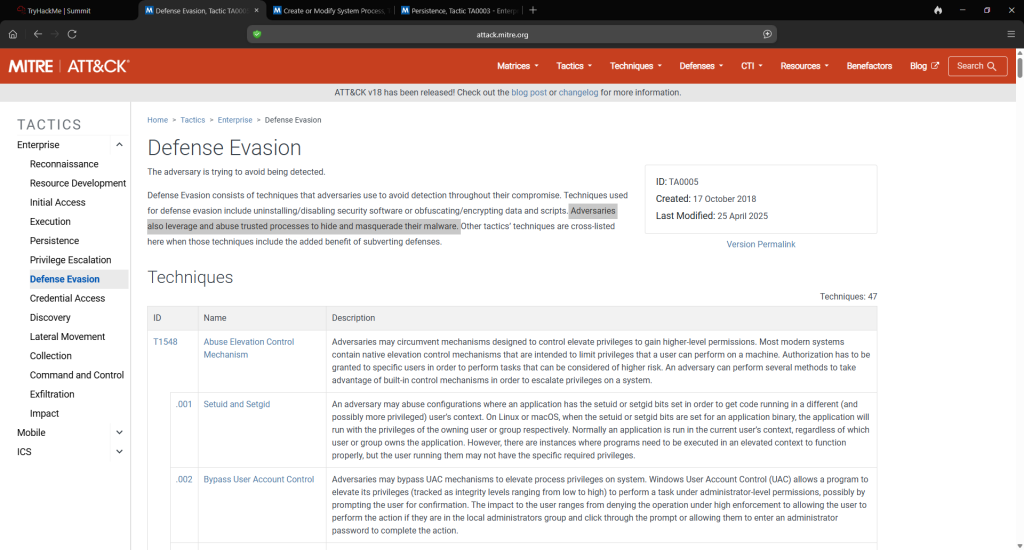
Since the attacker is aware that we are blocking their IP addresses and DNS requests, they are becoming more sophisticated. “This time – blocking hashes, IPs, or domains won’t help you. If you want to detect sample4.exe, consider what artifacts (or changes) my malware leaves on the victim’s host system.” In the scan, at the bottom under Registry Activity, is Windows Log. You will notice sample4.exe is one of them. When you go to the Sigma Rule Builder, you will see “Sysmon Event Logs”. Click on this, then select ‘Process Creation’. It shows ATT&CK ID. I assume it’s Defense Evasion, but let’s verify this with MITRE ATT&CK to confirm. The lab links to https://attack.mitre.org/techniques/enterprise/, and you can read the various tactics. The main giveaway is the name: Disable Realtime Monitoring.
For the fifth 5, sample5.exe, it’s getting more challenging! We received a new message with a network log file containing various destination IPs.
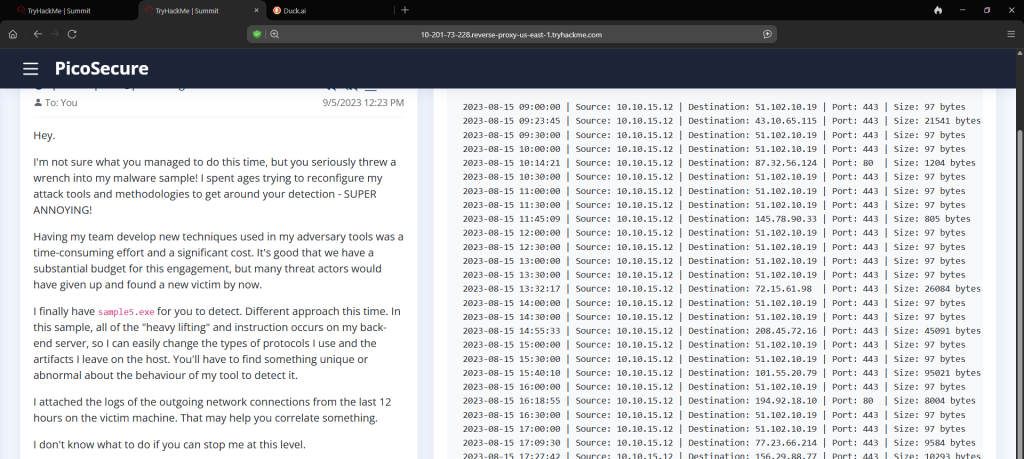
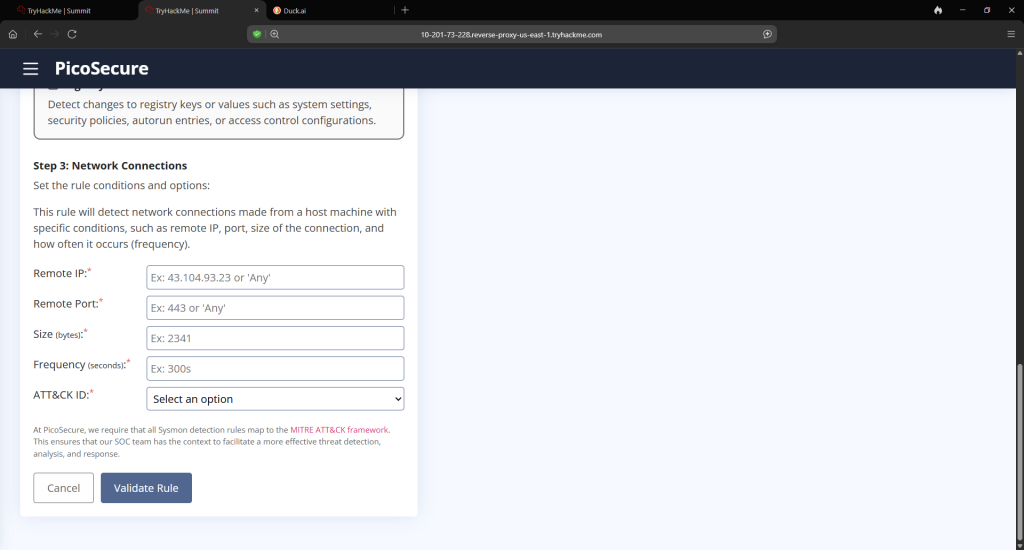
This is the most important part of this. You could run sample5.exe to see additional details, but what we are looking for is in the log. Returning to The Sigma Rule Builder, you will be going to System Event Logs > Network Connections.
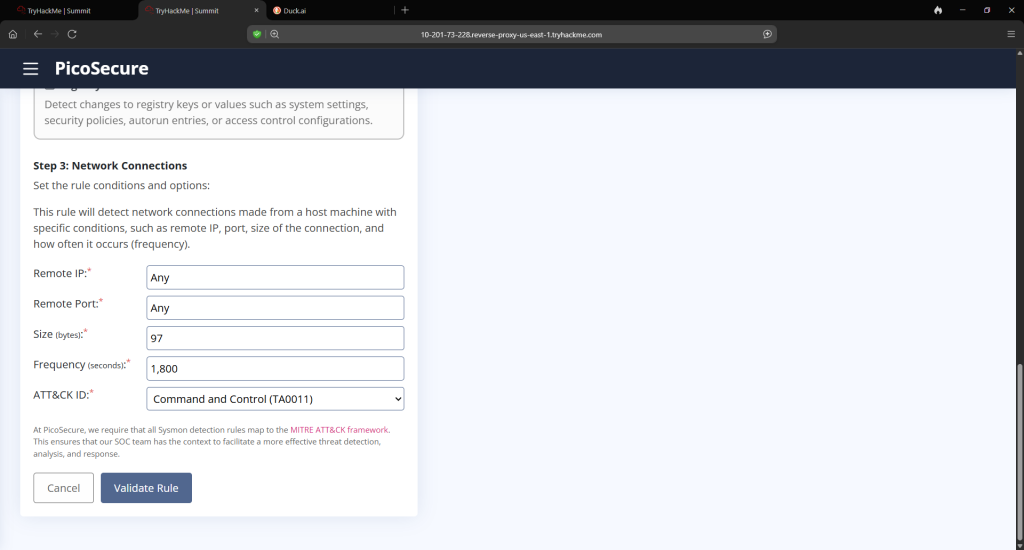
The large byte files were what I was first looking at, but the way the Sigma Rule Builder is requesting, you are looking for more common themes. What would be the most repetitive byte size? That’s right, 97! So we have our byte file. And it appears that the most common pattern, in terms of frequency, is 30 minutes(thanks, Duck AI). It requests that we break this down in seconds, so that will be 1,800(also thanks again, Duck AI).
On to the last sample which will be sample6.exe. We get another mail message with another log, this time pertaining to commands.

I would advise you copy and paste the line of commands to AI to break it down. I use DuckDuckGo AI. You can also run the sample6.exe file in the lab itself and it helps but not to the extent of the technicalities that AI would do for you. You are going to go back to the Sigma Rule Building and once again go to Sysmon Even Logs but this time you will select File Creation and Modification.
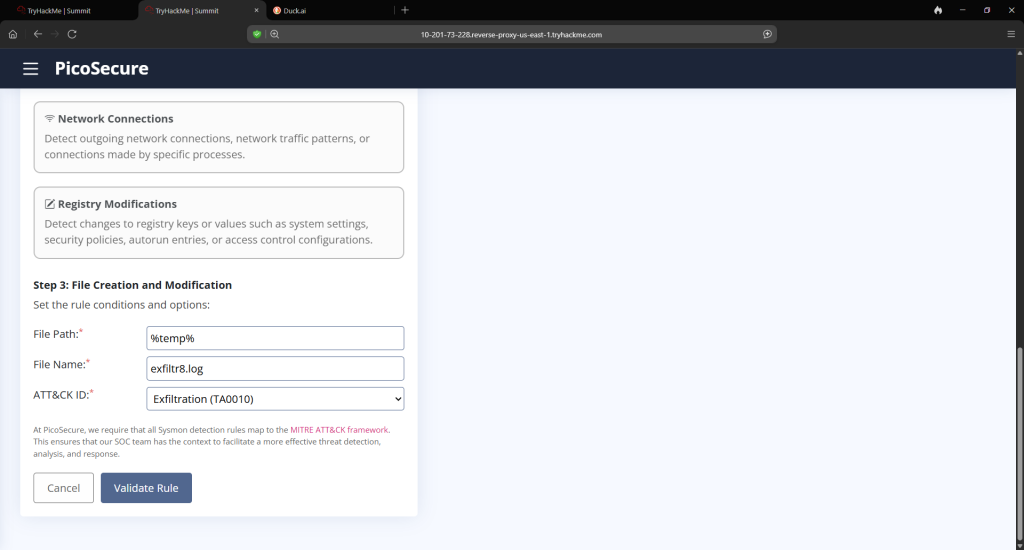
After that, you will obtain the last flag. This was a fun challenge!