
https://tryhackme.com/room/zeekbro
Created by: tryhackme, Dex01
I suggest doing this before continuing the mentioned room above if you have not already done so: https://tryhackme.com/module/network-fundamentals
There is a lot of reading material in this room. I did know of Zeek beforehand, but this will be the first time getting hands-on with it. Most of us probably think of Wireshark when it comes to packet analyzing, but THM shows the power that Zeek has with its technical capabilities. Zeek is also compared to Snort in task 2, Network Security Monitoring and Zeek.
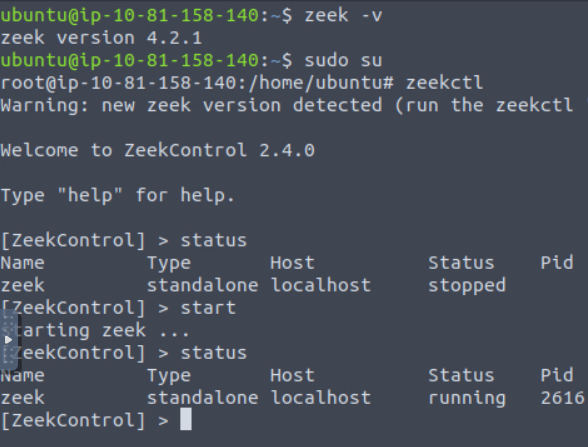
Starting up Zeek!
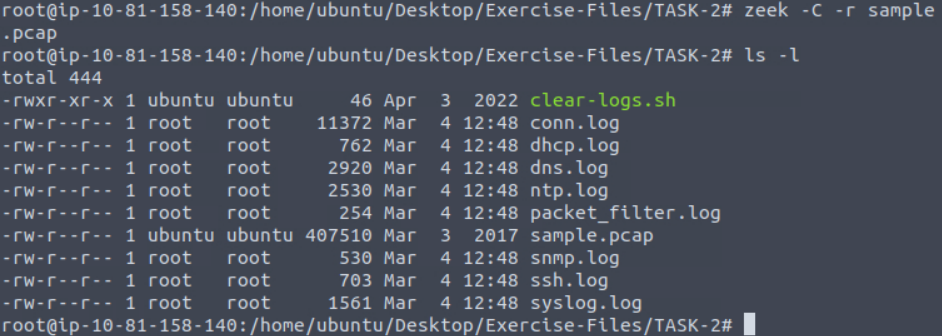
“Each exercise has a folder. Ensure you are in the right directory to find the pcap file and accompanying files. Desktop/Exercise-Files/TASK-2
sudo su
cd /Desktop/Exercise-Files/TASK-2
“What is the installed Zeek instance version number?”

“What is the version of the ZeekControl module?”

“Investigate the “sample.pcap” file. What is the number of generated alert files?”
Here we are looking at the number of .log files that have been generated, which will be 8 in total.
On to Task 3, Zeek Logs!

THM links to the official Zeek document, which I bookmarked: https://docs.zeek.org/en/current/script-reference/log-files.html
“Each exercise has a folder. Ensure you are in the right directory to find the pcap file and accompanying files. Desktop/Exercise-Files/TASK-3 “”
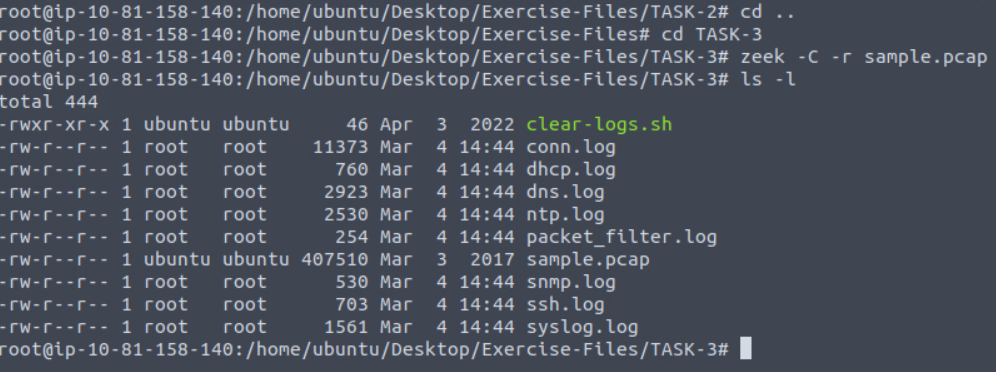
“Investigate the sample.pcap file. Investigate the dhcp.log file. What is the available hostname?”

We can tidy this up with the zeek-cut command! We noticed the host_name column in there. I did the zeek-cut with just that.

“Investigate the dns**.log** file. What is the number of unique DNS queries?”

“Investigate the conn.log file. What is the longest connection duration?”

On to Task 4!
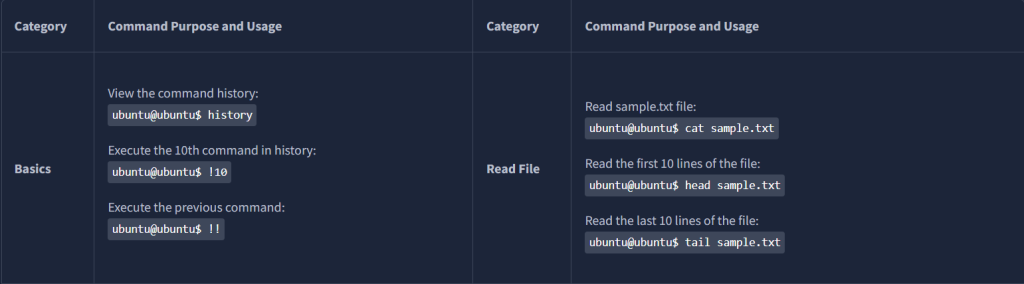
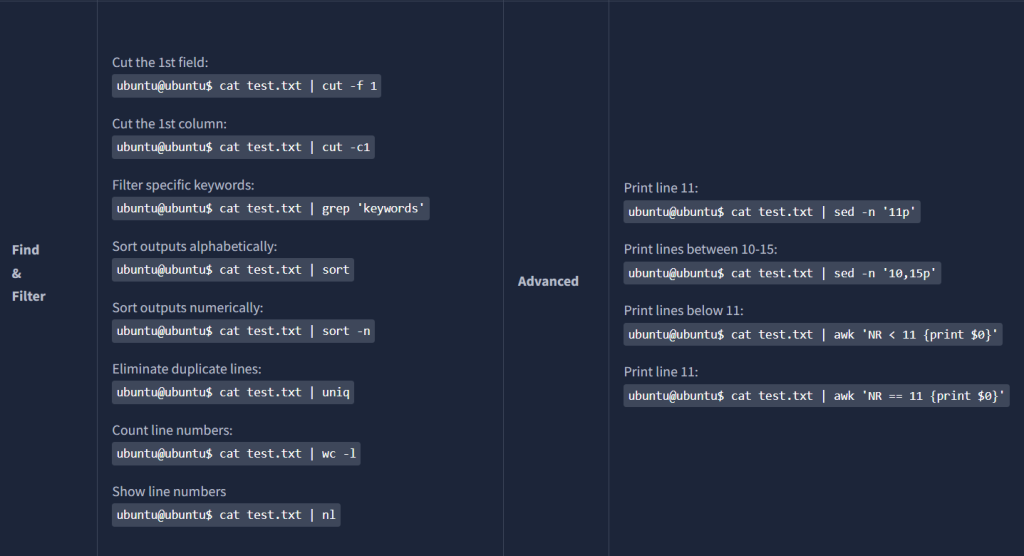
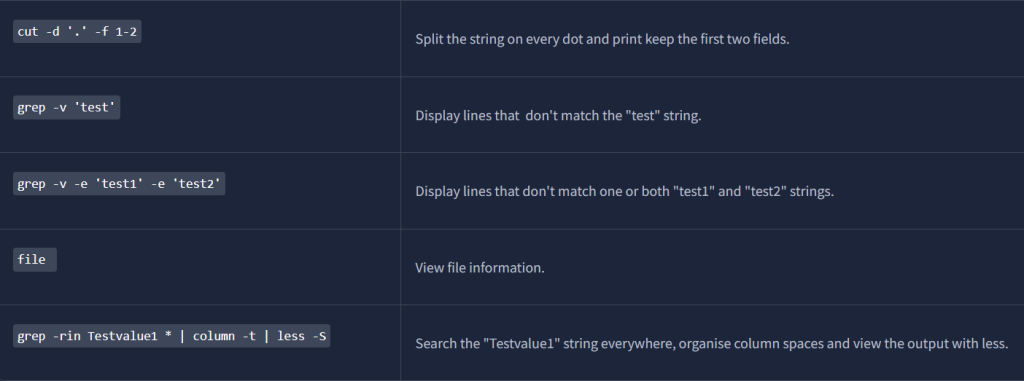
While normally I wouldn’t post all the content from a task like this, I feel like these are too important not too post as well as put in my Linux notes for future references.

On to Task 5, Zeek Signatures!

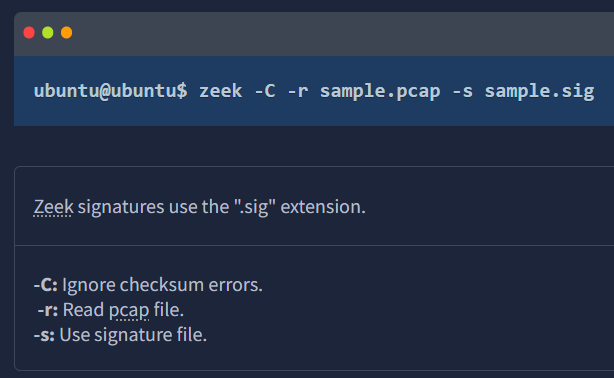
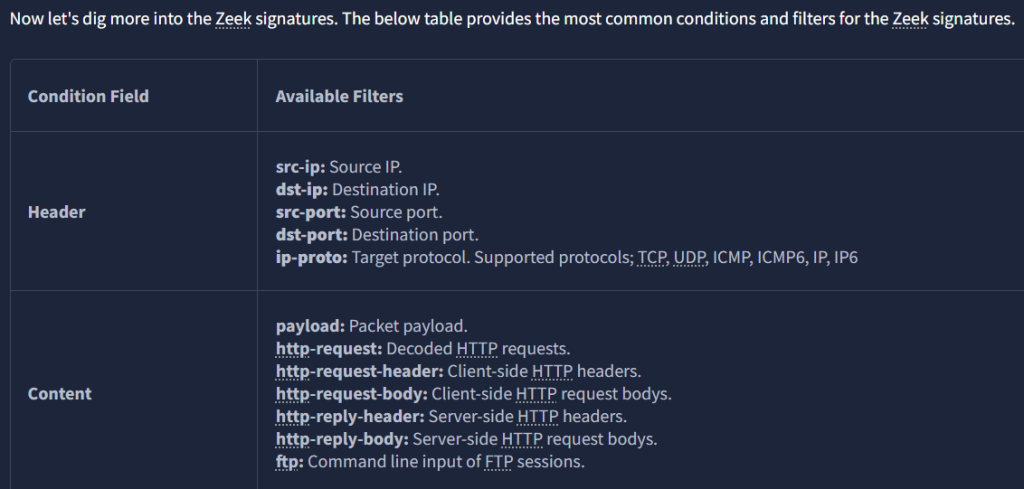
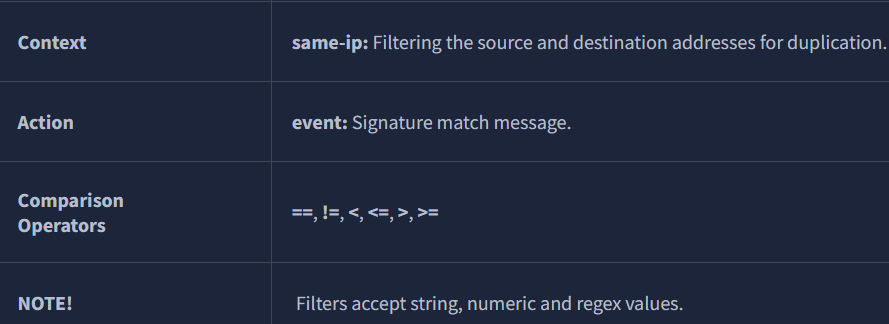
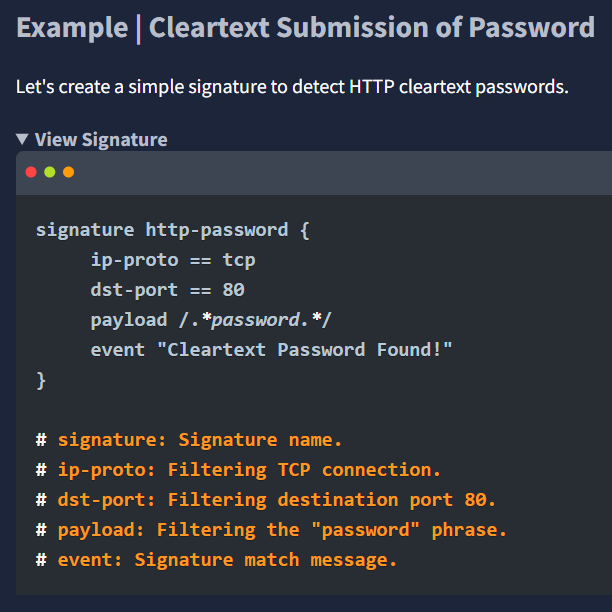
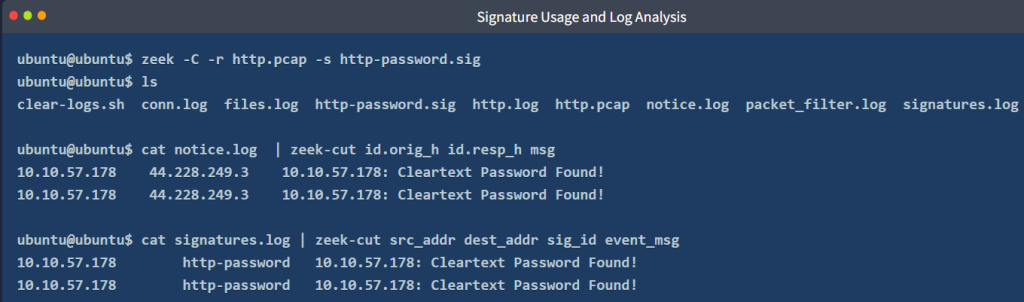
“Each exercise has a folder. Ensure you are in the right directory to find the pcap file and accompanying files. Desktop/Exercise-Files/TASK-5 “”

“Investigate the http.pcap file. Create the HTTP signature shown in the task and investigate the pcap. What is the source IP of the first event?”


“What is the source port of the second event?”

“Investigate the conn.log.
What is the total number of the sent and received packets from source port 38706?”

“Create the global rule shown in the task and investigate the ftp.pcap file.
Investigate the notice.log. What is the number of unique events?”
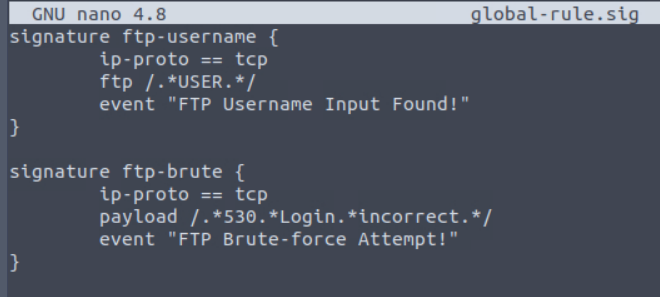


“What is the number of ftp-brute signature matches?”

On to Zeek Scripts | Fundamentals.
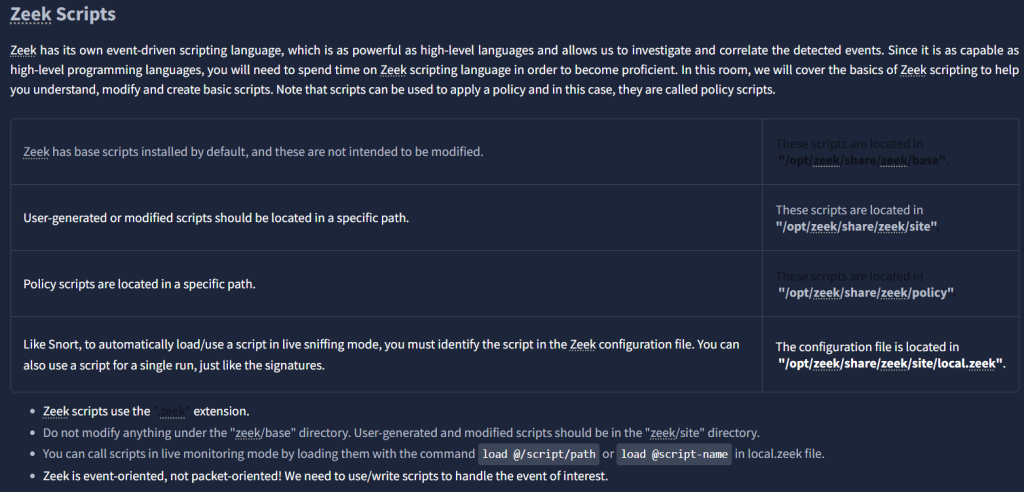
“Each exercise has a folder. Ensure you are in the right directory to find the pcap file and accompanying files. Desktop/Exercise-Files/TASK-6“
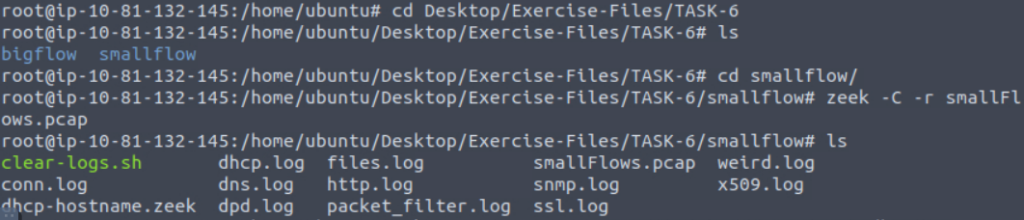
“Investigate the smallFlows.pcap file. Investigate the dhcp.log file. What is the domain value of the “vinlap01” host?”

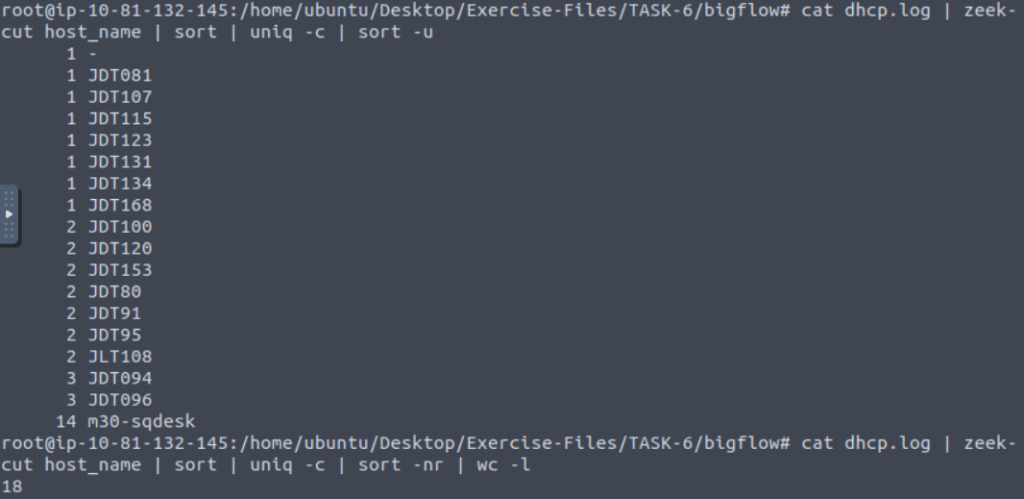
“Investigate the bigFlows.pcap file. Investigate the dhcp.log file. What is the number of identified unique hostnames?”
I first ran a simple command to obtain 18, but then THM wasn’t liking it, even though that was correct. It puzzled me at first. I ended up throwing everything at it before I realized they were wanting 17 since one of them was coming up blank.
“Investigate the dhcp.log file. What is the identified domain value?”

On to Task 7, Zeek Scripts | Scripts and Signatures.
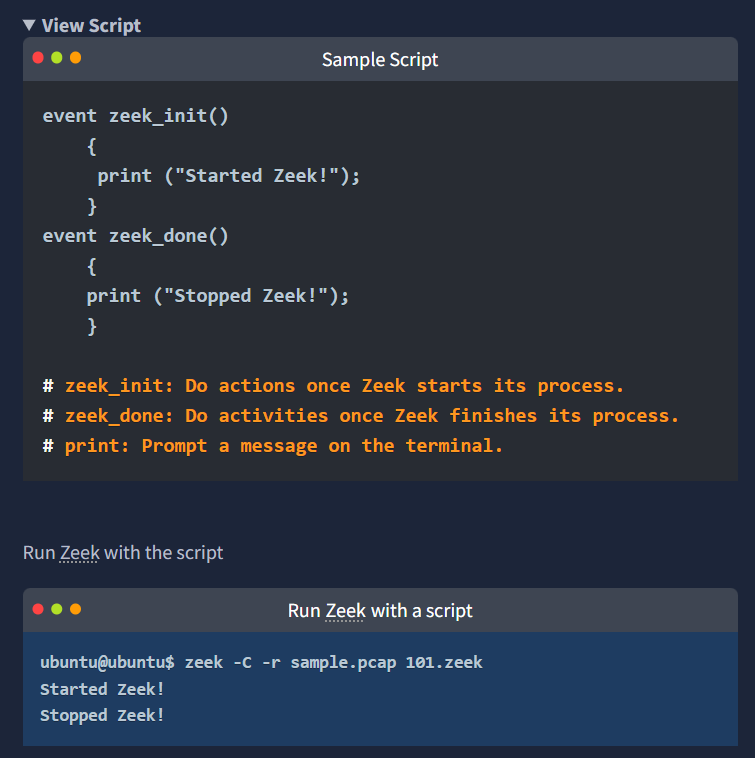

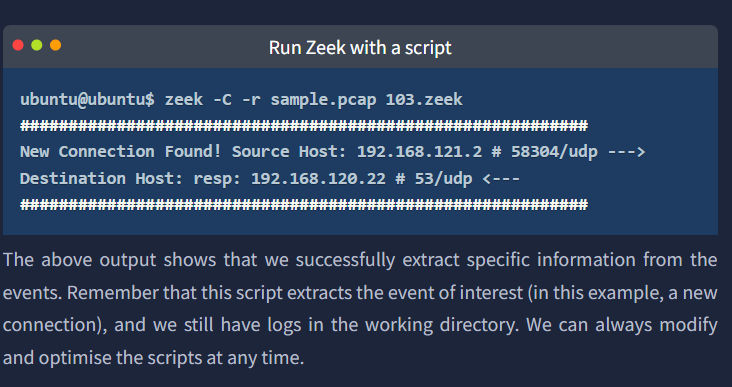
“Each exercise has a folder. Ensure you are in the right directory to find the pcap file and accompanying files. Desktop/Exercise-Files/TASK-7“

“Go to folder TASK-7/101.
Investigate the sample.pcap file with 103.zeek script. Investigate the terminal output. What is the number of the detected new connections?”
Let’s look at the script and its contents!



“Go to folder TASK-7/201.
Investigate the ftp.pcap file with ftp-admin.sig signature and 201.zeek script. Investigate the signatures.log file. What is the number of signature hits?”

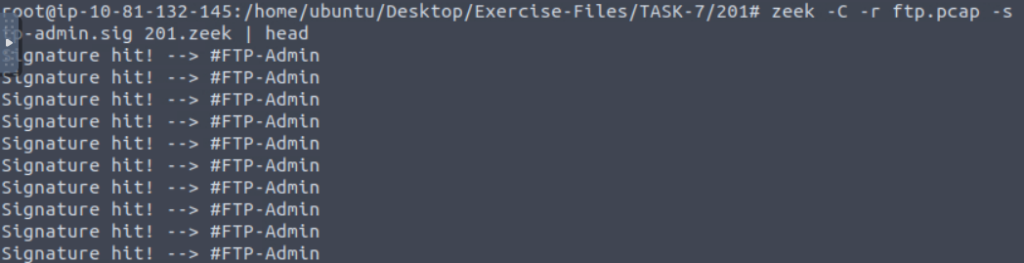

“Investigate the signatures.log file. What is the total number of “administrator” username detections?”

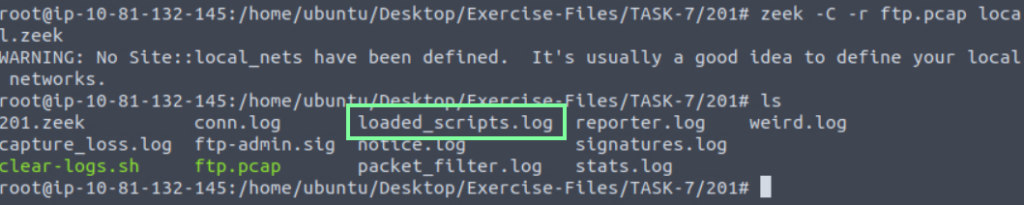
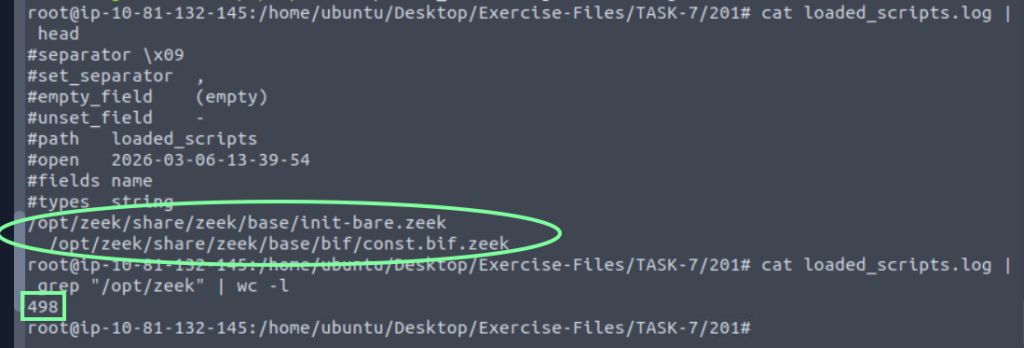
“Investigate the ftp.pcap file with all local scripts, and investigate the loaded_scripts.log file. What is the total number of loaded scripts?”
“Go to folder TASK-7/202.
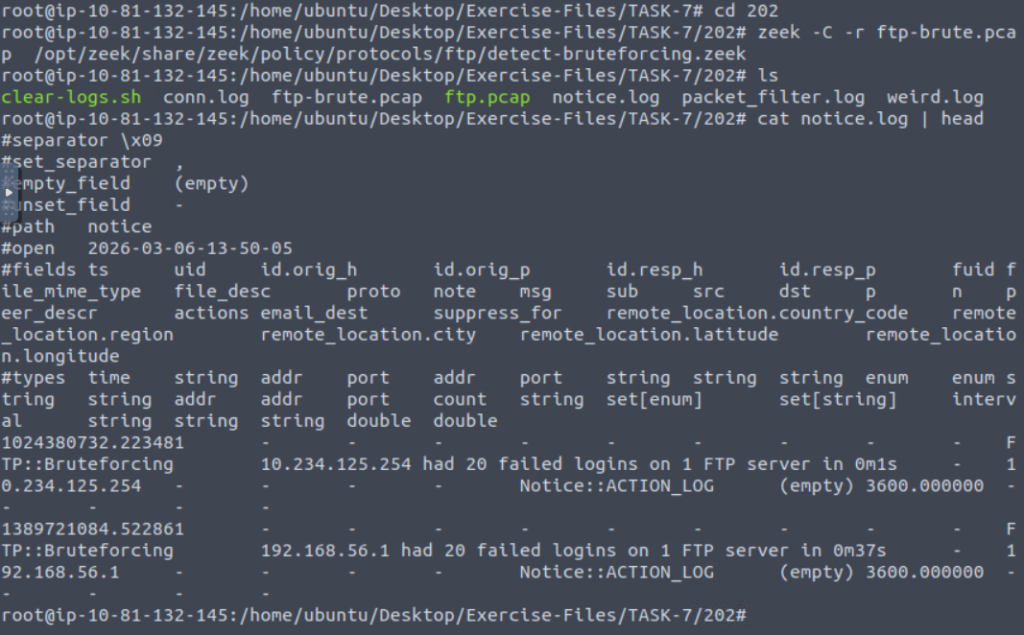
Investigate the ftp-brute.pcap file with “**/opt/zeek/share/zeek/policy/protocols/ftp/detect-bruteforcing.zeek”** script. Investigate the notice.log file. What is the total number of brute-force detections?”

On to Task 8, Zeek Scripts | Frameworks!
The link they reference to: https://docs.zeek.org/en/master/frameworks/index.html
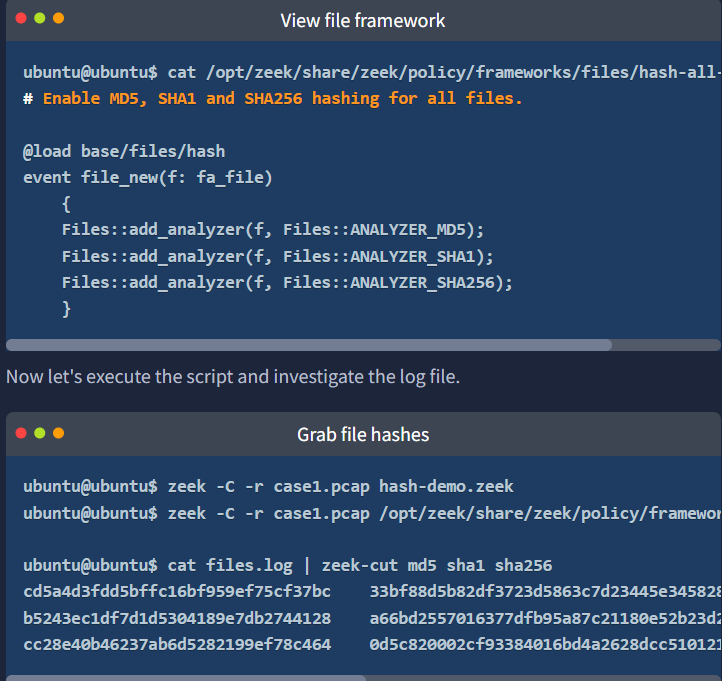
“Each exercise has a folder. Ensure you are in the right directory to find the pcap file and accompanying files. Desktop/Exercise-Files/TASK-8“

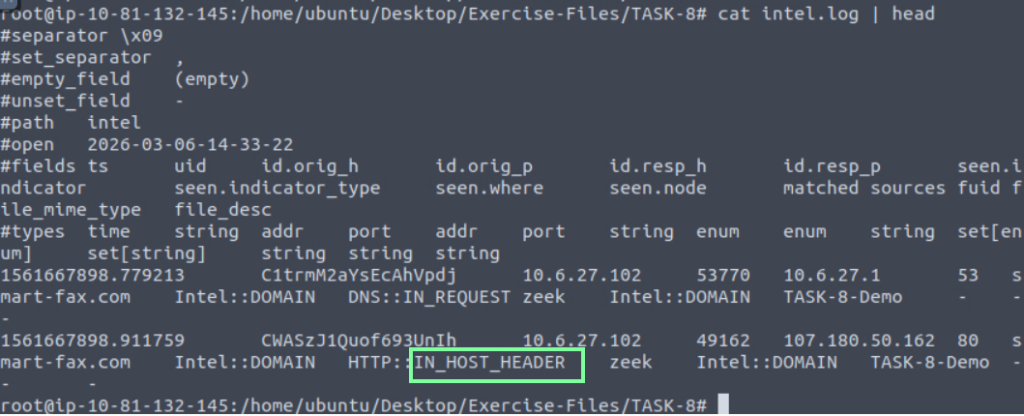
“Investigate the case1.pcap file with intelligence-demo.zeek script. Investigate the intel.log file. Look at the second finding, where was the intel info found?”

“Investigate the http.log file. What is the name of the downloaded .exe file?”

“Investigate the case1.pcap file with hash-demo.zeek script. Investigate the files.log file. What is the MD5 hash of the downloaded .exe file?”

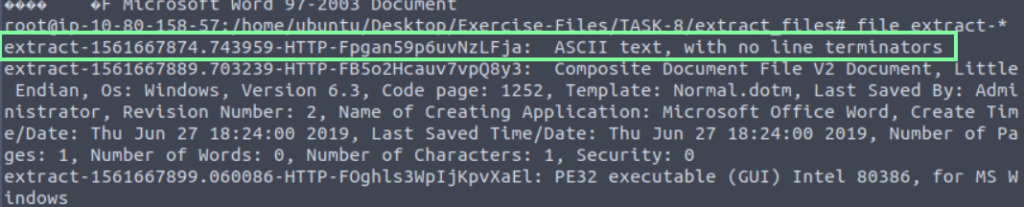
“Investigate the case1.pcap file with file-extract-demo.zeek script. Investigate the “extract_files” folder. Review the contents of the text file. What is written in the file?”


I had DDG AI help me with this a little.

Using the file extract-* command, we see that the first one is the file we need to know the contents of.

On to task 9, Zeek Scripts | Packages!

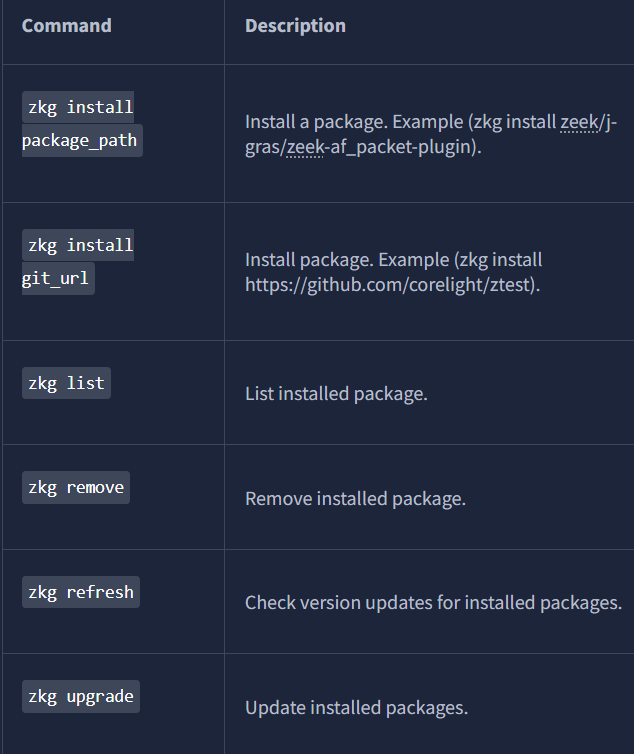
Each exercise has a folder. Ensure you are in the right directory to find the pcap file and accompanying files. Desktop/Exercise-Files/TASK-9

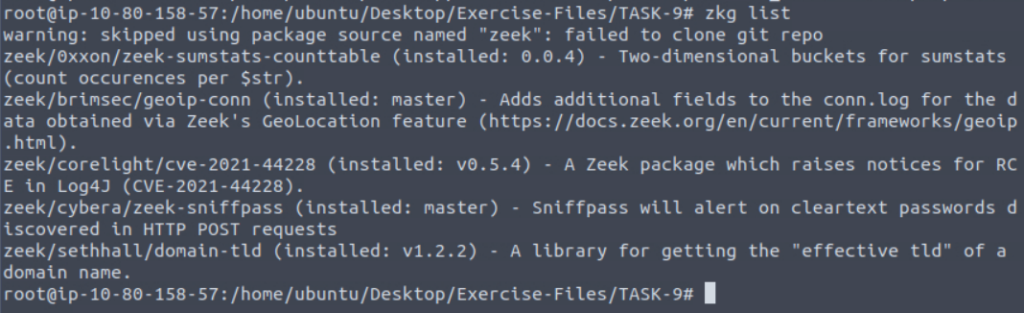
After this, I decided to look at the installed packages on this VM.
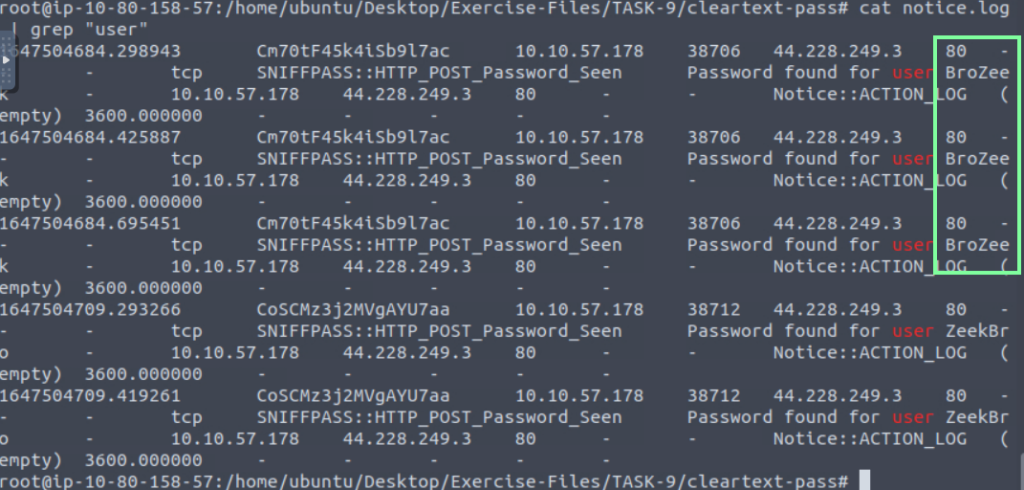
“Investigate the http.pcap file with the zeek-sniffpass module. Investigate the notice.log file. Which username has more module hits? “

“Investigate the case2.pcap file with geoip-conn module. Investigate the conn.log file. What is the name of the identified City?”

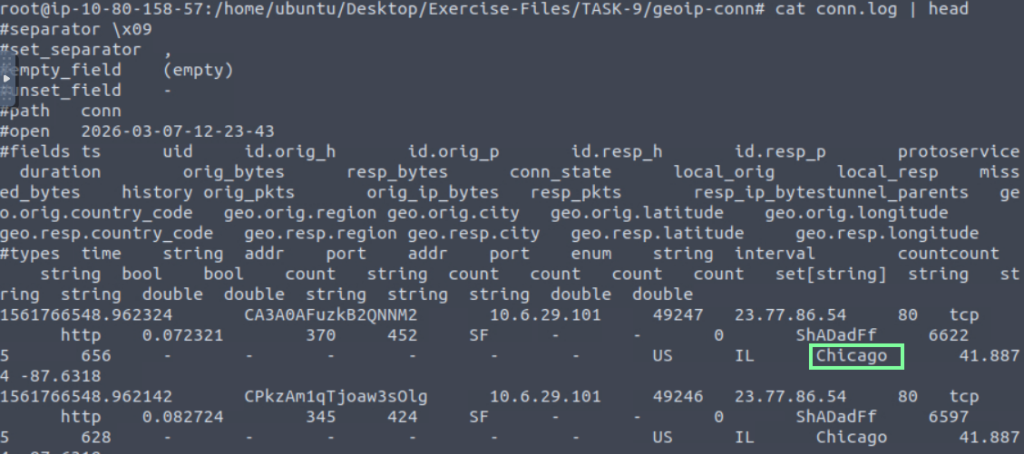
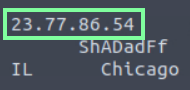
“Which IP address is associated with the identified City? “”
“Investigate the case2.pcap file with sumstats-counttable.zeek script. How many types of status codes are there in the given traffic capture?”

THM links to another Zeek room! https://tryhackme.com/room/zeekbroexercises. I believe I will have at it.