
https://tryhackme.com/room/fileandhashthreatintel
Created by: tryhackme, SecurityNomad

Go ahead and boot up the VM because with Task 2, we will already be using it.

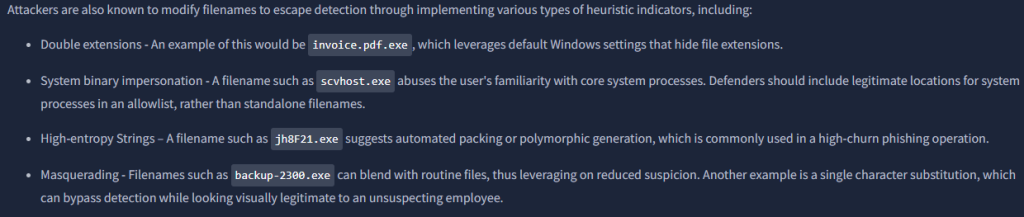
“One file displays one of the indicators mentioned. Can you identify the file and the indicator? (Answer: file, property)”


For the next tasks, make sure you keep the hashes at the ready cause you will go to various websites and use them!
In Task 3, File Hask Lookup, we will be using Virustotal and Malwarebazaar.
“What is the SHA256 hash of the file bl0gger?”

“On VirusTotal, what is the threat label used to identify the malicious file?”
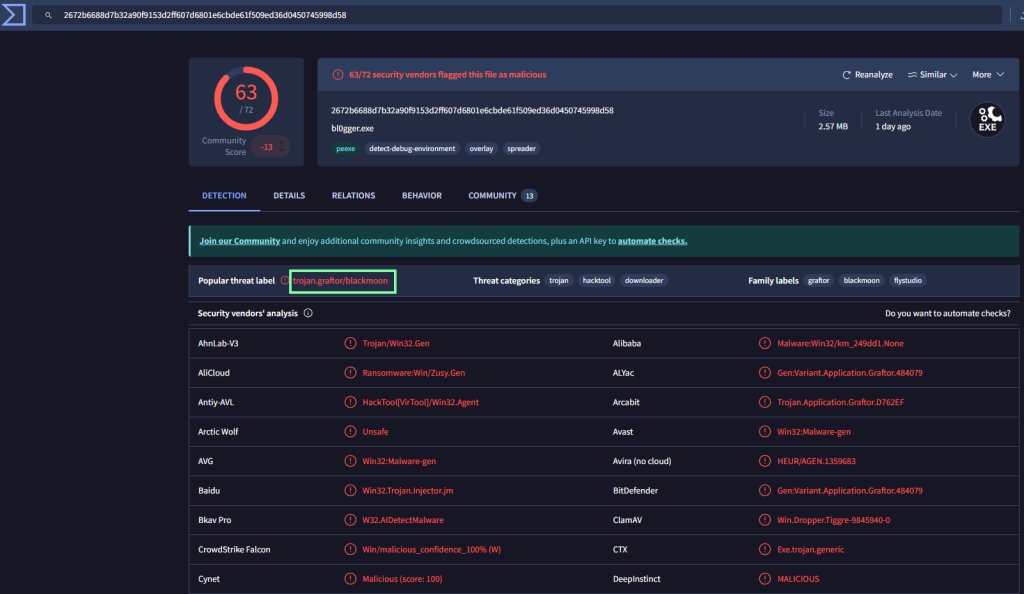
“When was the file first submitted for analysis? (Answer format: YYYY-MM-DD HH:MM:SS)”

“According to MalwareBazaar, which vendor classified the Morse-Code-Analyzer file as non-malicious?”

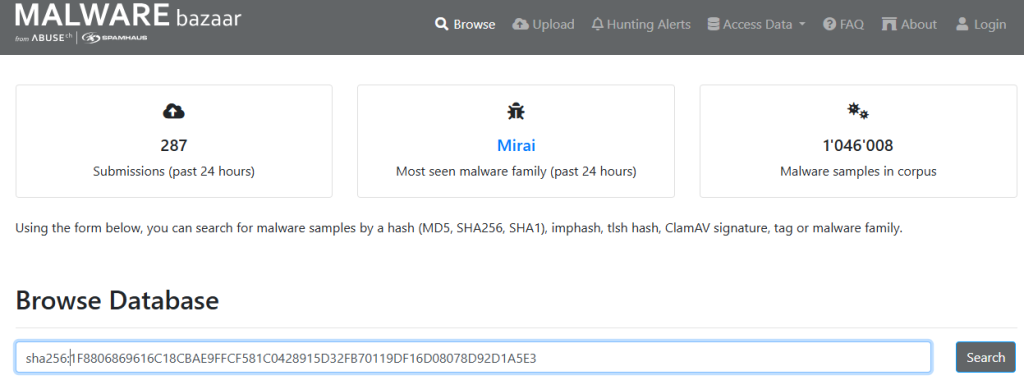
Click search, then click on the hash to obtain more details, then scroll down to Vendor Threat Intelligence.

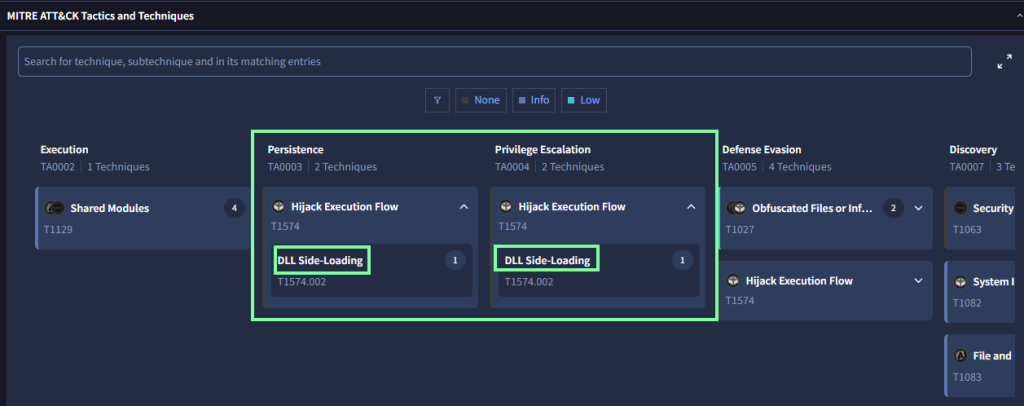
“On VirusTotal, what MITRE technique has been flagged for persistence and privilege escalation for the Morse-Code-Analyzer file?”
Go to the Behavior tab then scroll down to the MITRE section.
Task 4, Sandbox Analysis, covers the pros and cons of dynamic analysis of a sandbox.
“What tags are used to identify the bl0gger.exe malicious file on Hybrid Analysis? (Answer: Tag1, Tag2, Tag3)”
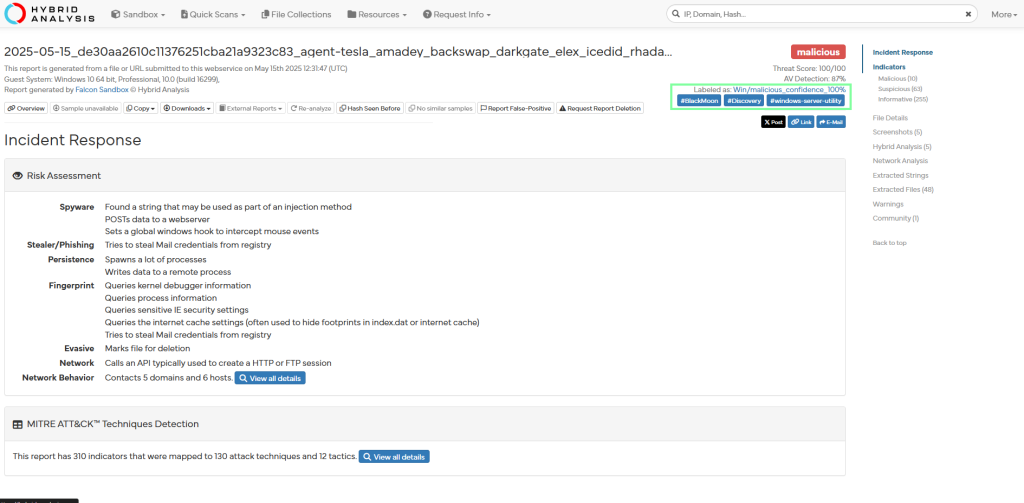
“What was the stealth command line executed from the file?”

“Which other process was spawned according to the process tree?”

“The payroll.pdf application seems to be masquerading as which known Windows file?”

I looked and looked and could not locate what THM was needing. Honestly, it seems like it should be server.exe.

“What associated URL is linked to the file?”
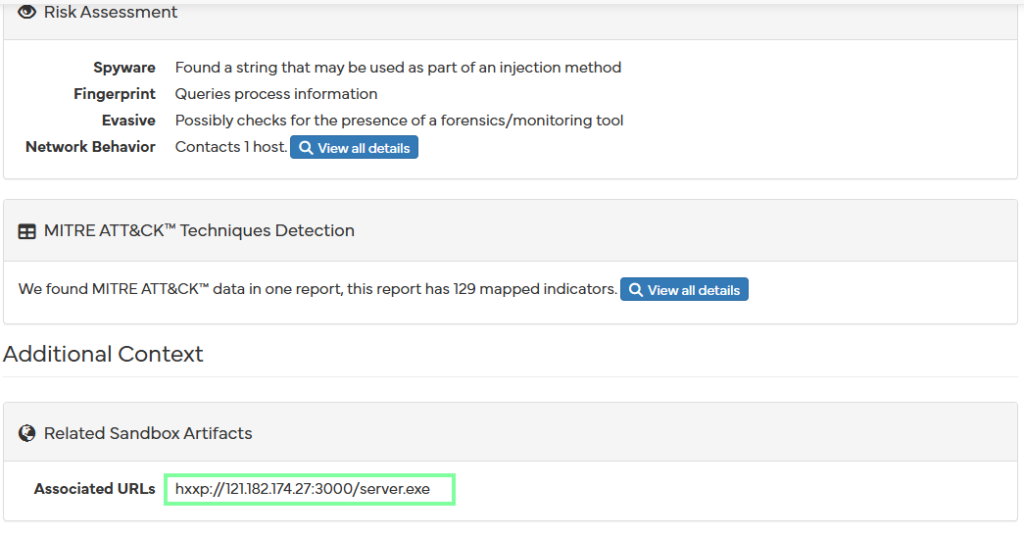
“How many extracted strings were identified from the sandbox analysis of the file?”
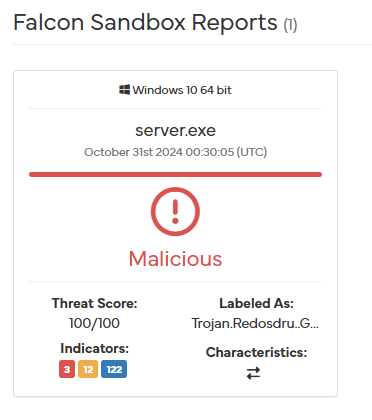

On to task 5, Threat Intelligence Challenge!
“What is the SHA256 hash of the file?”

“What family labels are assigned to the file on VirusTotal?”

“When was the first time the file was recorded in the wild? (Answer Format: YYYY-MM-DD HH:MM:SS UTC)”
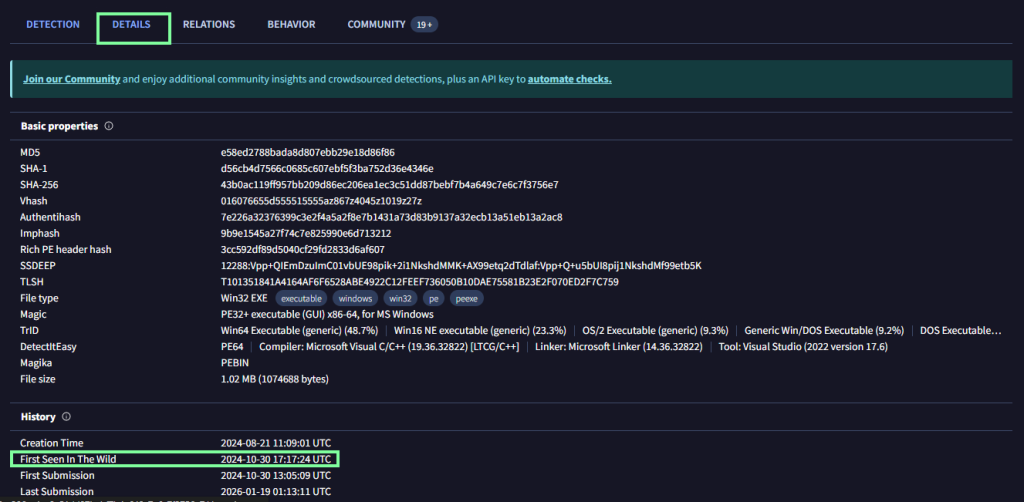
“Name the text file dropped during the execution of the malicious file.”

Go to the Behavior tab then scroll down to obtain this.

“What PowerShell command is observed to be executed?”
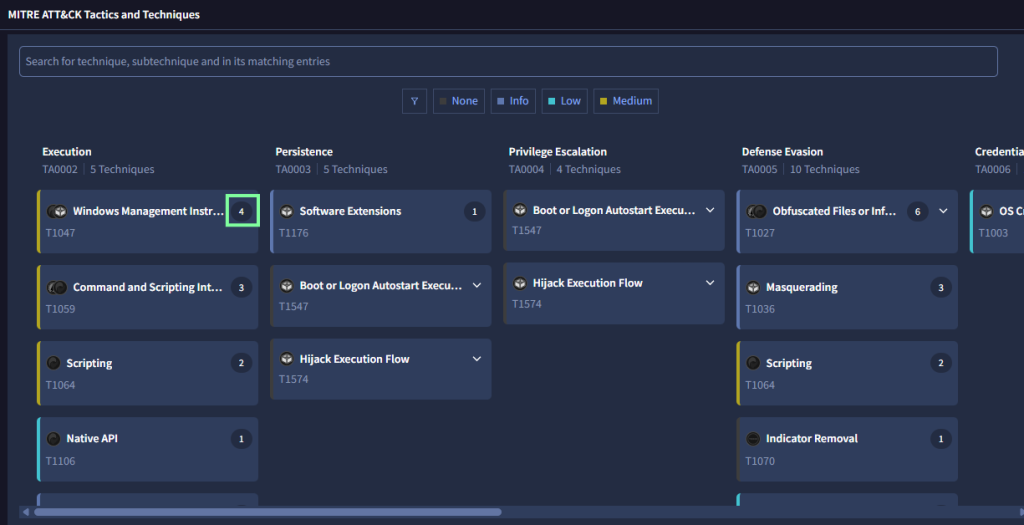

“What MITRE ATT&CK ID is associated with the actions of the command?”
None of the T#’s lined up with this under the MITRE tab lined up with this, but after getting the answer, I prompted duck.ai to elaborate.

