
https://tryhackme.com/room/linuxloggingforsoc
Created by: tryhackme, TactfulTurtle

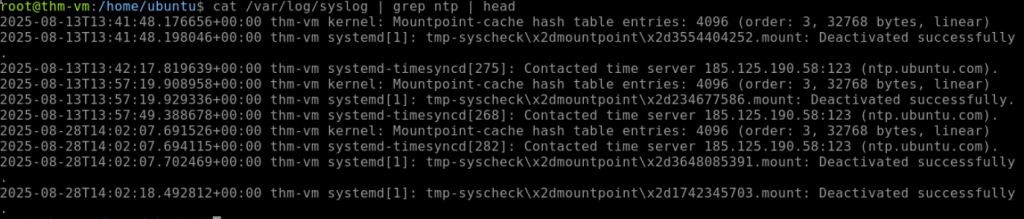
“Use the /var/log/syslog file on the VM to answer the questions.
Which time server domain did the VM contact to sync its time?”
At first, I ended up entering “cat /var/logsyslog | grep time” but then I noticed ntp and changed the command to match that to obtain “ntp.ubuntu.com” for the answer.
“What is the kernel message from Yama in /var/log/syslog?”

On to Task 3, Authentication Logs!

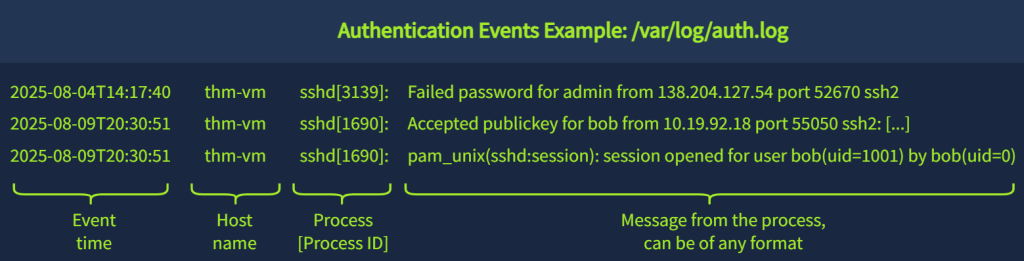
“Continue with the VM and use the /var/log/auth.log file.
Which IP address failed to log in on multiple users via SSH?”
I ended up going by the examples given by THM and did cat /var/log/auth.log | grep -E ‘ssh|Failed’ but this was outputting ssh OR Failed. I thought, “This needs to be more exact!” I used Duck AI to assist me in obtaining a better command going forward, which ended up being ‘grep -E ‘sshd.*Failed’ /var/log/auth.log’!

“Which user was created and added to the “sudo” group?”
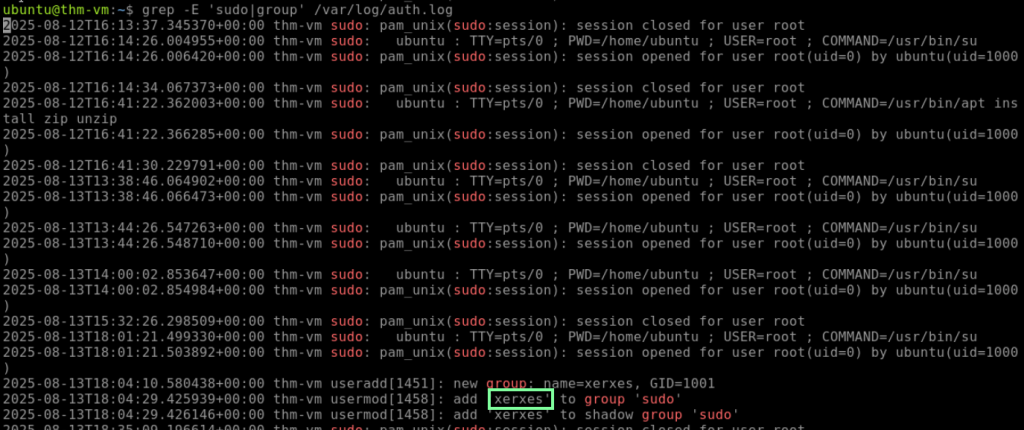
I love learning new linux commands so this is fun. On to task 4, Common Linux Logs!
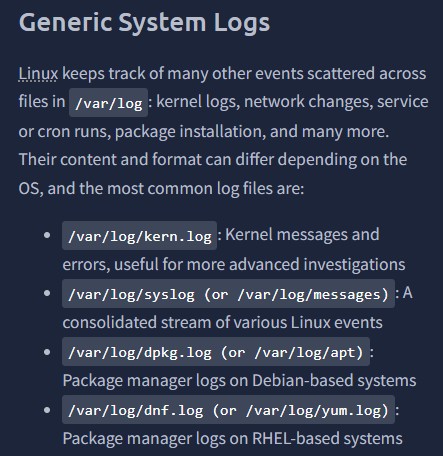
THM links to another room to check out that goes into further log analysis regarding DFIR: https://tryhackme.com/room/linuxlogsinvestigations.
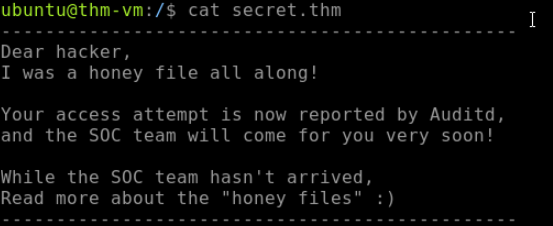
The tasks are getting more challenging now. To answer the first question, I start looking around. Doing so, I come across secret.thm and get trolled lol.
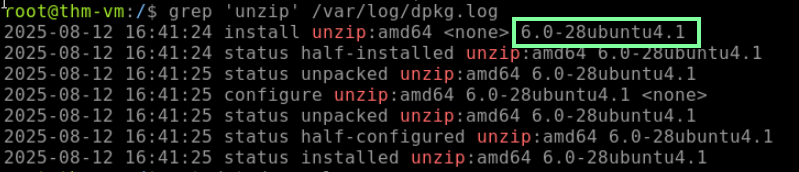
“According to the VM’s package manager logs, which version of unzip was installed on the system?
I used DuckDuckGo AI to remind me how to check the os-release.
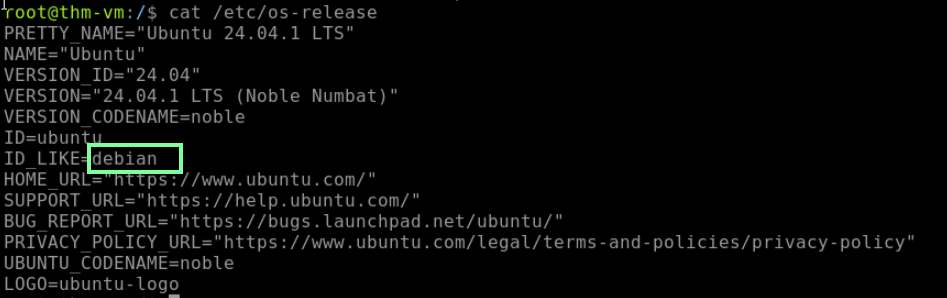
Now that we know that, let’s look back at THM for the command we need to use.

“What is the flag you see in one of the users’ bash history?”
This took me longer to find than I would like to admit. The commands that THM gives you as examples help a little, but the only one I could get it to give me what I need was through cat */.bash_history.
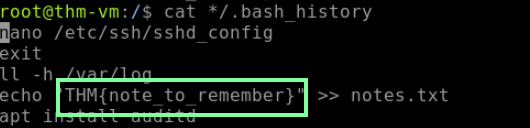
On to Task 5, Runtime Monitoring. THM gives great examples, but I had DuckDuckGo AI provide a brief paragraph of a shorter explanation:
“Runtime monitoring in Linux involves tracking process execution, system calls, and kernel interactions using powerful tools like strace and auditd, providing deep insights into system behavior, performance, and potential security vulnerabilities by capturing real-time interactions between applications and the operating system.”
On to our last task, Task 6, Using Auditd!

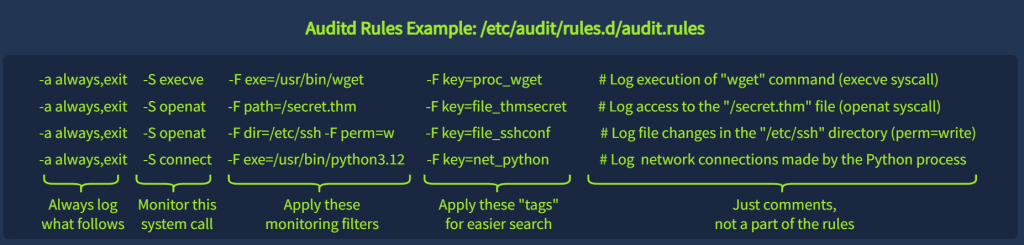
When you enter the command “ausearch -i -k proc_wget,” you will see a lot of log information, but thankfully, THM breaks it down for us.

“When was the secret.thm file opened for the first time? (MM/DD/YY HH:MM:SS)
Note: Access to this file is logged with the “file_thmsecret” key.”
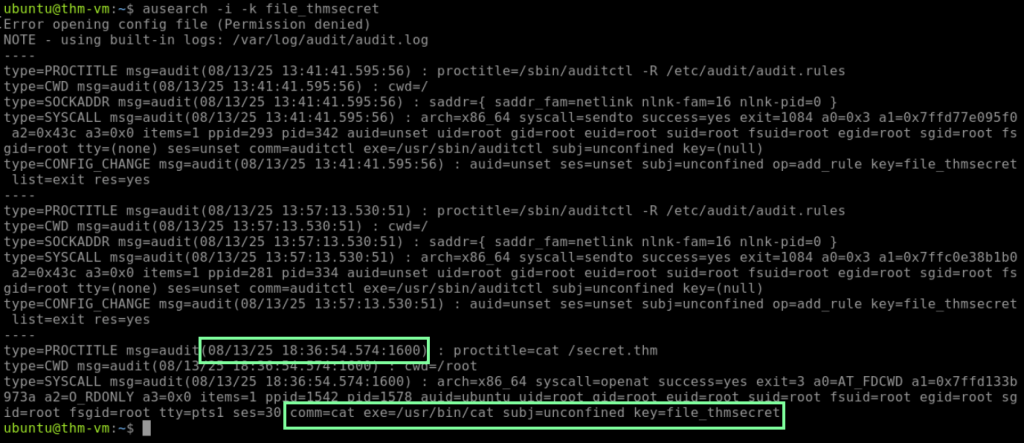
“What is the original file name downloaded from GitHub via wget?
Note: Wget process creation is logged with the “proc_wget” key.”
You will use the same format of “ausearch -i -k proc_wget”

“Which network range was scanned using the downloaded tool?
Note: There is no dedicated key for this event, but it’s still in auditd logs.”
I feel like my piping and grep skills have improved within this room!
