
Room link: https://tryhackme.com/room/mitmdetection
Created by: tryhackme, Dex01
Per THM, “Man-in-the-middle (MITM) attacks represent one of the most insidious threats in network security. In these attacks, attackers position themselves between legitimate communication endpoints to intercept, modify, or redirect traffic. From a blue team perspective, detecting these attacks requires a multi-layered approach combining network monitoring, certificate validation, and behavioral analysis.”. Man-in-the-middle (MITM), also known as On-Path Attacks, is a popular attack method employed by hackers. For example, if you visit your local coffee shop, connect to the coffee shop’s Wi-Fi, and it has weak security, unbeknownst to you, everything you do over that connection can be seen by the attacker. The lab becomes more technical with the situations they present, but I find the coffee example a lot easier to grasp.
In this room, you will uncover evidence of three chained MITM techniques: ARP Spoofing (network interception), DNS Spoofing (redirection), and SSL Stripping (Credential capture). If you are unfamiliar with ARP, DNS, and SSL, don’t worry! THM covers these in the later sections of this room in greater detail. Task 2, “Lab connection,” covers setting up the target machine and provides an overview of MITM attacks.
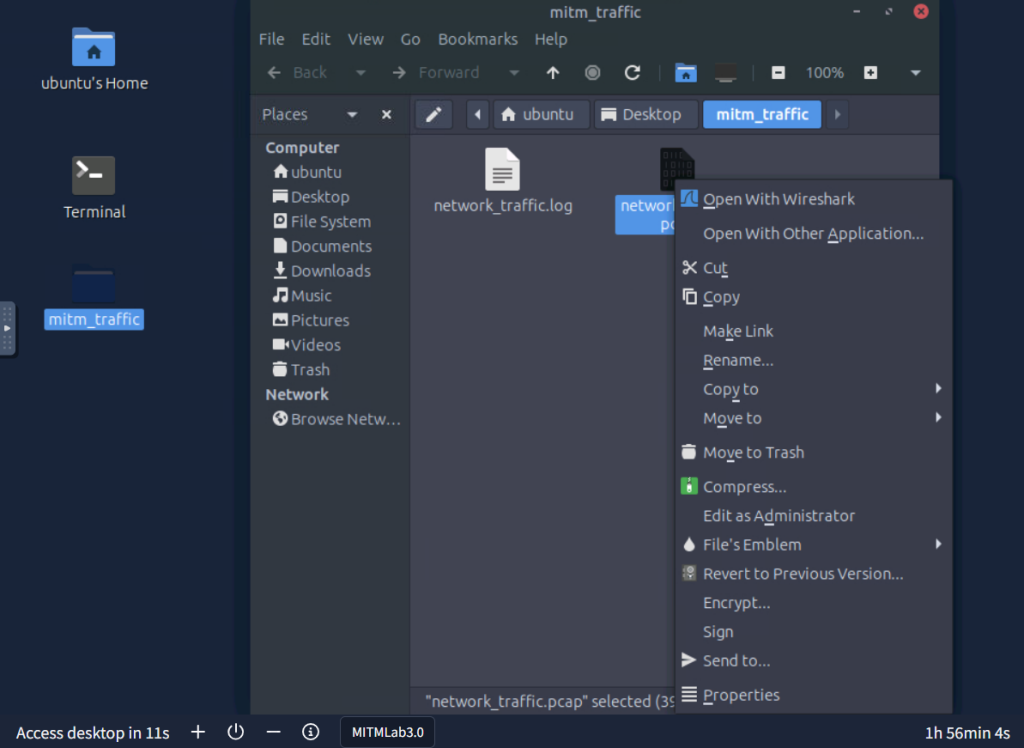
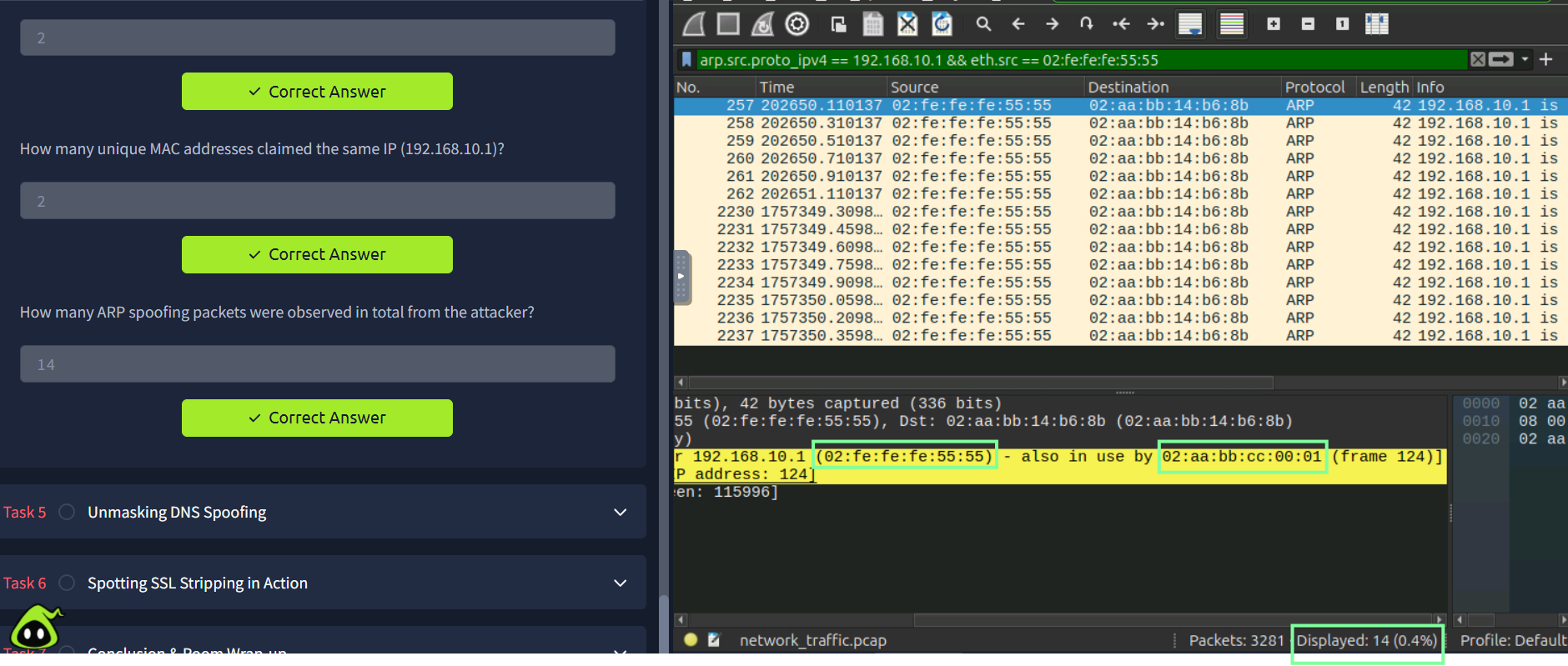
In Task 4, Detecting ARP Spoofing, the room requires you to analyze a pcap file using Wireshark, following the room’s instructions on which ARP filter to apply to see the difference between each one.
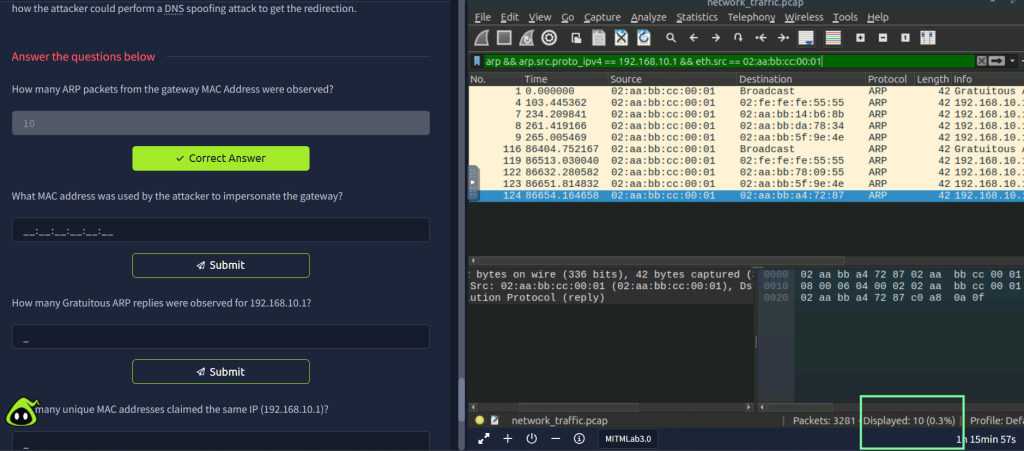
The room breaks down the investigation and the evidence will eventually lead to a confirmation of the MAC address used by the attacker.
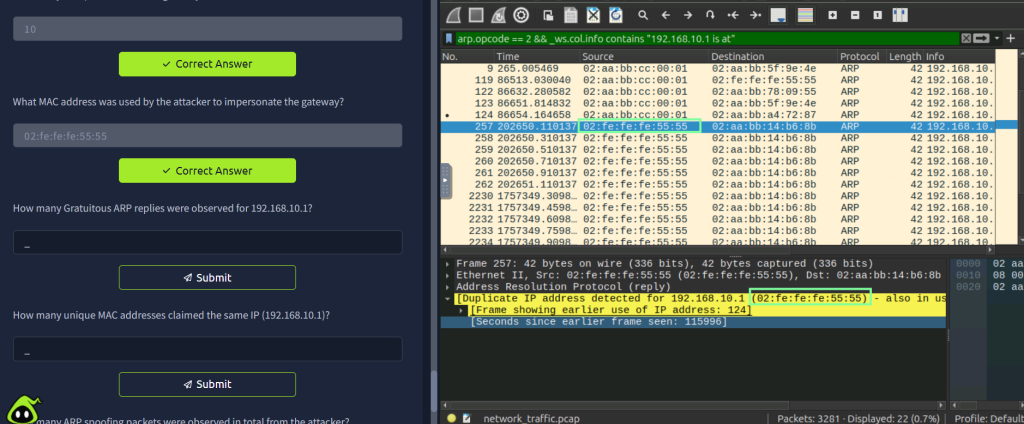
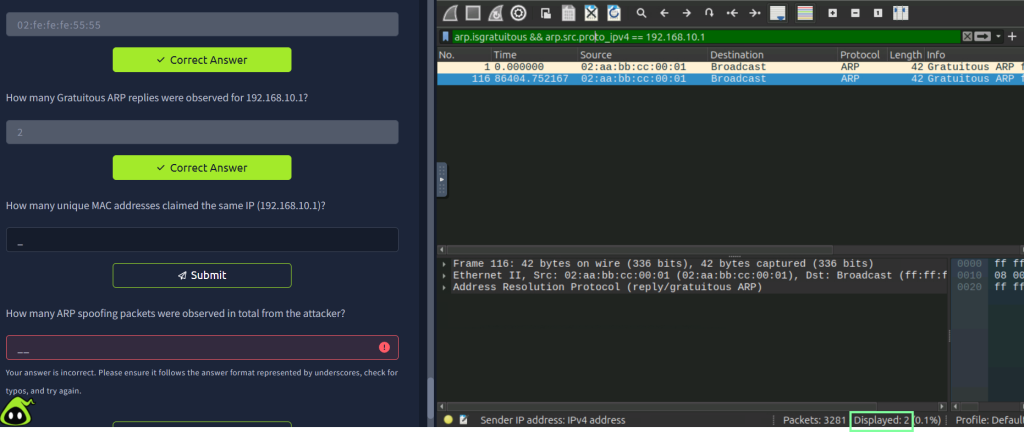
The next question is essentially asking for the duplicate MAC addresses, and with this filter, you also get the final question for Task 4.
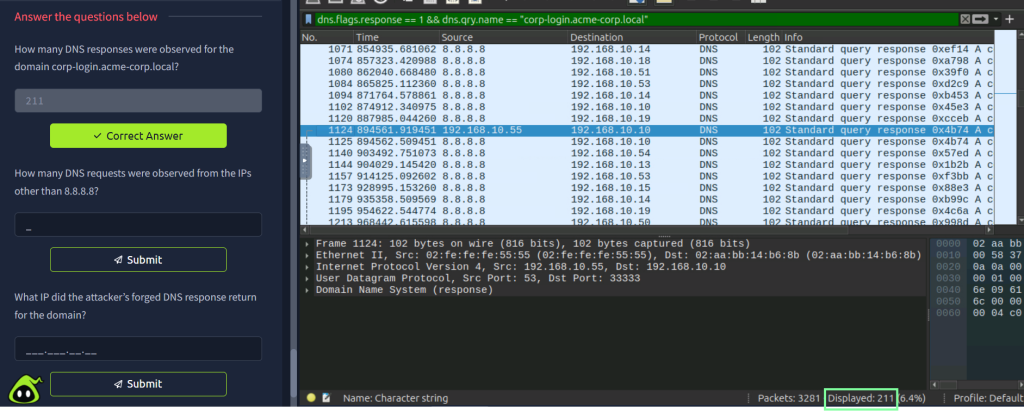
On to Task 5, “Unmasking DNS Spoofing”. So far, I’m very impressed with this room and the way it breaks down the explanations. It also gives some great examples of the different indicators of attacks. After you read that, you will then go back to Wireshark and analyze DNS traffic!
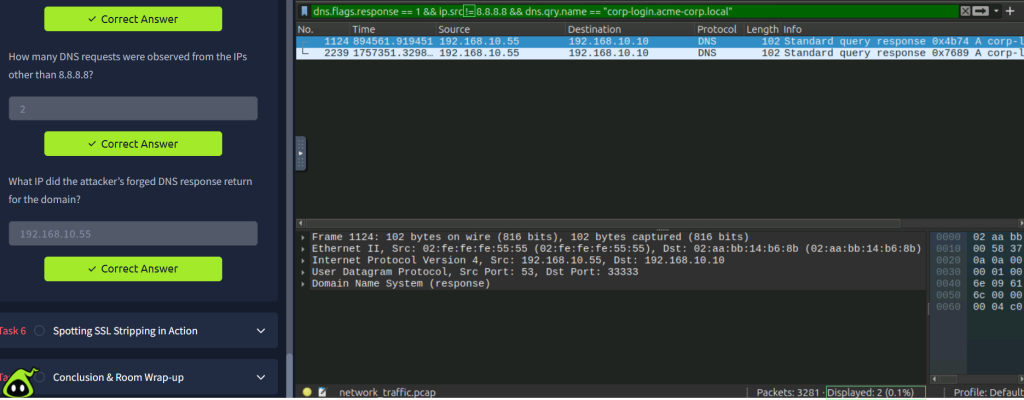
In order to get the next answers, you will use the filter with the != operator.
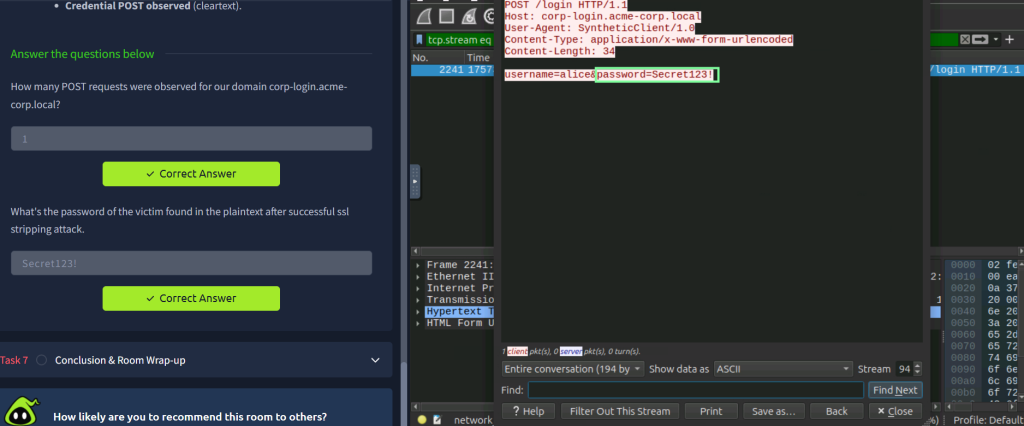
Right click the POST request > Follow > HTTP Stream
I enjoyed doing this new room from THM. I was familiar with most of the content, but it was a good refresher, and I really recommend this to newcomers!
- ARP – “Address Resolution Protocol (ARP) is responsible for finding the MAC (hardware) address related to a specific IP address. It works by broadcasting an ARP query, “Who has this IP address? Tell me.” And the response is of the form, “The IP address is at this MAC address.” “
- DNS – Domain Name System (DNS) is the protocol responsible for resolving hostnames, such as tryhackme.com, to their respective IP addresses.
- SSL – SSL (Secure Sockets Layer) is a protocol that enables secure communication over a computer network. It encrypts data transmitted between a web server and a browser, ensuring that sensitive information, like passwords and credit card numbers, remains private and protected from eavesdroppers.
- TLS – Transport Layer Security is a cryptographic protocol that secures communications over a network. It provides authentication through the use of certificates, integrity by detecting tampering and confidentiality by encrypting the data.