https://tryhackme.com/room/windowsthreatdetection1
Created by: tryhackme, TactfulTurtle


Task 3, Initial Access via RDP, goes over the risks of using RDP and the vulnerabilities that it presents. We will be using the RDP event logs for this task.

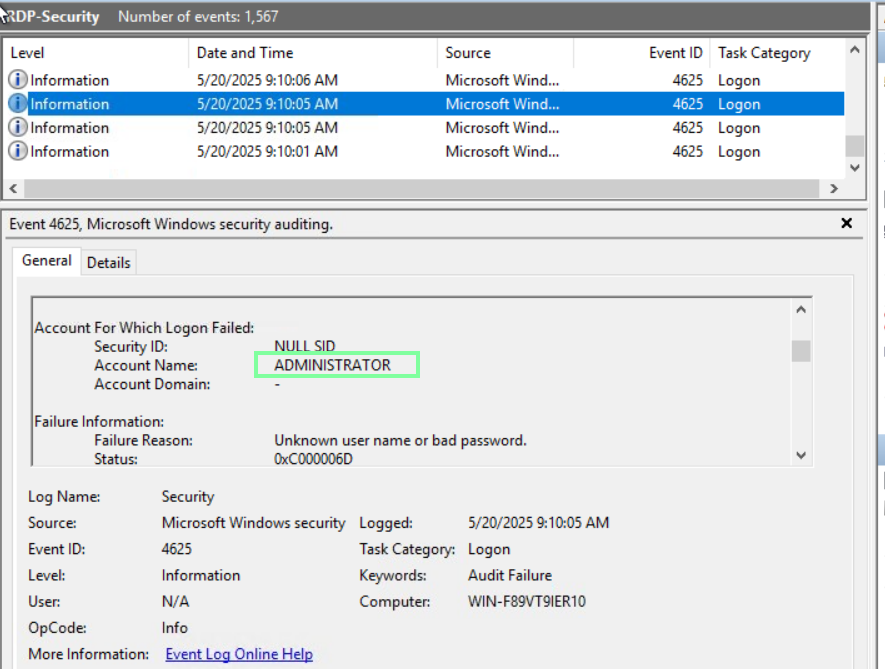
“Which user seems to be most actively brute-forced by botnets?”
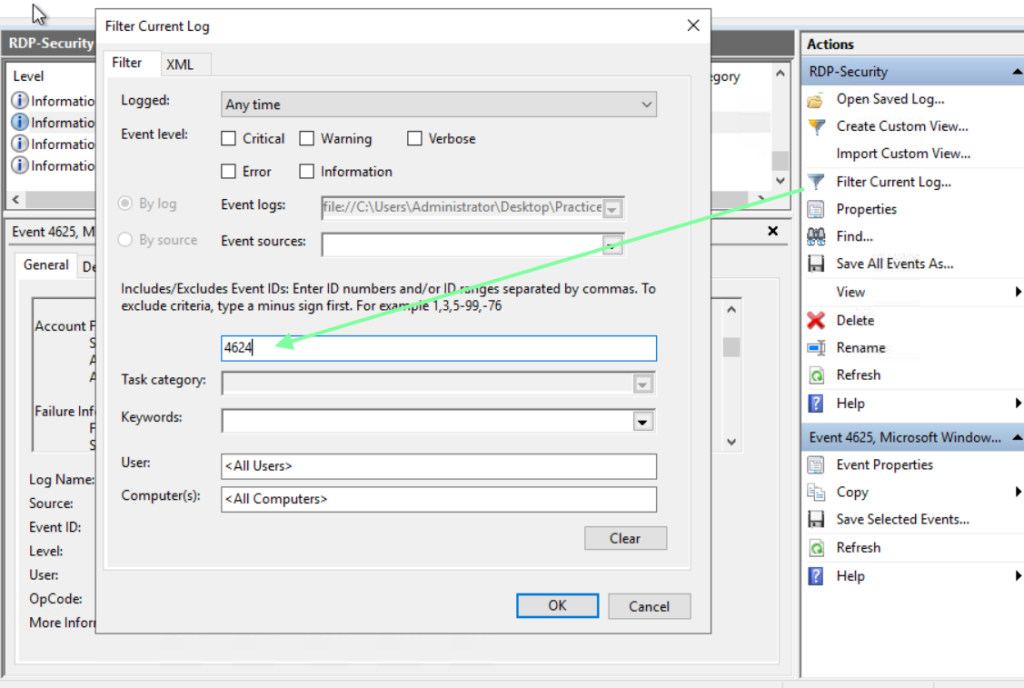
“Which IP managed to breach the host via RDP (Logon Type 10)?”
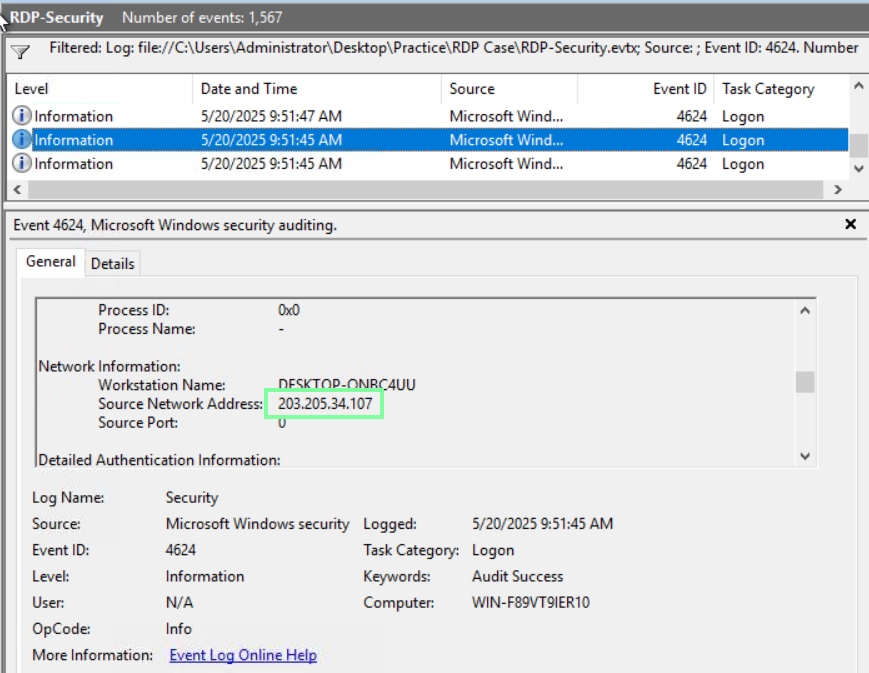
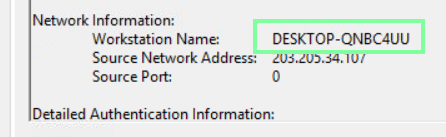
“Can you get the real Workstation Name (hostname) of the threat actor?”
Staying on the same event, we obtain the workstation name.
On to Task 4, Initial Access via Phishing!
By now, we all know what phishing is and how it’s carried out. This task covers other ways that we might be tricked by a phishing attack.
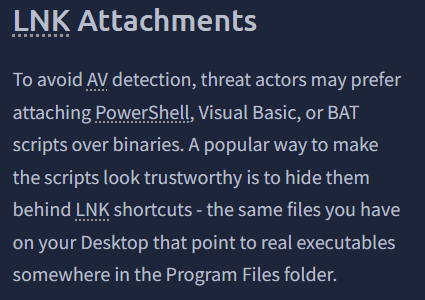
Per THM, “Files with a .lnk file extension refers to “link files” or “desktop shortcuts”. These files are often used to point to a file or folder from another location, making it convenient to access frequently used files and folders.”
“Let’s play the role of the untrained user and mindlessly open the COM file.
Run the www.skype.com file from the Phishing Case 1 folder, which flag do you get?”
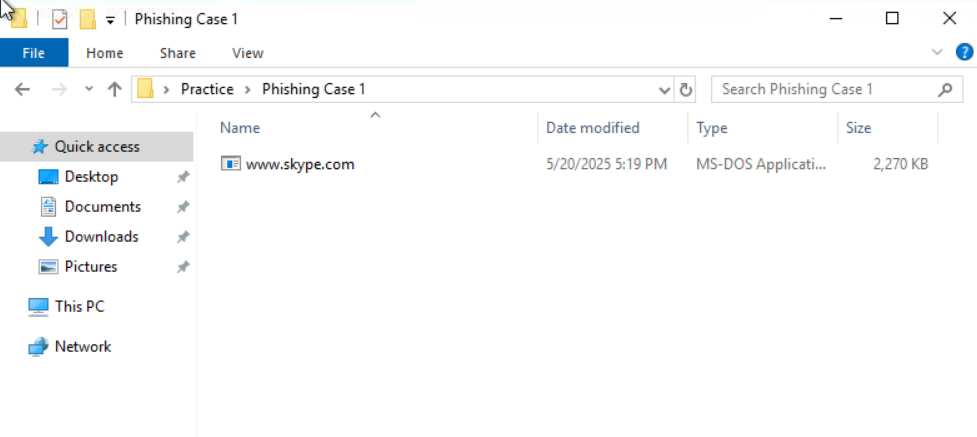
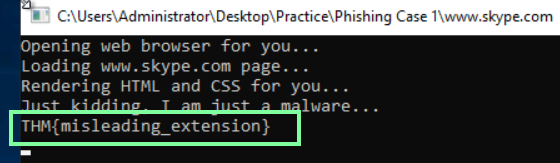
“Continue with the second attachment from the Phishing Case 2 folder.
From which URL does the malicious LNK download the next stage malware?”
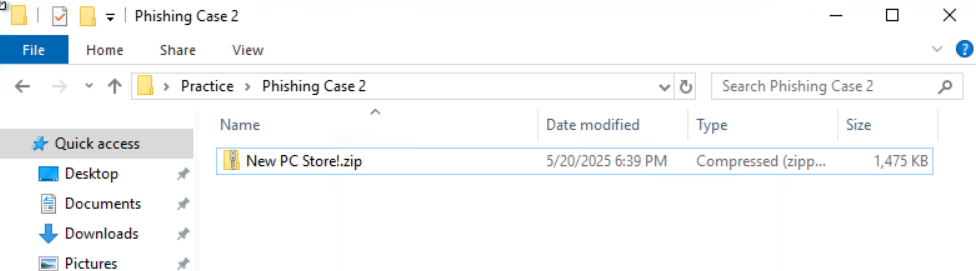
Open the zip file, then extract it. After you extract it, look at the properties of the website file and copy and paste only the HTTP link.

“Finally, move on to the Phishing Case 3 folder and review its content.
What is the name of the double-extension file you see there?”
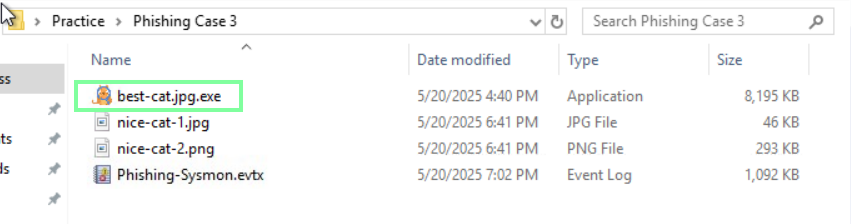
On to Task 5, Continuing Phishing Topic!
“Which file did the user download via the web browser?”
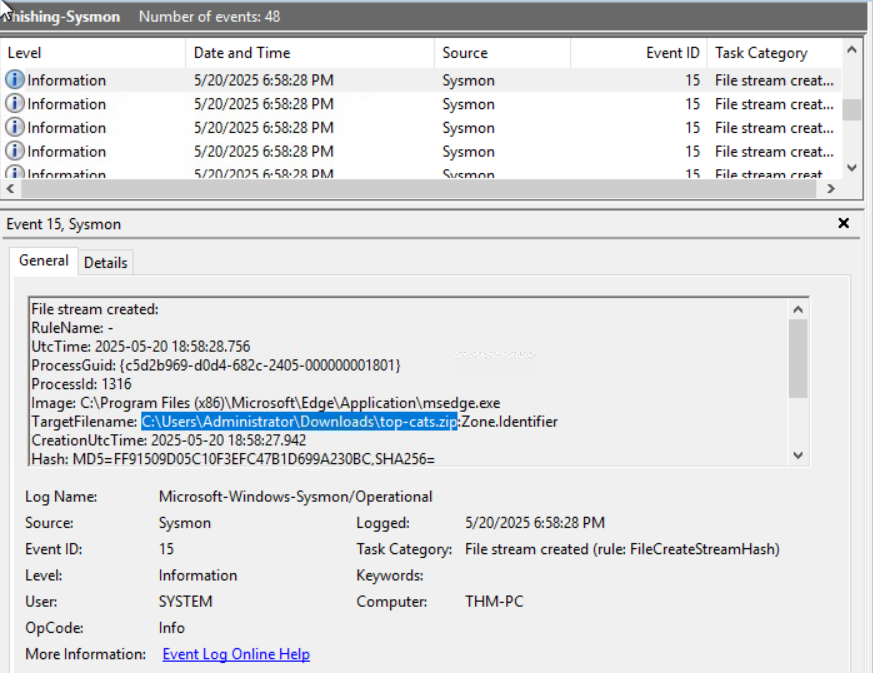
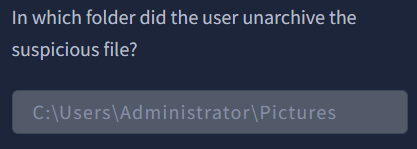
“In which folder did the user unarchive the suspicious file?”
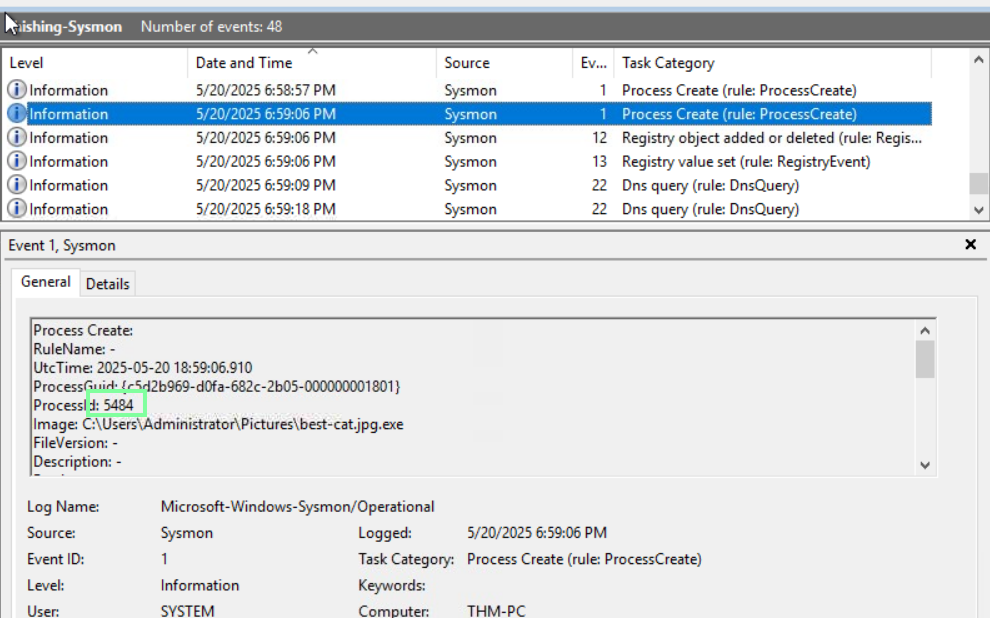
“What is the process ID of the launched phishing malware?”
The easiest way to obtain this is to look at the Process Create in the Task Category column and have the time and date from beginning to end.
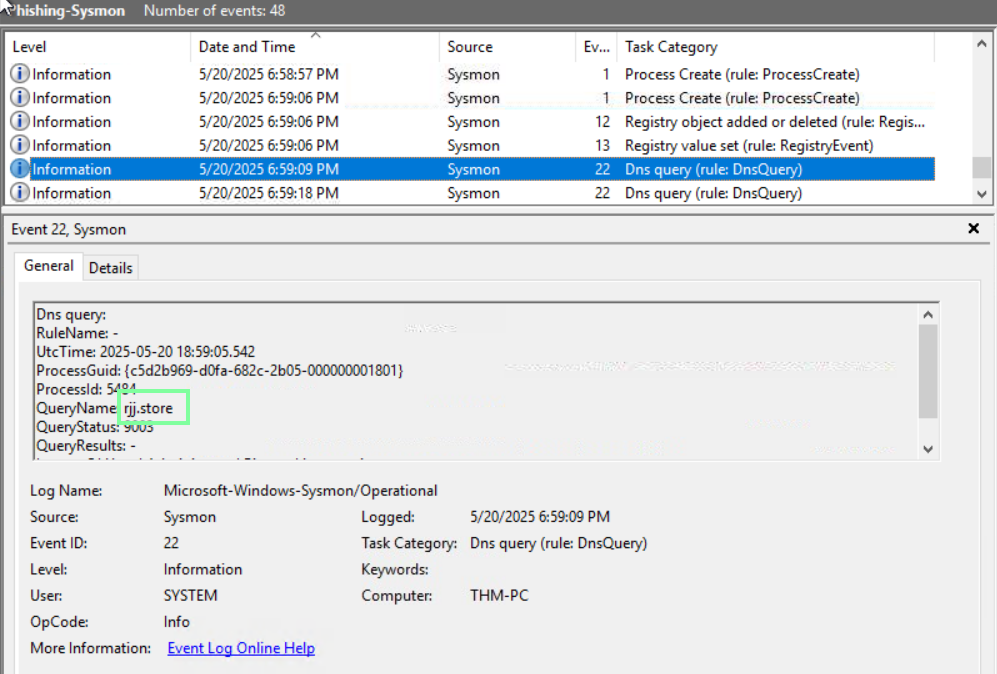
“Finally, which malicious domain did the malware try to connect to?”
On no Task 6, Initial Access via USB!
By now, we know of the social engineering attacks when it comes to USBs. Drop it in a parking lot, and a curious user picks it up, plugs it in, and voila, we have our attack entrance. However, how is one able to detect an infected USB?
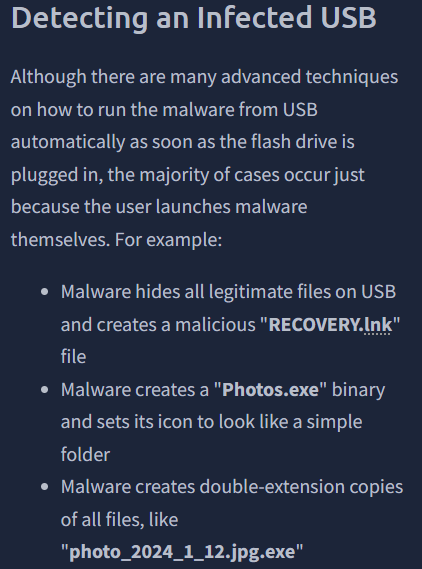
With the next few questions, as long as you change the Date and Time to match up from beginning to end, they follow each other when it comes to Event order.
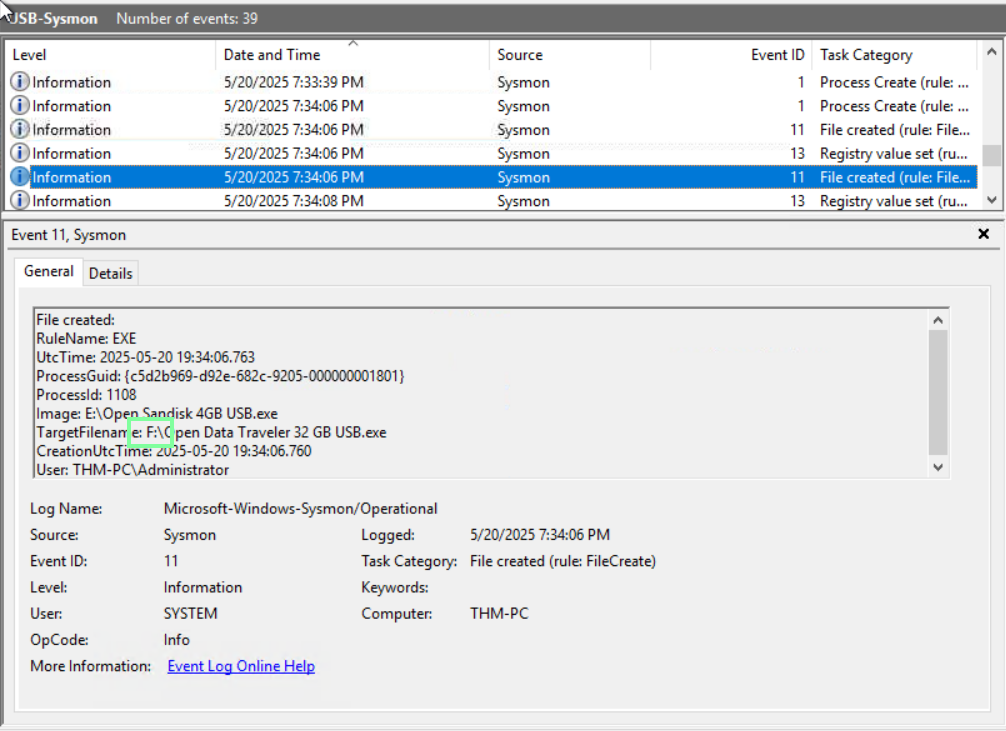
“Which USB file was launched by the user?”

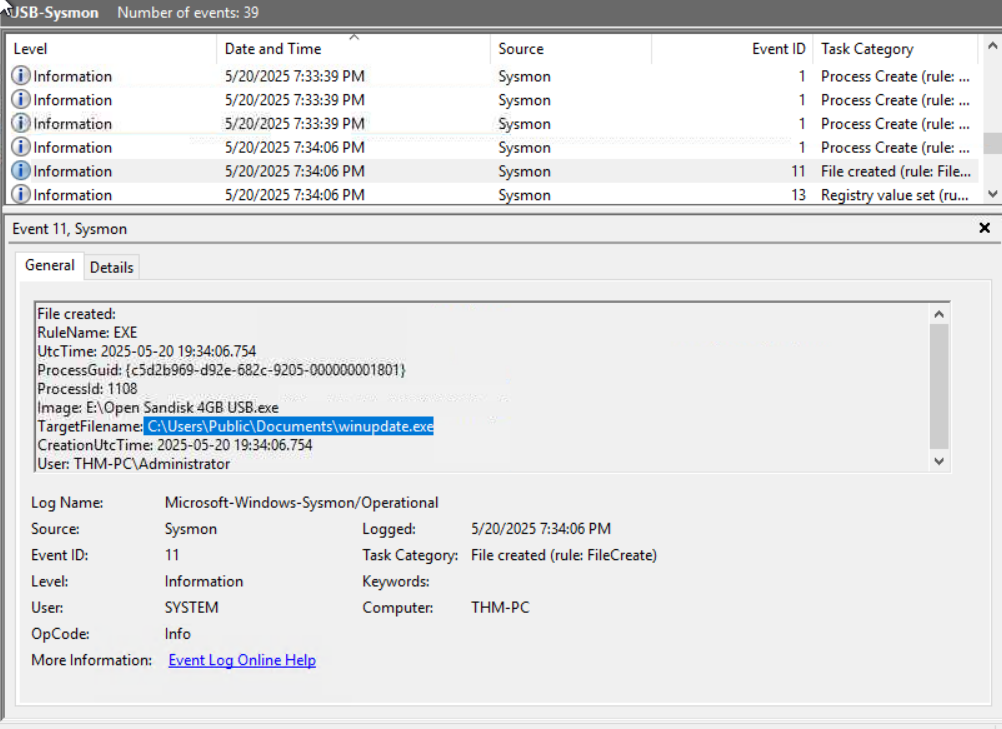
“Which suspicious file did the malware drop to the disk?
(Format: full path to the file, e.g. C:\file.txt)”
“To which other USB did the malware propagate?
(Format: just the letter, e.g. X:)”