
https://tryhackme.com/room/windowsloggingforsoc
Created by: Tryhackme, SaintNada, TactfulTurtle
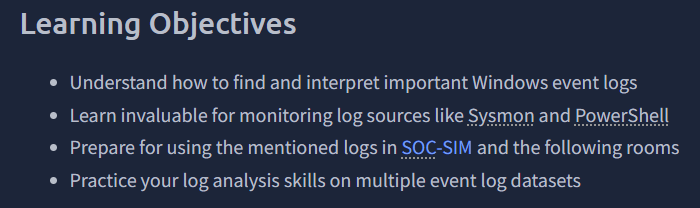
THM links to four other rooms:
Know Core Windows Processes
Remind yourself of the Logs Fundamentals
Learn and practice Sysmon
Learn how to query Event Logs
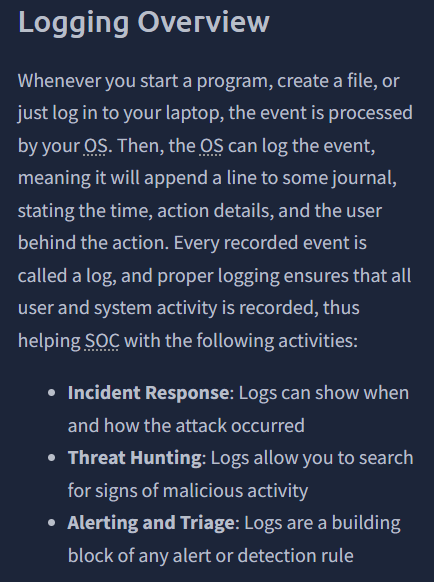
In Task 2, THM has us boot up our VM and prepare the Event Viewer. They show us an example snippet, which you will also use for the question.
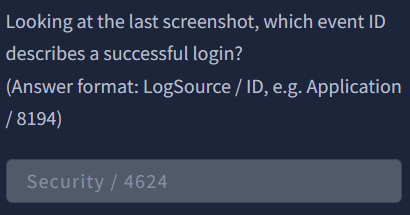
“Looking at the last screenshot, which event ID describes a successful login?
(Answer format: LogSource / ID, e.g. Application / 8194).”
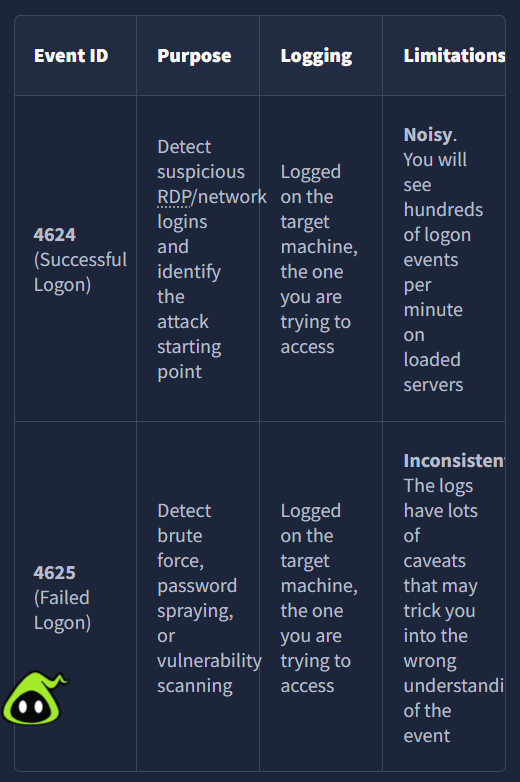
On to Task 3, Security Log: Authentication! Two of the most important security logs are 4624 and 4625.
“Open the “Practice-Security.evtx” file on the VM’s Desktop.
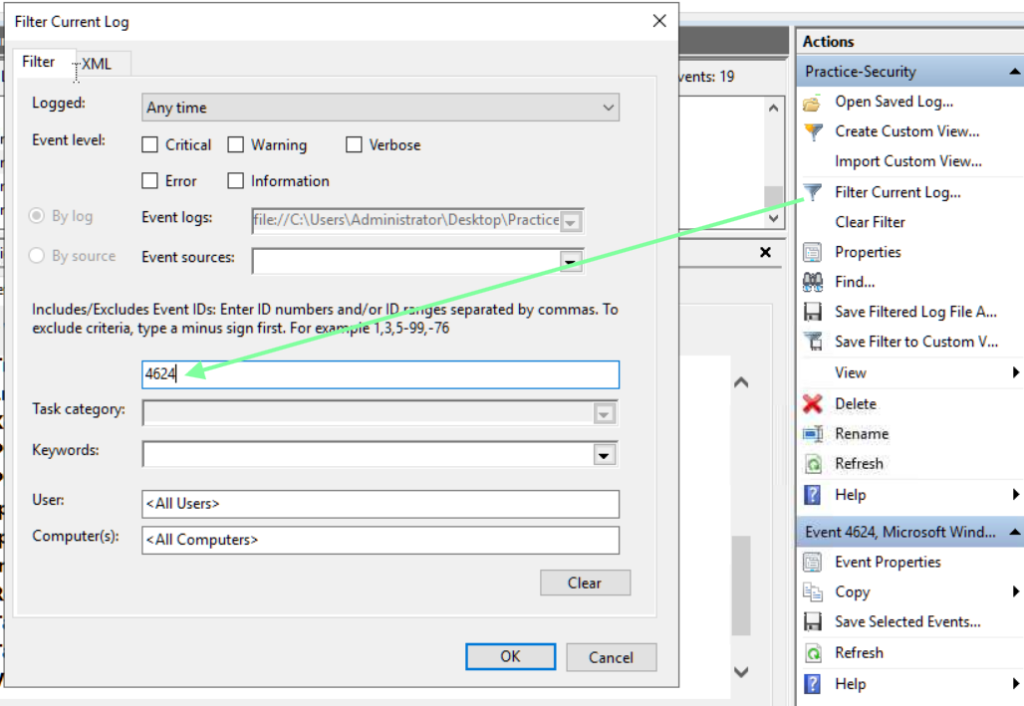
Which IP performed a brute force of the THM-PC?”
I added 4624 to the filter since we are looking for successful logins.
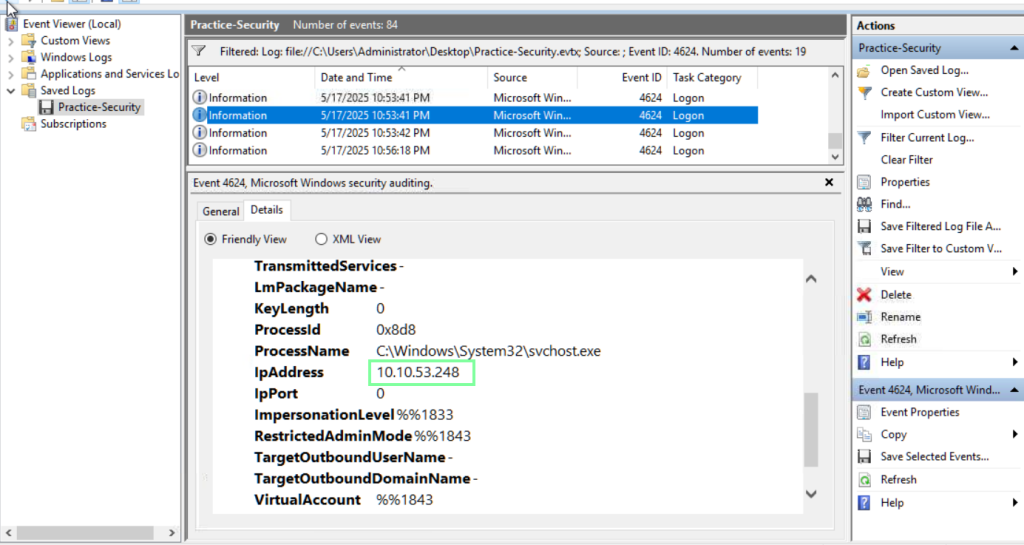
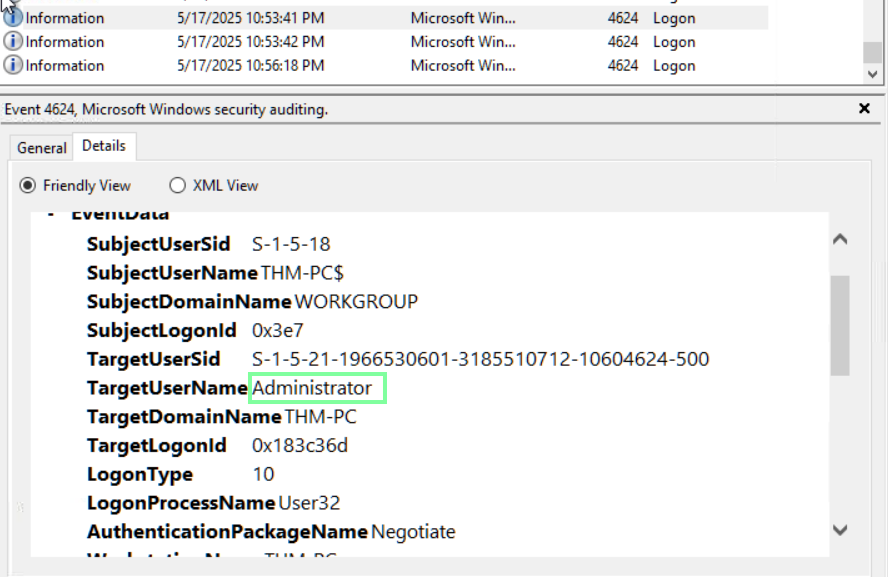
In the same event, we can obtain the information for the next couple of questions.
“Which user has been breached as a result of the attack?”
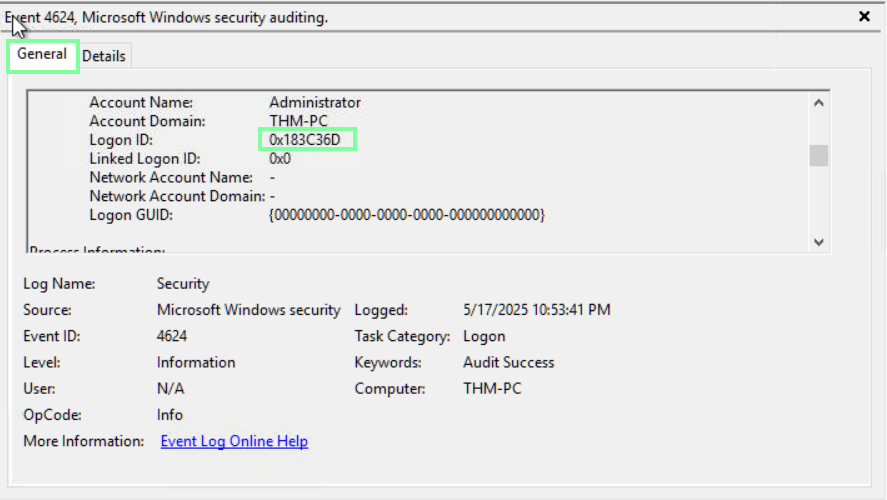
“What was the Logon ID of the malicious RDP login?
Note: The login you are looking for has a Logon Type 10.”
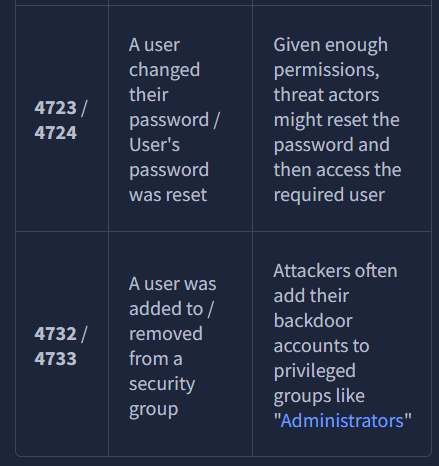
On to task 4, Security Log: User Management! In this task, we look at more Event IDs.

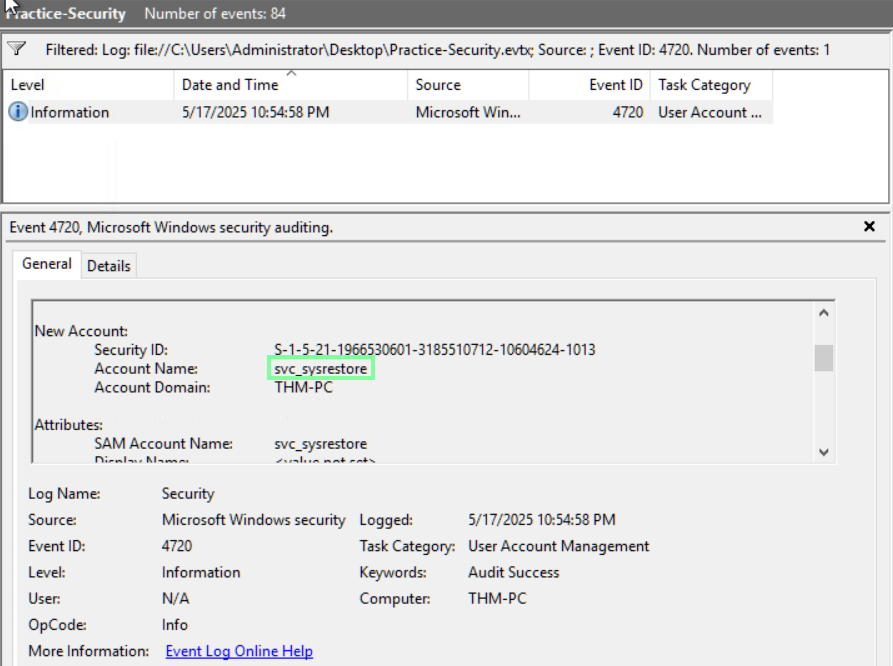
“Continue with the “Practice-Security.evtx” file on the VM’s Desktop.
Which user was created by the attacker soon after the RDP login?”
Apply the new filter of 4720.
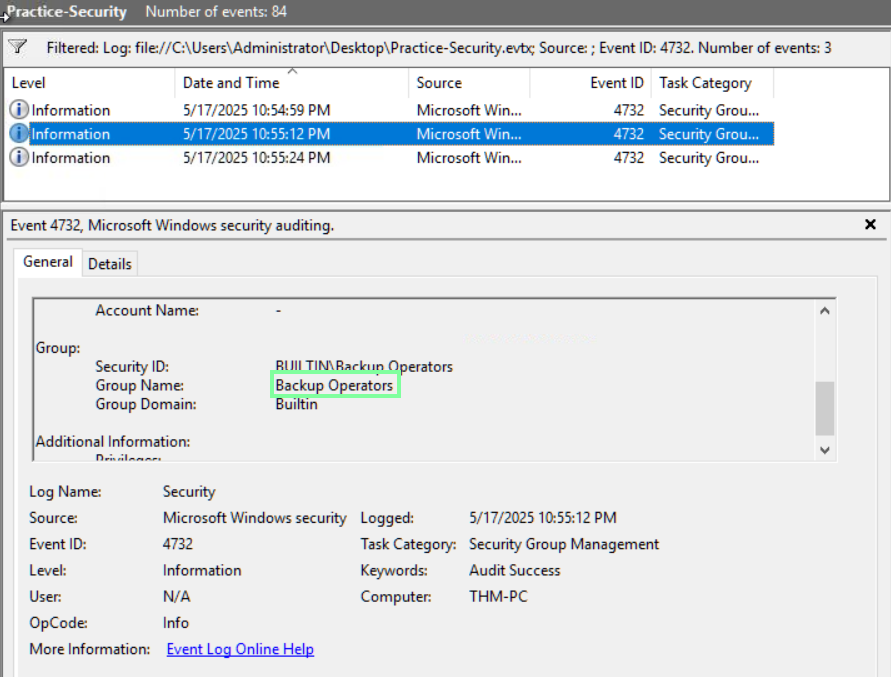
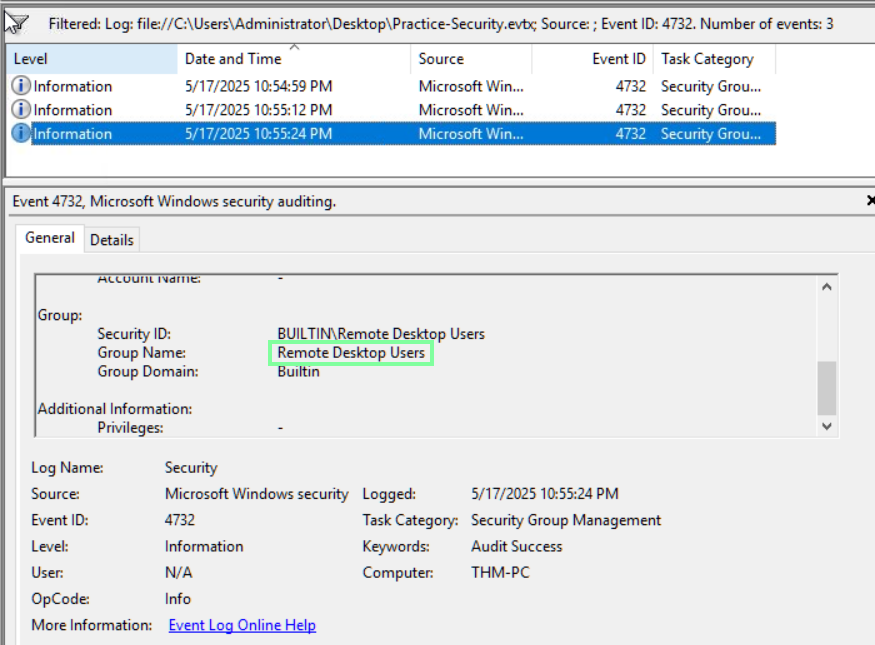
“Which two privileged groups was the backdoor user added to?
(Answer in alphabetical order, e.g. “Administrators, Power Users”)”
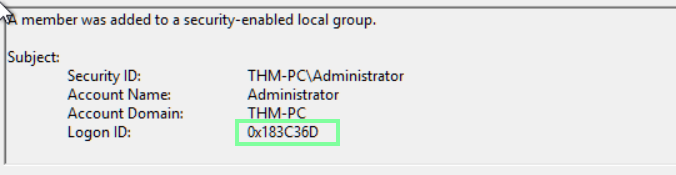
“Does the Logon ID field match what you saw in the previous task (Yea/Nay)?”
Yea
On to task 5, Sysmon: Process Monitoring!
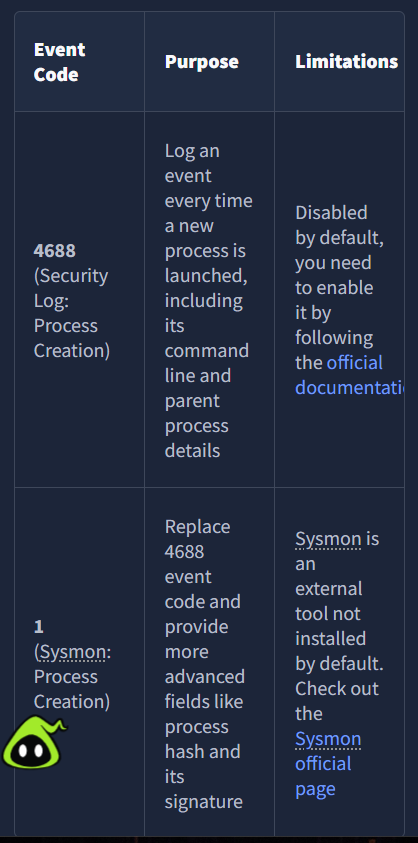
“Open the “Practice-Sysmon.evtx” file on the VM’s Desktop.
Which web browser does Sarah use to browse the web?”

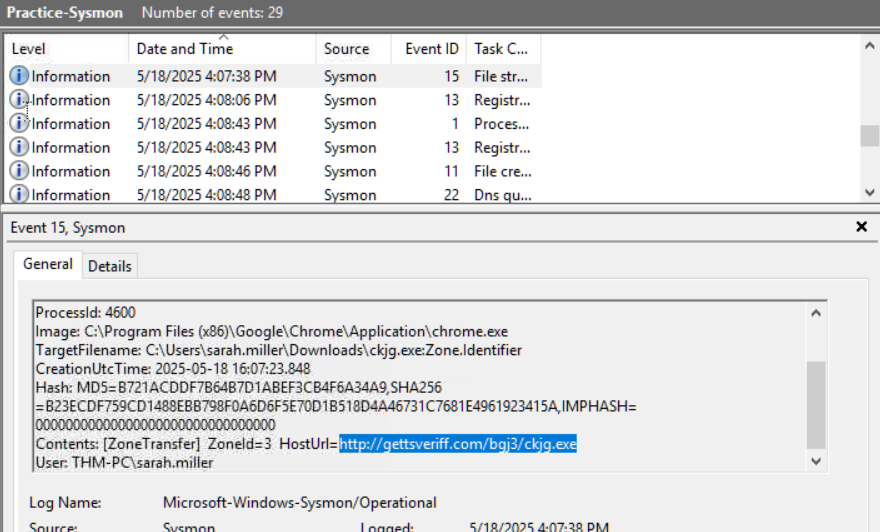
“Which file did Sarah download from the browser?”

“Which URL was the file downloaded from?
Note: Use other Sysmon events to find out!”
On to Task 6, Sysmon: Files and Network!

“Continue with the “Practice-Sysmon.evtx” file on the VM’s Desktop.
Which file was created by the downloaded malware to persist on the host?”

“What is the Command & Control server malware connected to?
(Answer in format IP:Port, e.g. 1.1.1.1:80)”
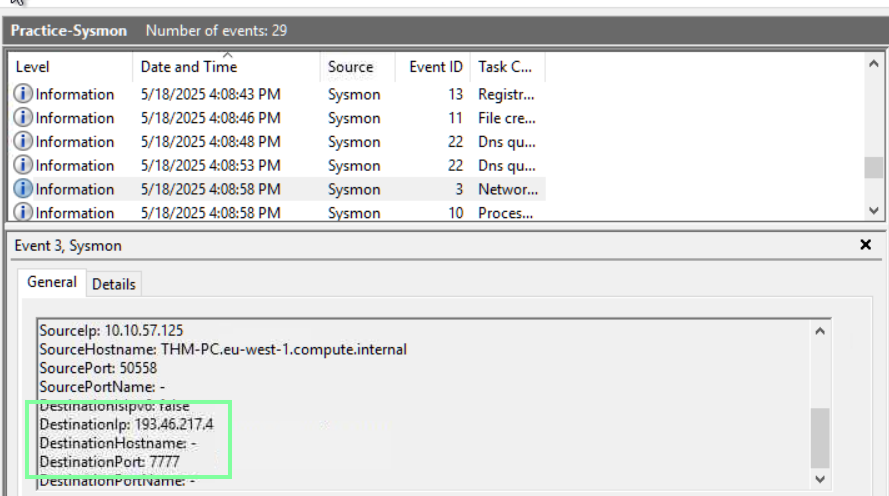
“Finally, which domain does the malicious IP correspond to?”
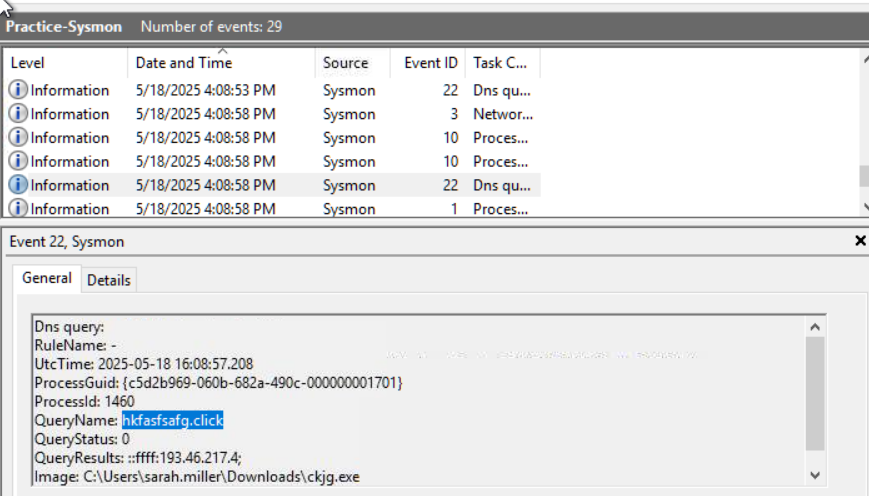
On to the last Task, PowerShell: Logging Commands!
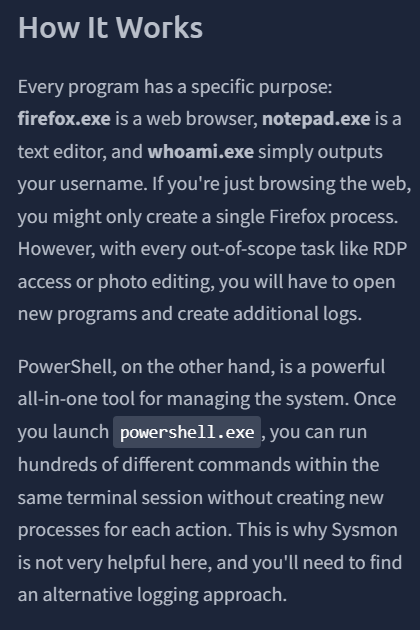
“”Review the Administrator’s PS history on the attached VM.
Which PowerShell command was executed first?”
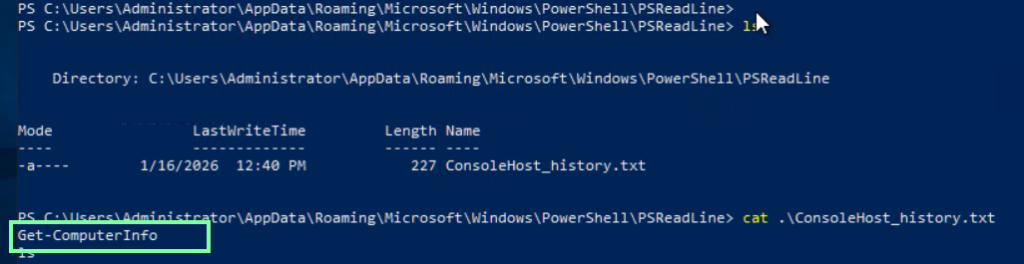
“When did the Administrator run the first PS command? (Format: April 18, 2025)
Note: You might need to right-click the history file and open “Properties” to get the answer!”
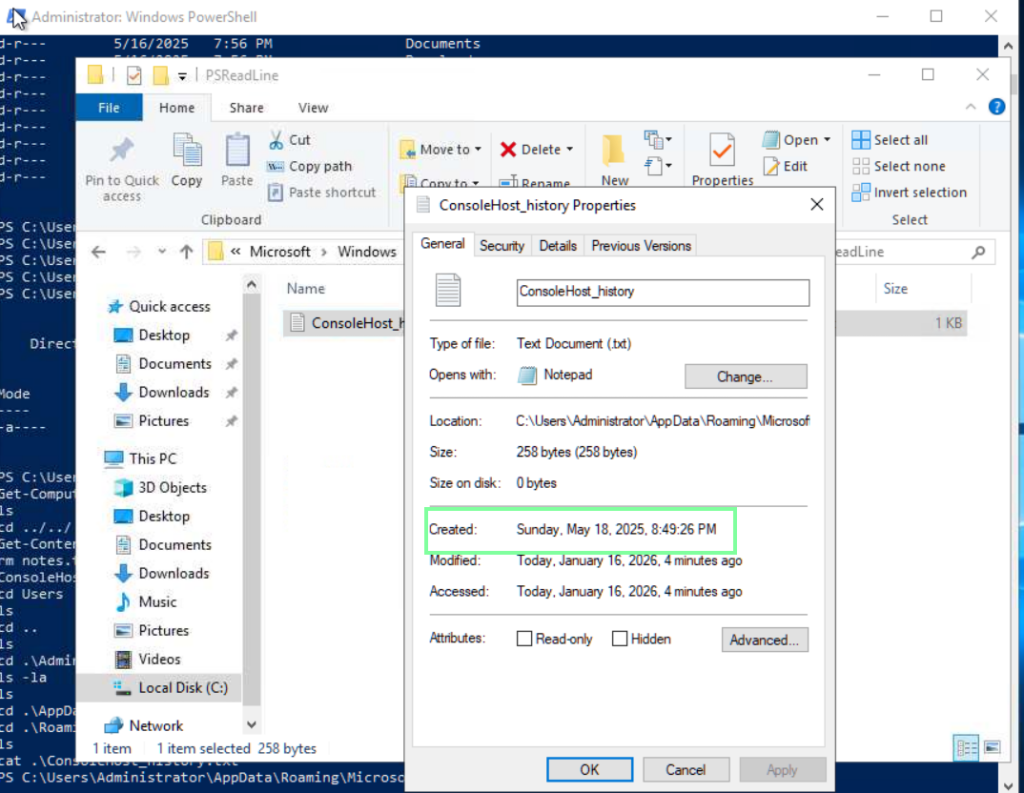
“Can you find the flag stored in the PowerShell history? (Format: THM{…})
Note: You might want to check the PS history of other local users!”
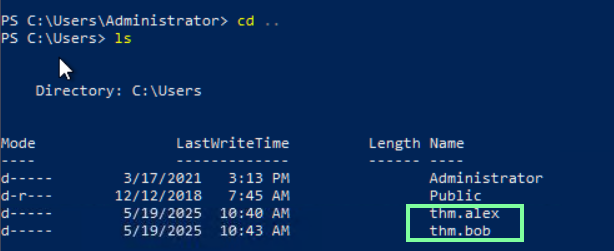
There are two other users. Let’s check out Alex’s command history.

Hm, no flag there. Now let’s check Bob’s!

Bob was trying to be sneaky but we found it!